Processing, Sync, and Troubleshooting
Source scope decides what enters the collection. Processing decides how it becomes searchable. Retrieval decides which chunks reach an agent. Change defaults only against a repeatable evaluation set.
When search succeeds, internal chat can preserve structured links to the returned Data documents. These references identify the collection, source, and document but do not bypass permissions or replace processing evidence. See Documents Used in an Answer, then return here when a referenced document is missing, stale, unreadable, or retrieves poorly.
Advanced PDF Content Extraction
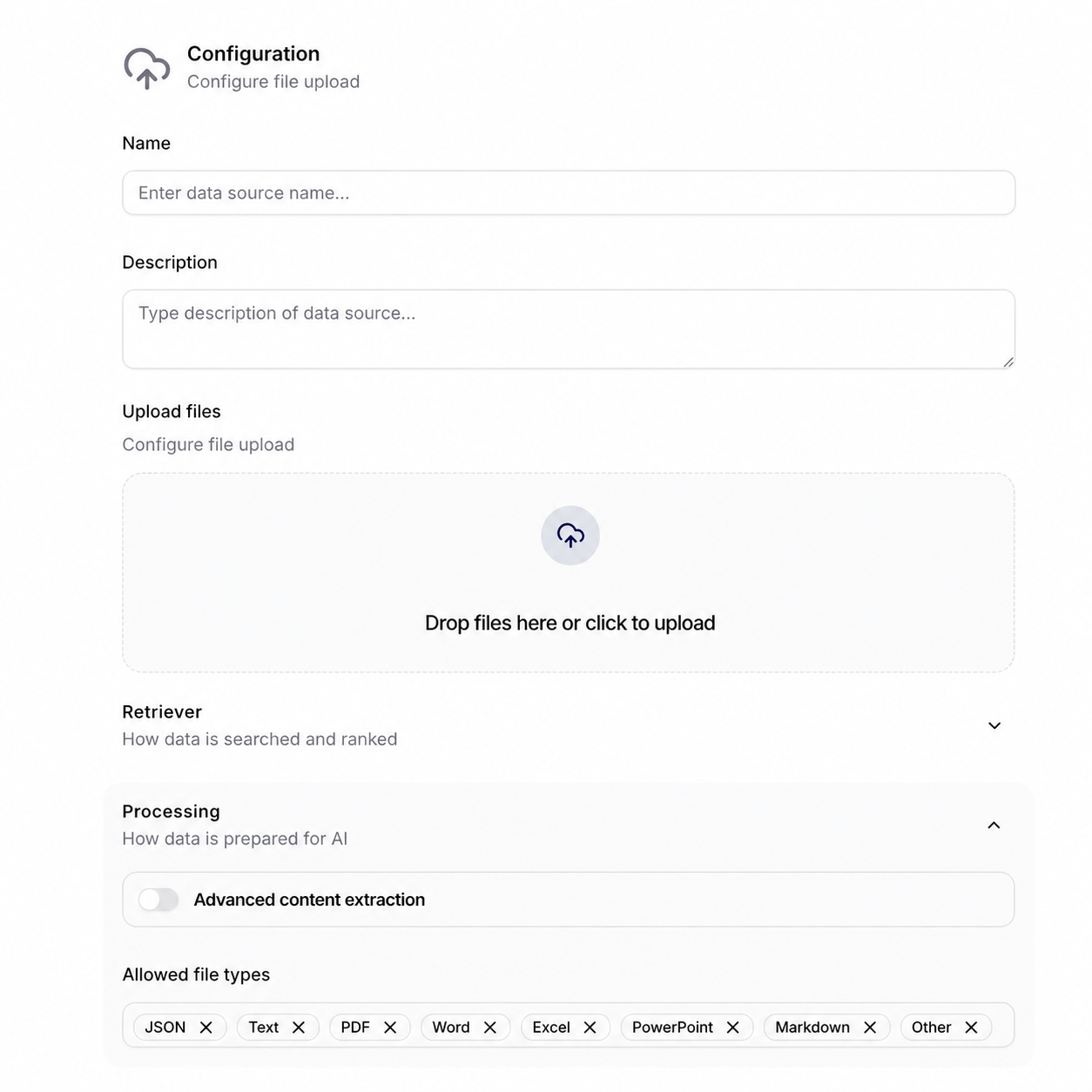
Advanced content extraction is the PDF-specific processing path for documents whose meaning depends on page layout, tables, or figures. When the switch is enabled and the discovered document is a PDF, Siesta AI sends it to Azure Document Intelligence with the prebuilt-layout model and requests Markdown output plus figure data. Other supported file types continue through their normal readers; enabling the switch does not send Word, Excel, PowerPoint, JSON, or text files through this PDF analysis path.
The analysis produces three kinds of retrieval input:
- the document's layout-aware text in Markdown;
- extracted table elements, including their table markup and header context;
- extracted figure elements with image data when the service returns a matching figure.
During chunking, Siesta AI places tables and figures near their original position in the document, generates a textual description for each supported element, and embeds those descriptions as searchable chunks. This can improve retrieval for a value stored in a complex table or for meaning carried by a diagram. It does not guarantee that every visual detail is interpreted correctly, so inspect representative chunks and test questions whose answers depend on both tables and figures.
Supported sources and operating cost
The current PDF extraction path is implemented for Manual Upload, Google Drive, OneDrive, SharePoint, Azure Storage Account, and Azure File Share. A connector must still be able to discover and read the PDF; the switch does not bypass provider permissions, source scope, file filters, or connection failures.
Azure Document Intelligence is billed per analyzed page. The analyzed-page counter increases when analysis returns, even if the document is later skipped because of a filter, an unchanged hash, empty content, or another ingestion decision. Repeated synchronization of a PDF can therefore add analyzed pages without producing a new indexed version. Use the source Overview and Data Upload Limits to monitor this separately from stored megabytes.
When to enable it
Enable advanced extraction for scanned PDFs, layout-heavy reports, multi-column documents, complex tables, or diagrams that are important to retrieval. Leave it off for ordinary text PDFs when the standard reader already produces clean, complete text; advanced extraction adds processing time and per-page cost.
Pilot before enabling it for a large synchronized source:
- Process a representative text PDF, scanned PDF, table-heavy report, and figure-heavy report.
- Open Files and confirm
IndexedandReadablestate. - Inspect extracted chunks for reading order, headings, table values, and figure descriptions.
- Ask questions that require exact table values and visual context, then compare the answers with the source pages.
- Record the analyzed-page increase and estimate the cost of the planned synchronization frequency.
Troubleshooting advanced extraction
| Symptom | Check first |
|---|---|
| PDF is skipped with User analyzed pages limit exceeded | The owner's effective analyzed-page allowance and total analyzed pages across all of their Data sources |
| PDF is readable but tables or figures retrieve poorly | Extracted chunks, generated element descriptions, reading order, and a representative retrieval test |
| Analyzed pages increase but no new indexed version appears | Whether analysis completed before a later hash, filter, or content decision skipped the document |
| Only non-PDF files are present | Use their standard readers; Advanced content extraction is not applied to them |
| A synchronized PDF cannot be analyzed | Provider permission, selector or path, connection health, file readability, source Logs, and Azure processing availability |
If the analyzed-page allowance is exhausted, increasing the storage allowance alone does not help. The two quotas are enforced independently.
JSON Features and JSON Metadata Definitions
When a Data source imports JSON, these two settings describe the role of named fields:
| Setting | Practical question | Recommended use | Typical keys |
|---|---|---|---|
| JSON Features | From which content should the AI draw? | Meaningful text that should support retrieval and answers | title, description, summary, content, normalized comment text |
| JSON Metadata Definitions | How should the system identify, classify, or potentially filter the document? | Stable identifiers and controlled classification values | id, category, author, language, createdAt, customerId |
The fields are available in the current creation forms for Manual Upload, Google Drive, OneDrive, SharePoint, Azure Storage Account, and Azure File Share. Do not put the same key in both lists without a specific reason and a retrieval test.
Prepare the JSON contract
Before configuring either list, collect:
- one to three representative JSON objects,
- examples of questions that users will ask,
- the classifications or filters they expect to use,
- examples of nested, optional, or structurally inconsistent objects.
Prefer concise text with business meaning for features and stable, normalized scalar values for metadata. Exclude binary content, access tokens or signed URLs, internal processing values, duplicated text, and large objects without a clear retrieval benefit.
Nested objects, arrays, missing values, and a key that changes data type between records require a stable upstream contract. Flatten nested values into documented keys, normalize dates and identifiers, and combine useful arrays or comments into a deliberate text field when necessary. Do not assume that an untested nested path will be interpreted as intended.
Example configuration
Consider this representative object:
{
  "id": "policy-1042",
  "title": "Password reset policy",
  "summary": "Rules for resetting an employee account password.",
  "content": "After a reset, the employee must create a new password and confirm multifactor authentication.",
  "category": "Identity",
  "author": "Security Operations",
  "language": "en",
  "createdAt": "2026-08-01T09:30:00Z",
  "_etag": "internal-revision-value"
}
Recommended values:
JSON Features: title, summary, content
JSON Metadata Definitions: id, category, author, language, createdAt
| Key | List | Reason and expected effect |
|---|---|---|
title | Features | Adds the document's subject and terminology to searchable content. |
summary | Features | Supplies a concise description that can improve retrieval for broad questions. |
content | Features | Contains the facts from which answers should be produced. |
id | Metadata | Provides a stable identifier for the logical record. |
category | Metadata | Classifies the record for review and intended category filtering. |
author | Metadata | Records the accountable source or team. |
language | Metadata | Provides a normalized language classification for intended filtering. |
createdAt | Metadata | Preserves a sortable, normalized timestamp when the RAG service supports it. |
_etag | Neither | It is an internal processing value with no user-facing retrieval benefit. |
This split should support a content question such as “What must an employee do after a password reset?” and is intended to support a filter such as “Identity documents in English.” Test both behaviors against the deployed RAG service before relying on them.
The frontend presents both settings as repeatable lists of field names and removes entries whose content is only whitespace before creating the Data source. The application backend does not verify that a name exists in the imported JSON and passes the received lists unchanged to the RAG client's JsonFeatures and MetadataDefinitions properties.
The application backend sends these values during Data-source creation. It does not store them separately in its own database, return them in the current Data-source detail, or accept them through the current update endpoint. Define and test the lists before creating a production source.
The application and backend do not establish exactly how the separate RAG service indexes selected features, applies metadata filters, resolves nested paths, handles missing or mixed-type values, or resolves a key present in both lists. Treat the recommendations above as a qualified starting point. Pilot representative records, inspect extracted documents and chunks, and test at least one content question and one intended metadata filter.
Shared Connected-Source Fields
Every integration-backed source requires Name, optional Description, Connection ID, and a sync frequency. Connection ID is a selector for stored authentication; it is never a field for a secret.
Sync Frequency
| Frequency | Use for |
|---|---|
| On Demand | Signed policies, reviewed releases, quarterly exports |
| Daily | Operational documentation, active projects, changing shared folders |
| Weekly | Maintained but non-urgent knowledge |
| Monthly | Slow-moving archives and reference material |
Manual Upload has no upstream system to synchronize. Faster is not automatically better: it uses provider and processing capacity and makes unreviewed upstream changes available sooner.
Retriever Settings
Most forms expose Skip query rewrite, Skip LLM ranking, and Maximum result count (validated from 1 to 15). Query rewrite can improve conversational recall; skipping it can help exact identifiers. LLM ranking can improve relevance at additional latency. Keep defaults until measured tests justify a change.
OneDrive and Confluence do not expose the same Retriever section in the current creation UI.
Processing Settings
Depending on the source, the UI exposes file-type filters, advanced extraction, JSON Features and JSON Metadata Definitions, chunking strategy, vector size, and quantization. Current forms default vector size to 3072 and quantization to None.
- Jira and Firecrawl do not expose file-type filtering.
- Confluence does not expose a chunking selector.
- Manual Upload hides chunking selection in the current form.
- OneDrive omits the common Retriever section.
Advanced PDF content extraction can help tables, layout, and figures but must be tested on representative files. Vector or chunking changes can require reprocessing and invalidate earlier quality comparisons.
Inspect Before Production
Use Overview for schedule, totals, last and next sync; Files for document, indexed, and readable state; Logs for run outcomes; and document detail for extracted chunks.
Test:
- a known present answer,
- a known absent answer,
- conflicting versions,
- a recently changed item,
- an expected exclusion.
Troubleshooting Matrix
| Symptom | Check first |
|---|---|
| Connection ID is empty | Compatible connection exists and is visible or shared correctly |
| Successful source contains zero files | Selector/path/key spelling, account permission, supported file types |
| Google folder missing | Folder ID, Shared Drive/subfolder switches, connected account access |
| Microsoft folder missing | Exact relative path, correct drive/site/library, account access |
| Azure source empty | Blob selector or exact share name, credential validity |
| Jira or Confluence empty | Project/Space Key and service-account permission |
| Firecrawl contains irrelevant pages | Narrow include regex, add exclusions, lower limit |
| Document exists but is not retrieved | Indexed/Readable state, chunks, agent assignment, retrieval settings |
| Scheduled refresh stopped | Connection health, token expiry, Logs, schedule, provider quota |
Incident Response
If incorrect content creates material risk, detach or disable the collection from production agents, preserve non-secret diagnostic evidence, identify whether the cause is permission, selector, sync, extraction, indexing, or retrieval, fix it on a test agent, and re-run the evaluation set before restoration.