Agents
Agents are configurable AI assistants that combine instructions, model settings, data collections, memory, tools, skills, sub-agents, interface settings, and access rules. Use the Agents section to create agents, review existing agents, open an agent detail, and control how each agent can be used across chat, public experiences, and integrations.
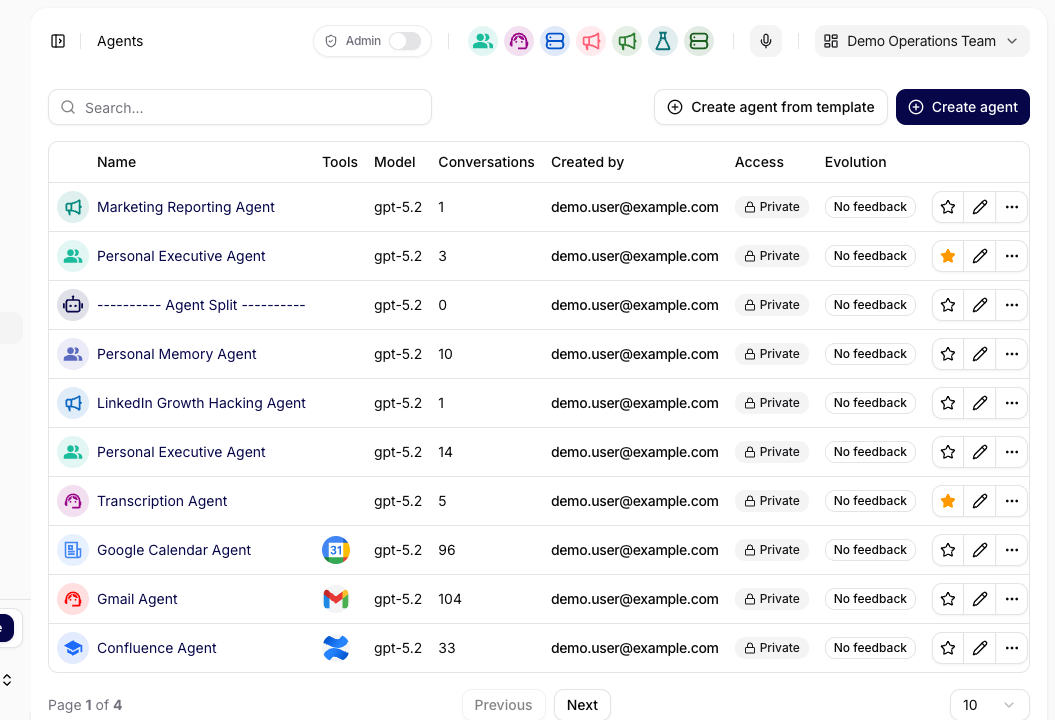
The Agents list shows the agent name, assigned tools, model, conversation count, creator, access level, evolution status, favorite state, edit actions, and row actions. From the list, users can search agents, create a new agent, or create an agent from a saved template.
An agent detail is organized into the same tabs as the application:
| Tab | Purpose |
|---|---|
| Overview | Review the agent's current state, usage, feedback, and important summary cards. |
| Configuration | Control instructions, model, data, memory, tools, skills, access, and sub-agents. |
| Interfaces | Expose the agent through public chat, web widgets, the browser extension, Desktop App, and Mobile App. |
| Prompts | Manage reusable prompt records attached to the agent. |
| Analytics | Review agent-specific usage, messages, and token trends. |
| Evolution | Generate and apply prompt improvements from feedback. |
| Conversations | Inspect conversations created with this agent. |
| Feedbacks | Review user ratings, comments, and feedback message context. |
| History | Audit changes made to the agent configuration and related records. |
When To Use Agents
Create or edit an agent when a team needs a stable assistant with a clear role, governed access, and repeatable behavior. A production agent should have a clear description, model connection, system message, allowed data sources, approved tools, and an access policy that matches its audience.
Agents can be used internally in chat, embedded into public or authenticated web experiences, connected to realtime flows, and composed with sub-agents. For reusable capabilities that apply across multiple agents, use the separate Skills page.
For longer work, Agent harness settings can require a plan before execution, expose conversation To-dos, and allow supported delegation to background agents. These controls are separate from the Sub-Agent assignments that determine which agents are available to call.
Who Can Create Agents
Agent creation depends on the deployment model as well as the user's role. Resource access policies still control who can use or edit an agent after it has been created.
| Deployment | Owner or Administrator | User |
|---|---|---|
| Managed SaaS | Can use Create Agent and create an agent from a Library template. | Can create an agent subject to the standard permissions and access rules. |
| Private deployment | Can use Create Agent and create an agent from a Library template. | Cannot create an agent. Both create actions are hidden, and the direct create route is unavailable. |
In a private deployment, the restriction covers both entry points:
- Create Agent is not displayed in the Agents list for a User.
- Create Agent is not displayed in a Library template detail for a User, even when that user can read the template.
- Opening the direct agent-creation URL does not bypass the restriction; the application returns an unavailable/not-found route.
A User who needs a new agent should ask an Owner or Administrator to create it. The administrator should confirm the purpose and owner, create the agent or instantiate the approved template, set its access policy, and grant the requesting team the appropriate use or edit access. Admin Mode and direct URLs do not override this deployment rule.