Jira and Confluence Data Sources
Use Jira when project issues are the source of truth. Use Confluence when maintained pages in one space are the source of truth. Both require an Atlassian connection, but their Data selectors are different.
Prepare the Connection
Create a Jira connection or Confluence connection with site URL, account email/username, and API token. For shared production knowledge, use a service account that can read only the required projects or spaces.
Credentials belong in Connections. Data receives only a Project Key or Space Key.
Jira
| Field | What to enter |
|---|---|
| Name | Purpose and project, for example SUP — Support issues |
| Description | Project owner, issue scope, audience, and exclusions |
| Connection ID | Stored Jira connection |
| Sync frequency | On Demand, Daily, Weekly, or Monthly |
| Project Key | One project key, for example SUP or ENG |
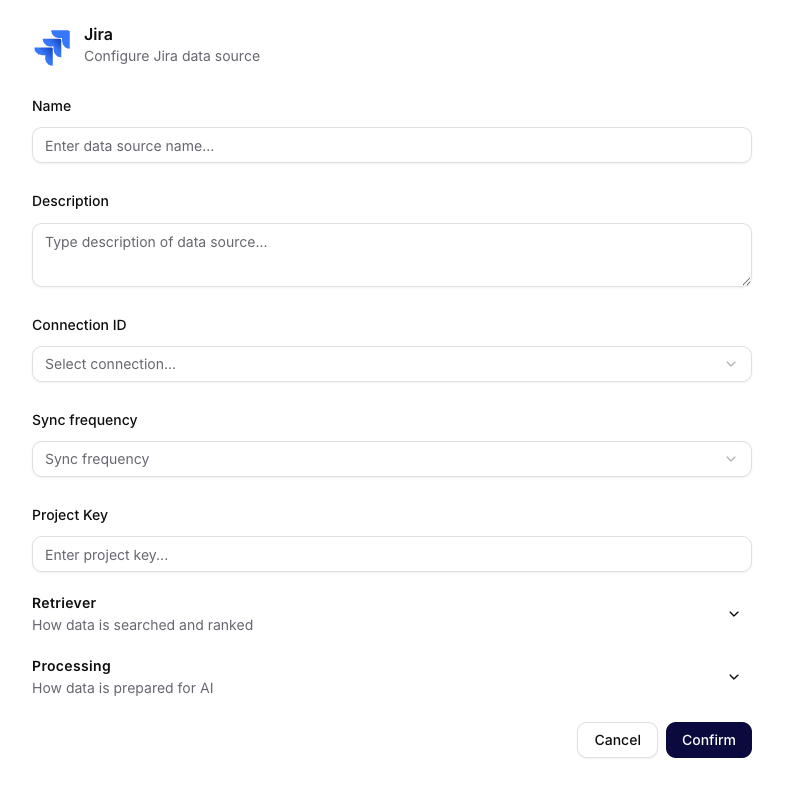
Jira scopes one source by Project Key and exposes the common Retriever and Processing sections.
Do not enter SUP-123, a board name, project display name, URL, or JQL. One source accepts one project key. Split projects when audience or retention differs.
Use Jira ingestion instead of CSV exports when current issue descriptions and changes should remain searchable.
Confluence
| Field | What to enter |
|---|---|
| Name | Purpose and space, for example HELP — Product help |
| Description | Space owner, official content scope, and exclusions |
| Connection ID | Stored Confluence connection |
| Sync frequency | On Demand, Daily, Weekly, or Monthly |
| Space Key | One short space identifier, for example HELP |
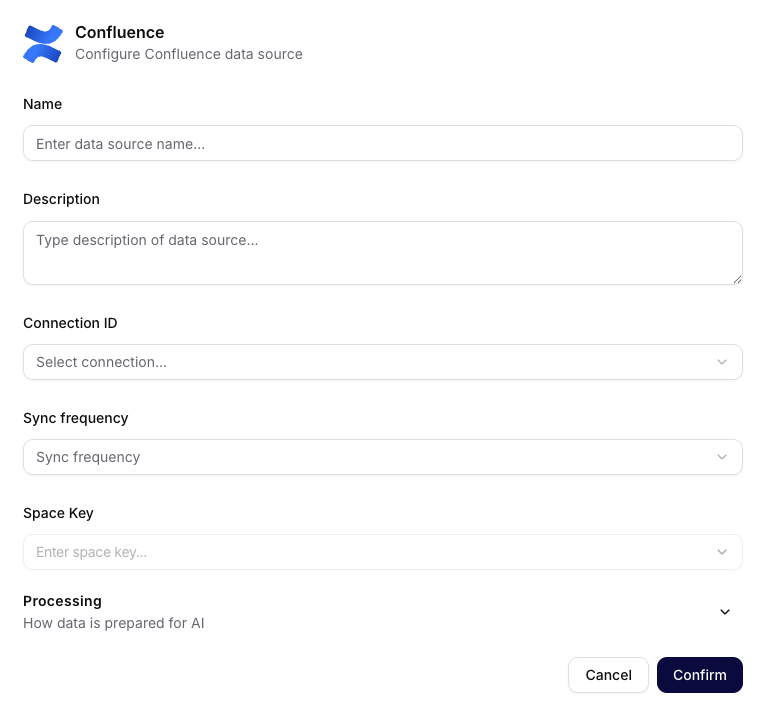
Confluence scopes one source by Space Key and does not show the common Retriever section.
The Space Key is not a page ID or full URL. In the current form, the selected connection determines which space value is available. Confluence does not expose the same chunking and Retriever controls as most other creation forms.
For the settings that are available, use Processing, Sync, and Troubleshooting as the common reference.
User Guidance
Keep Jira and Confluence in one collection only when they share audience and purpose. In prompts, distinguish issue evidence from maintained documentation and require document or issue names in answers.
Admin Guidance
Re-test after service-account permission changes or token rotation. Atlassian permissions limit upstream reading, while collection and agent access form additional distribution boundaries after ingestion.