Skills
The Skills section allows you to define and manage specific abilities that you can subsequently assign to your Agents. While the system prompt determines the agent's identity, skills define their specific capabilities and tools available for task completion.
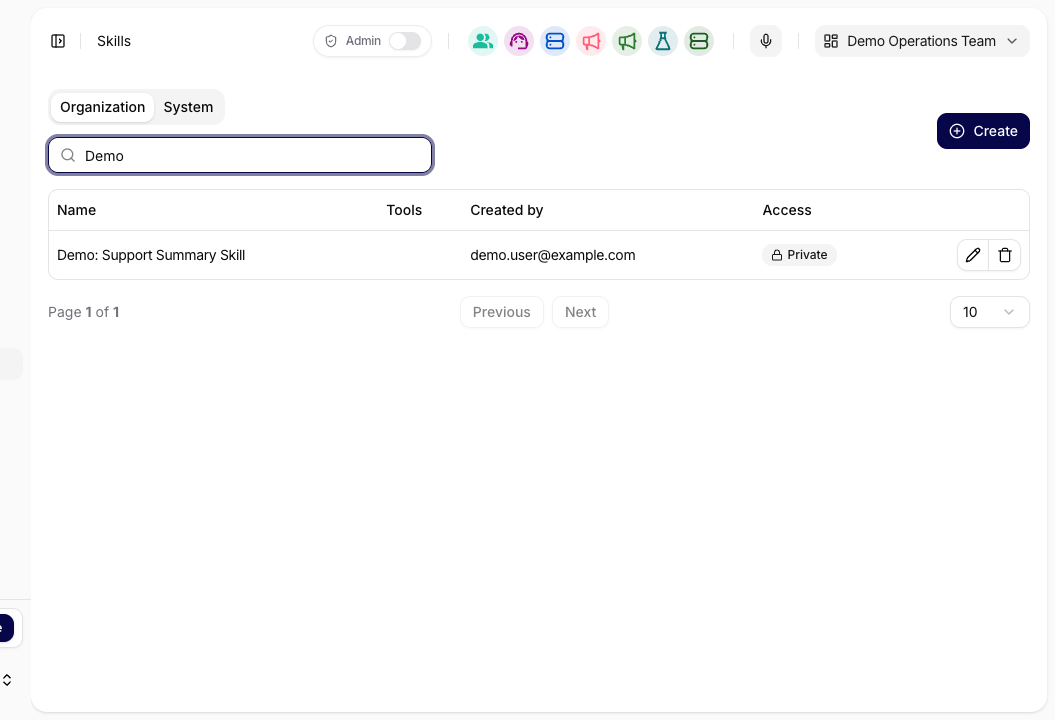
Organization vs. System
Within the Skills section, we distinguish between two basic categories of abilities that you will find in the top tabs:
- Organization: Here you will find a list of skills created directly within your organization. You can freely create, edit (pencil icon), or delete (trash icon) these skills.
- System: Contains predefined system skills (e.g., for trend analysis or SEO) that are available to everyone on the platform. These skills cannot be directly edited, but you can use the copy icon to leverage them as a basis for your own skills.
Creating and Editing a Skill
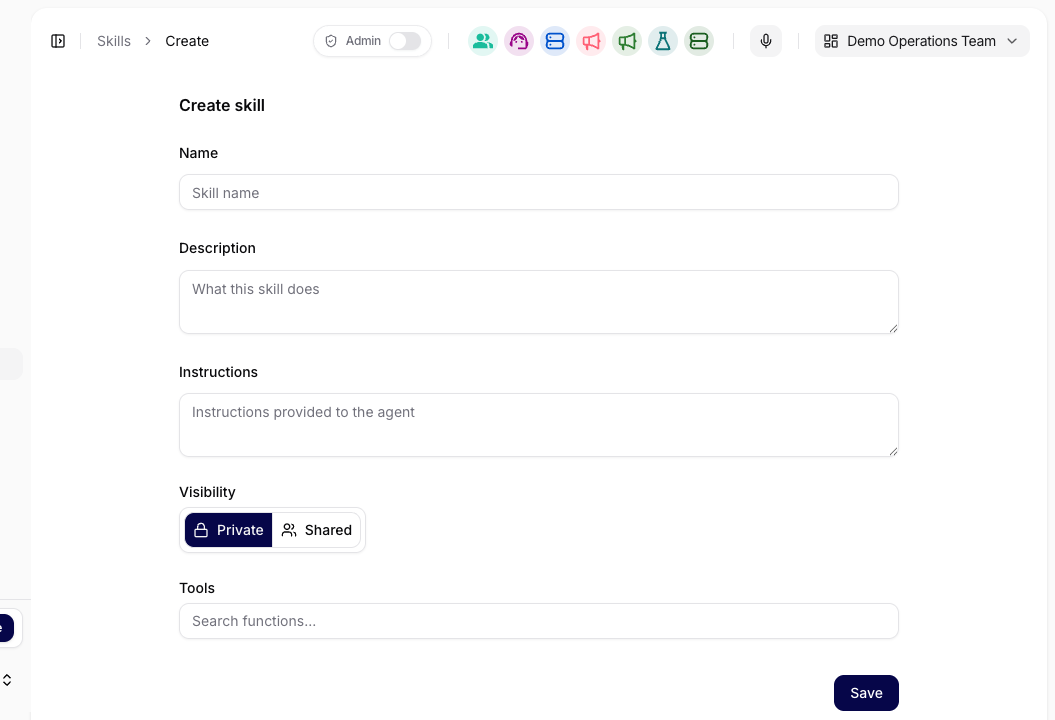
You can create a new ability by clicking the Create button in the upper right corner. In the detail view (or during editing), you define the following parameters:
- Name: A clear and concise name for the skill (e.g., Writing an Article for the Web).
- Description: A brief description of what this skill does and its purpose.
- Instructions: A key section where you define the instructions provided to the agent when this skill is activated. Here you describe the procedures and steps the agent should follow.
- Tools: A selection of functions and external tools available to the agent within this skill (e.g., sending an email via Gmail or creating a ticket in Jira).
In the current workflow, skill editing is meant to be a reusable configuration step, not a one-off chat tweak. When multiple agents need the same procedure, update the shared skill instead of duplicating the logic in each agent's system prompt.
Difference Between System Prompt and Skill
The Siesta AI platform consistently separates the agent's identity from their abilities, which brings several advantages:
| Feature | System Prompt (Role) | Skills (Ability) |
|---|---|---|
| Definition | Who the agent is (role, behavior, tone, boundaries). | What the agent does (abilities, tools, procedures). |
| Stability | Maintains the identity and tone of communication stable. | Allows for flexible addition or modification of skills. |
| Reusability | Specific to a particular agent. | Easily shared across different agents and teams. |
Why Use This Section?
- Scalability: Once created, a skill (e.g., “Reporting Bugs to Jira”) can be assigned to ten different agents without needing to rewrite their instructions.
- Security: By updating a skill in one place, you automatically enhance the abilities of all agents using it.
- Clean Management: Separating identity (behavior) from technical tasks (tools) leads to more predictable and accurate agent outcomes.
Linking with Agents
Once you have created a skill, you can assign it to an agent in their configuration under the Skills section. The agent will then automatically recognize when to use the given skill and its associated tools to resolve the user's request.
After changing a skill, review the affected agents and confirm that:
- the skill label and description are still understandable to admins,
- the attached tools still match the intended scope,
- the updated behavior should apply to every agent that uses that skill.