MacOS App
The Siesta AI macOS App is a native workspace for capture, recordings, Wisps, tasks, and trusted local-agent execution. This reference describes the behavior implemented in the macOS client.
What the App Can Do
Screen Capture
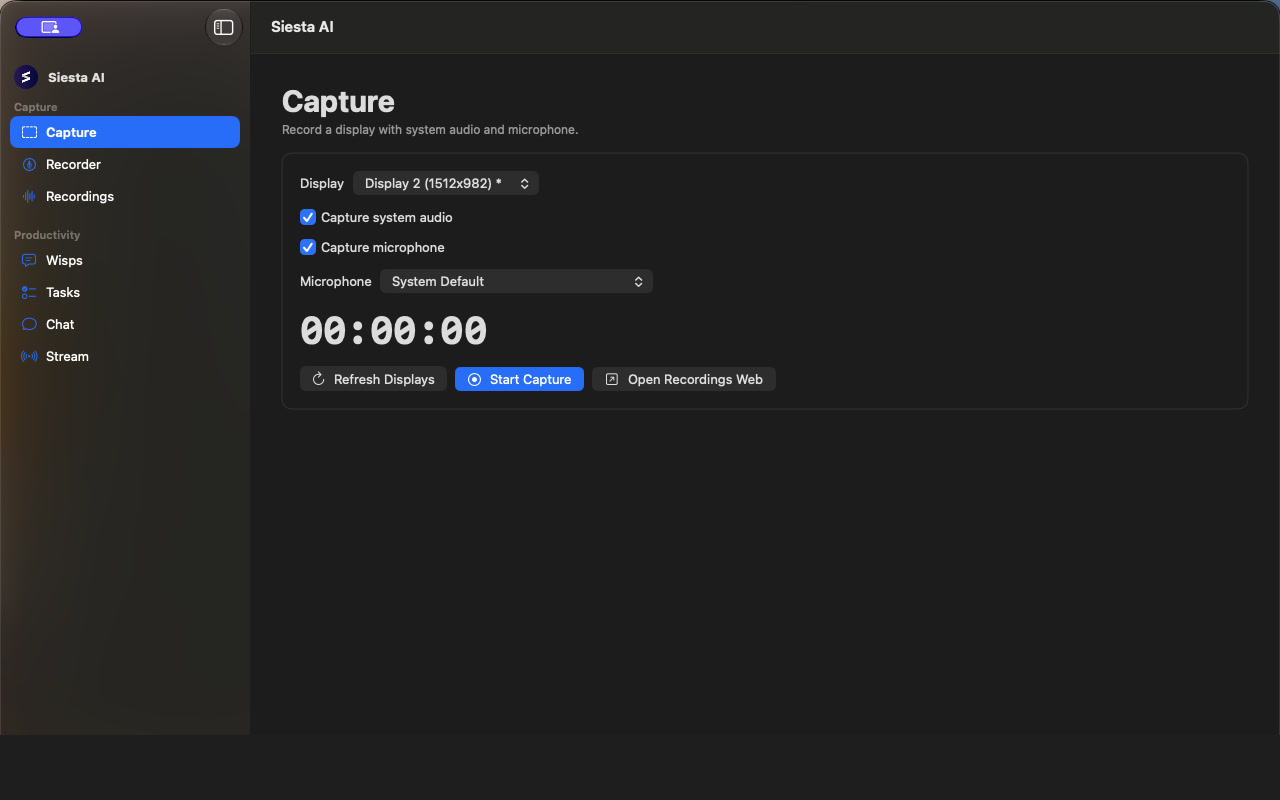
Open Capture to record one display with system audio and an optional microphone.
- Select a display and check the preview.
- Turn system audio and microphone capture on or off independently.
- If microphone capture is enabled, choose the input device.
- Start capture. Upload progress is shown while the recording is running.
- Use Stop and Upload to finalize the recording, or Cancel to discard the active capture.
Open Recordings Web opens the Recordings area in the Siesta AI web application.
Audio Recording
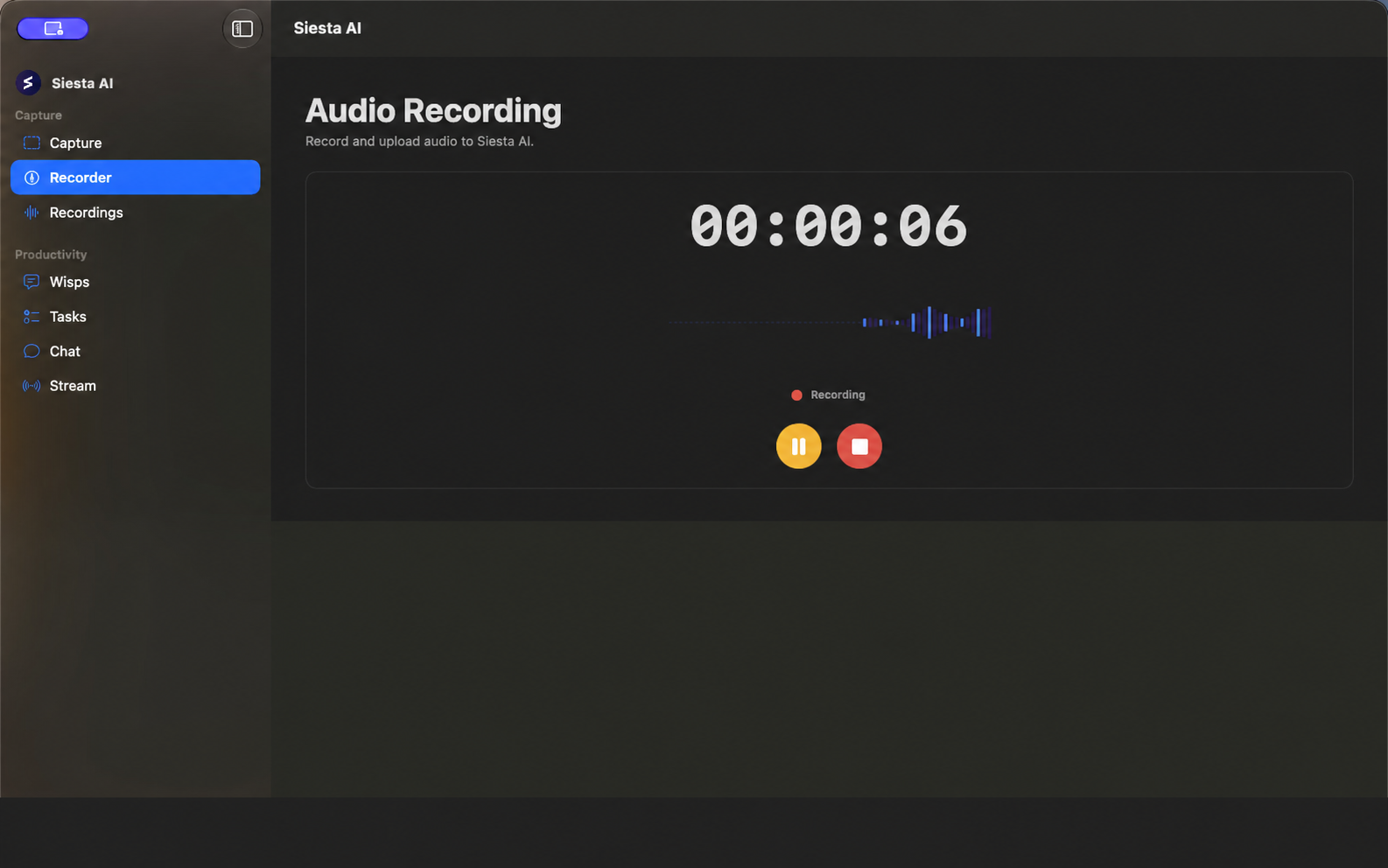
The Recorder workspace shows a timer, live waveform, and recording state. Use Pause and Resume without ending the recording.
After stopping, enter the recording name and upload it. The app shows upload progress and failure state, allows another upload attempt after an error, supports Discard, and provides Open Recording when upload succeeds.
Recordings
Recordings lists uploaded audio and screen recordings with creator, duration, and transcription status. The detail view shows metadata and the transcript when available. A recording can be opened in the web application or permanently deleted after confirmation.
Wisps and Dictation
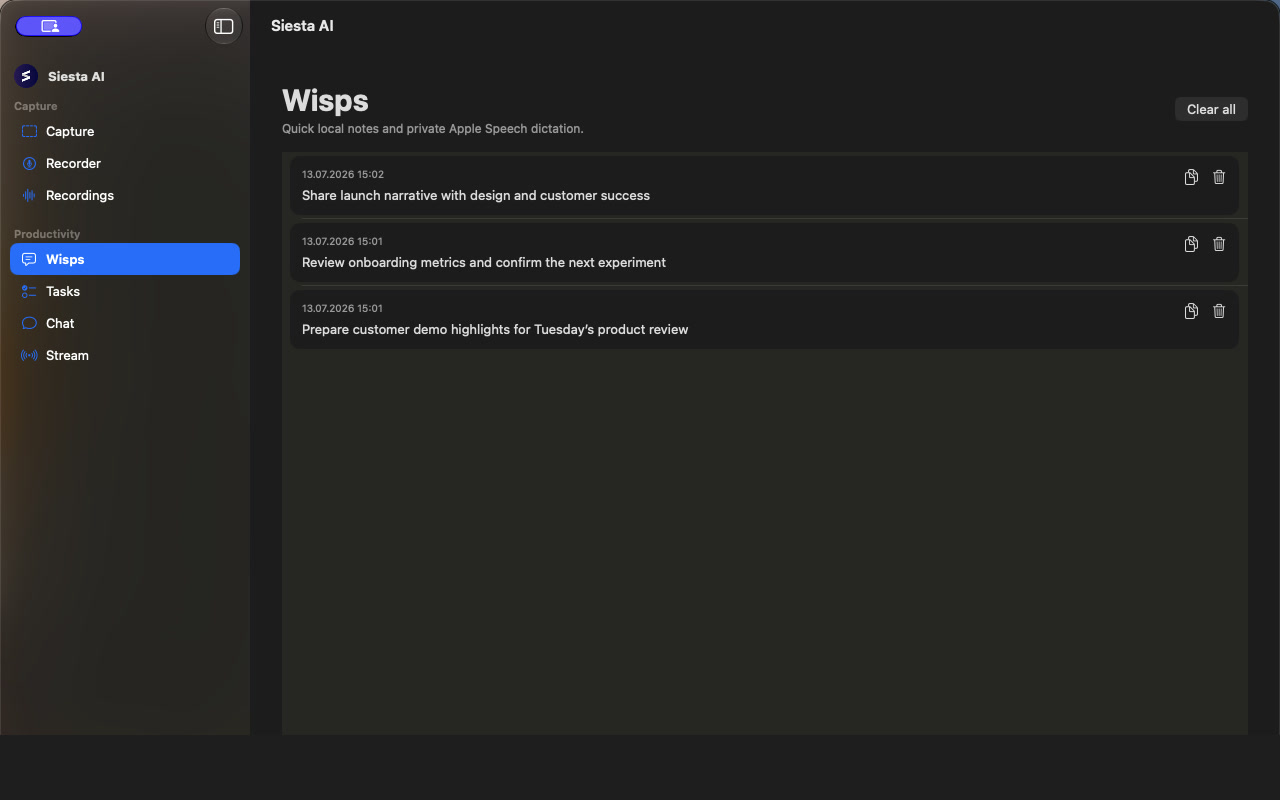
Wisps are quick notes stored locally on the Mac. Type a note directly or capture it by voice. History supports copy, individual deletion, and Clear all.
Two transcription engines are available:
- On-device (Apple) uses Apple Speech locally and can work offline. Choose the dictation language when this engine is active.
- Organization streams audio to the Siesta backend and uses the organization's configured transcription provider.
The global Wisp shortcut supports Toggle and Push to Talk modes.
Transform Selected Text with macOS Services
The distributed macOS app registers Services > Transform with Siesta AI for selected plain text. Keep Siesta AI open and signed in, then:
- Select text in the application where you are working.
- Open that application's Services menu and choose Transform with Siesta AI.
- Choose Grammar, Brand Voice, Improve, or an approved custom action.
- Review the result before accepting it. Depending on the action setting, Siesta AI either replaces the selected text or leaves the original text in place and copies the result to the clipboard.
macOS can assign a shortcut to this Service under System Settings > Keyboard > Keyboard Shortcuts > Services. Do not assume or document an app-global default shortcut: the separate global Quick Actions picker is limited to non-App Store builds and is not part of the general distributed workflow.
Tasks and Local Agents
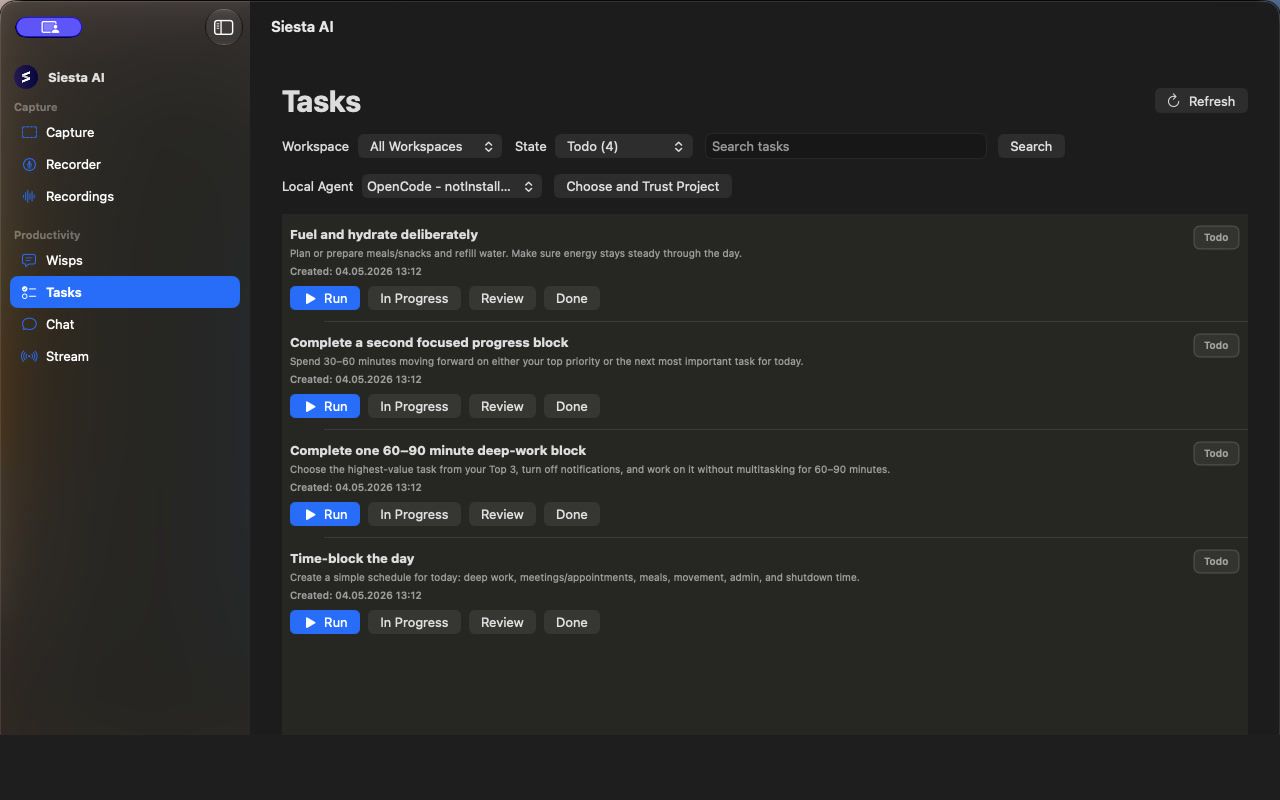
Filter Tasks by workspace, state, or search text. The task UI supports movement between Todo, In Progress, Review, and Done. Before local execution, select the agent and use Choose and Trust Project. Siesta AI restricts the local agent to that trusted project and streams execution output back into the task workspace.
Supported execution paths are:
- OpenCode through ACP.
- GitHub Copilot through ACP when the installed CLI exposes the ACP preview and is signed in.
- Antigravity through the bundled local Python bridge.
Running a Todo task moves it to In Progress and successful completion moves it to Done. You can cancel the active run, revoke trust for one project, or revoke all trusted projects in Settings.
What You Can Configure
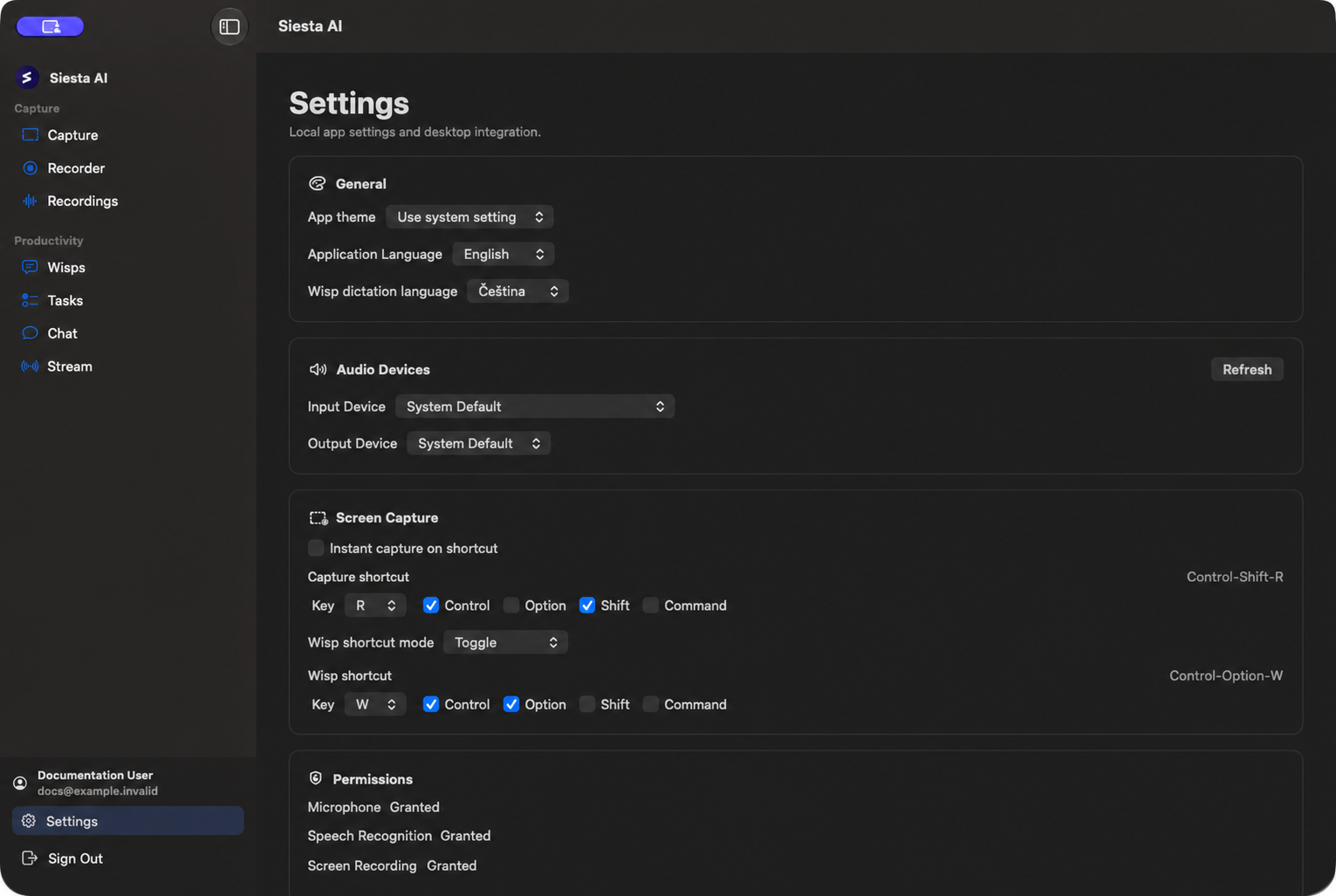
Open Settings to configure:
- General: Light, Dark, or system theme; English, Czech, German, Spanish, French, or Italian application language; Wisp transcription engine; and Wisp dictation language.
- Audio Devices: input and output devices, with a status refresh.
- Screen Capture: capture shortcut, Instant capture on shortcut, Wisp shortcut, and Toggle or Push to Talk mode.
- Permissions: current Microphone, Speech Recognition, Screen Recording, and Accessibility status, plus buttons to request missing access.
- Local Agents: executable paths and working directories for OpenCode, Antigravity, and Copilot; Antigravity API key; agent-status refresh; and trusted-project revocation.
Application-language changes apply after restart. The Antigravity API key is stored in the macOS Keychain.
Required System Access
The macOS app requires macOS 15 or later. Features may need:
- Microphone for audio recording, microphone capture, and voice Wisps.
- Speech Recognition for the on-device Apple Speech engine.
- Screen Recording for display and system-audio capture.
- Accessibility for reliable global shortcut handling and cross-application input.
After granting Screen Recording access, quit and reopen Siesta AI if macOS still returns no shareable displays or reports that the current build does not have access. The Capture page provides shortcuts to System Settings and app restart.
Availability and Current Limits
- For private Microsoft sign-in, administrators must register the native macOS callback and tenant parameters in Microsoft Entra ID.
- An agent's Desktop App eligibility is configured in Agents > Interfaces. This controls eligibility for desktop interface lists; it does not reveal Chat in a macOS build where Chat is hidden or activation-dependent.
- Selected-text Quick Actions are available through Services > Transform with Siesta AI. The separate app-global picker and shortcut are not part of the general App Store workflow.
- Chat and realtime voice implementations exist, but the current main sidebar does not expose them. They should be documented as build- or activation-dependent, not universally available navigation items.
- Local-agent execution requires an installed and ready agent, a valid working directory, and explicit project trust.
Feature Comparison
| Feature | Windows | macOS |
|---|---|---|
| Screen and system-audio capture | Available | Available |
| Audio recording and upload | Available | Available |
| Recording list, detail, transcript, and delete | Available | Available |
| Wisps | Push-to-talk, clipboard, local history | Typed and voice notes, Toggle or Push to Talk, local history |
| OpenCode task execution | Local execution | ACP execution in a trusted project |
| Antigravity task execution | Bundled Python bridge | Bundled Python bridge in a trusted project |
| GitHub Copilot | Installation/sign-in detection only | ACP execution when the CLI exposes ACP and is signed in |
| Quick Actions | Picker shortcut and optional action-specific shortcuts | Available through the macOS Services menu; no general app-global shortcut |
| Chat and realtime voice | Hidden from navigation | Build- or activation-dependent; not in the main sidebar |