Analytics
The Analytics tab shows agent-specific usage and token data. It is separate from global Analytics because it focuses only on the selected agent.
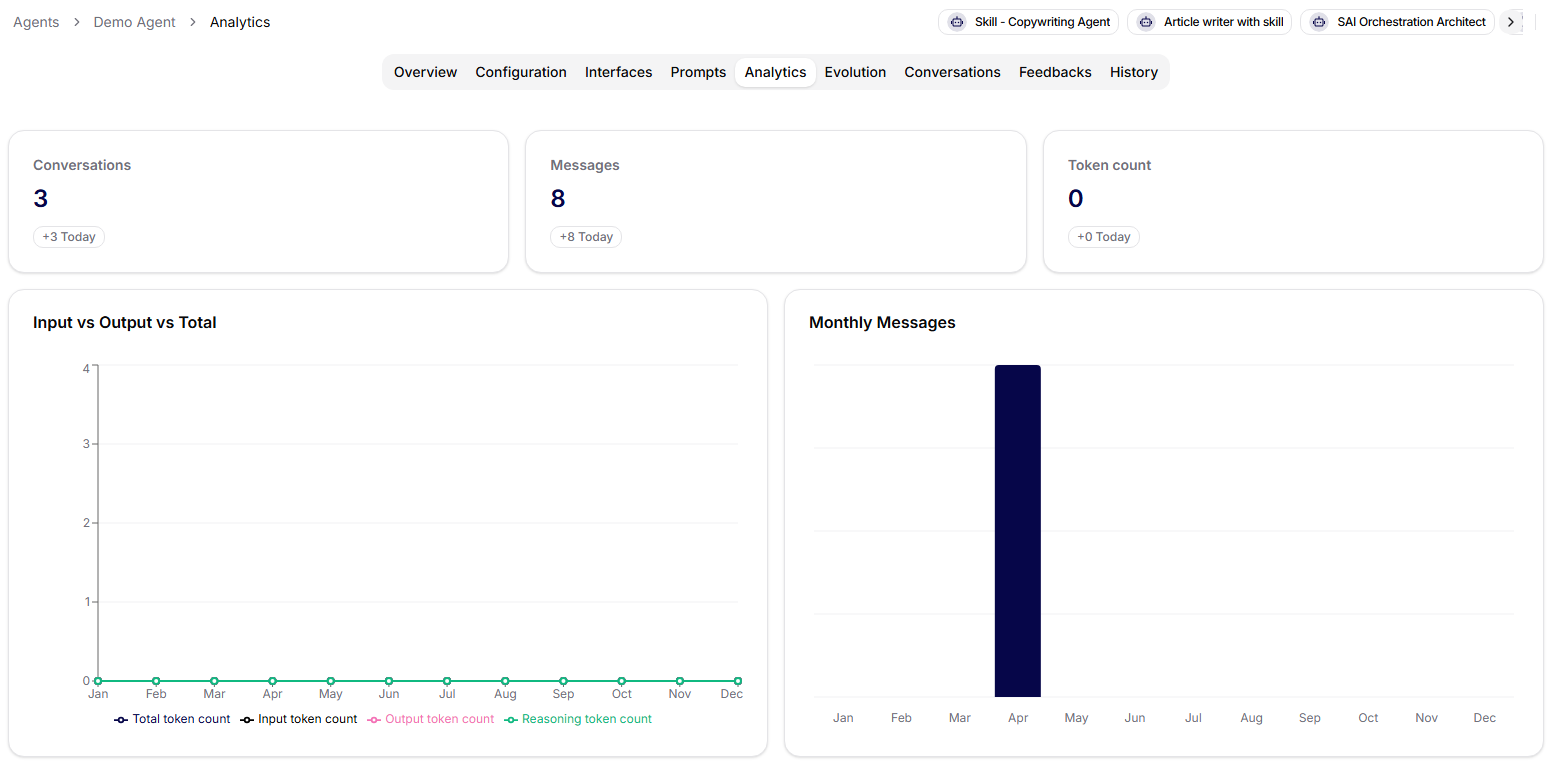
KPI Cards
The tab loads analytics data for the selected agent and renders KPI cards from the returned metrics. Each card shows the total count and a "today" subtitle when a matching daily value is available.
Use KPI cards to quickly compare overall activity with current-day activity.
Token Usage Chart
The token chart shows monthly token usage split into:
- total tokens,
- input tokens,
- output tokens,
- reasoning tokens.
This helps owners understand whether a prompt, model, or workflow change increased the agent's cost profile.
Monthly Messages Chart
The messages chart shows monthly message volume for the selected agent. Use it to understand adoption, seasonality, and whether recent configuration changes affected usage.
Analytics are most useful after rollout, after a model or prompt change, and before deciding whether an agent should be optimized, retired, or expanded.