Prompts
The Prompts tab manages prompt records attached to the selected agent. A prompt record is an additional instruction entry that can be created, edited, and deleted without changing the main agent detail page directly.
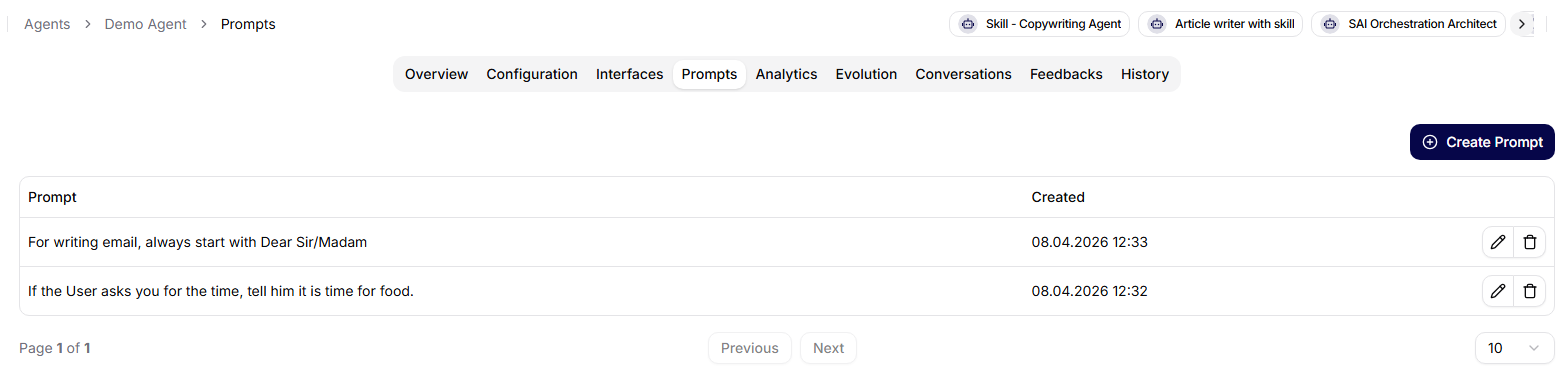
Prompt List
The tab displays a paginated table of prompt records for the agent. The current table includes:
- prompt text,
- creation date,
- row actions.
Row actions let users edit or delete a prompt. Deleting a prompt requires confirmation.
Creating A Prompt
Use Create prompt to add a new prompt record. The create form requires prompt text before submission. After the prompt is created, the app returns to the prompt list.
Prompt text should be specific, testable, and scoped to the behavior it is meant to influence. Avoid placing credentials, private customer data, or temporary troubleshooting instructions in reusable prompts.
Editing A Prompt
Opening prompt detail lets users update the prompt text or return to the prompt list. Prompt changes can affect future behavior, so treat them like production configuration changes.
Use the History tab when you need to audit changes around the agent over time.