Settings
The Settings tab controls organization-wide feature availability, app access, and reusable content imports. These settings affect the whole workspace and should be changed by an owner or administrator.
Feature Availability
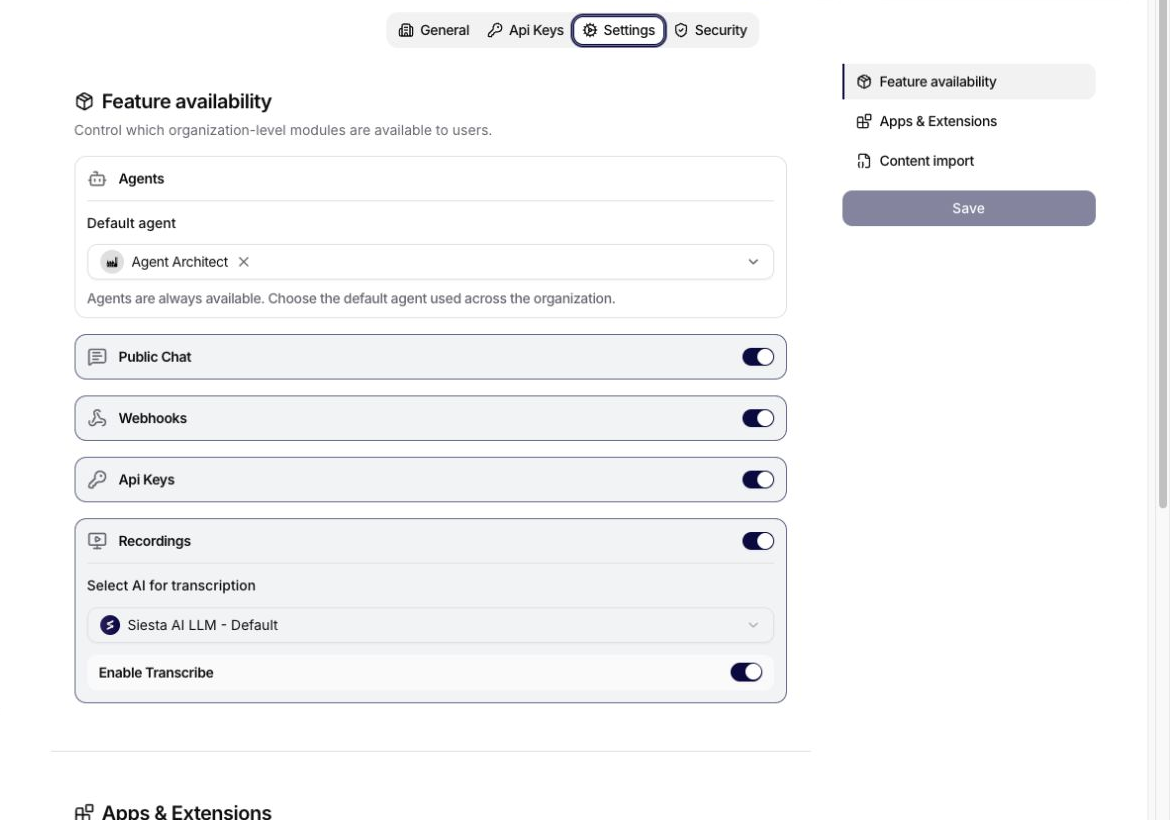
The Feature availability section contains:
- Agents: agents are always available; select the default agent used across the organization.
- Public Chat: controls whether public chat surfaces can be enabled.
- Webhooks: controls availability of webhook entry points.
- Api Keys: controls access to organization API-key management.
- Recordings: controls the Recordings module.
- Select AI for transcription: chooses the AI connection used to transcribe recordings.
- Enable Transcribe: enables transcription with the selected AI connection.
The transcription connection must be available to the organization. If transcription is enabled, select a compatible AI connection before saving.
Apps & Extensions
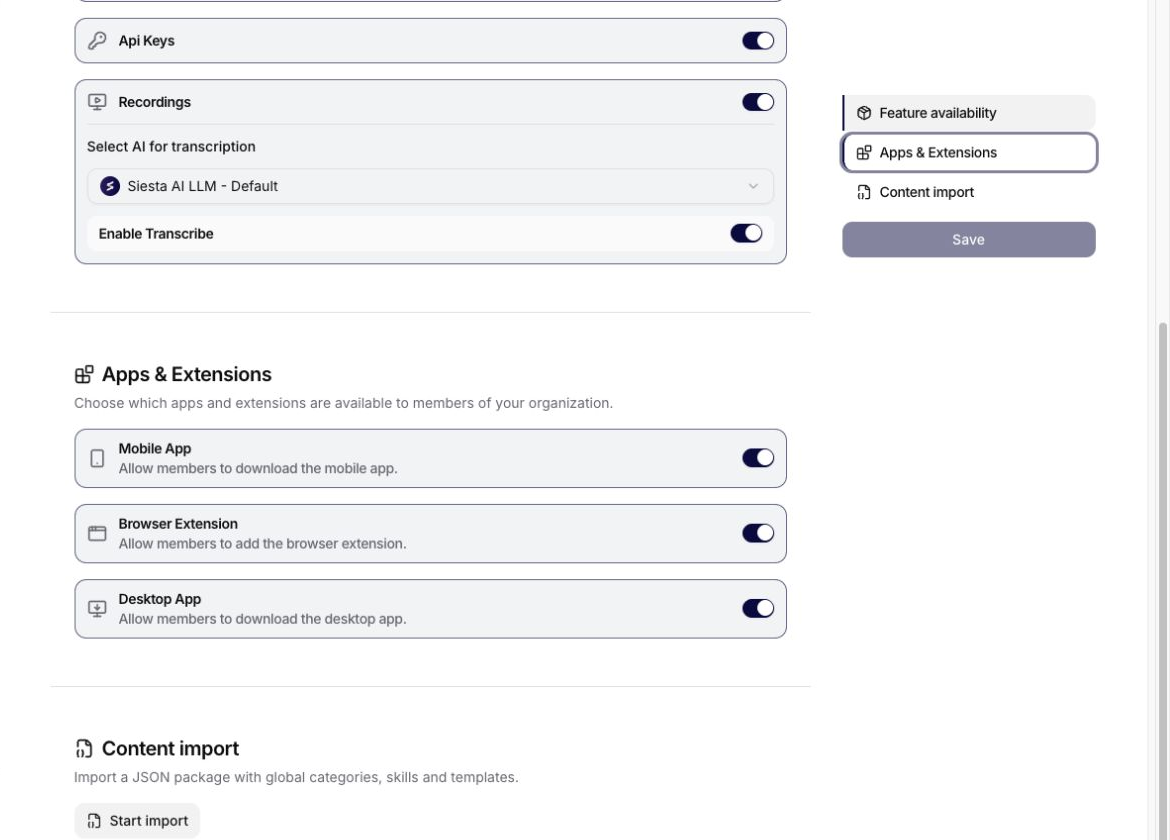
Use Apps & Extensions to control whether organization members can access:
- the Mobile App,
- the Browser Extension,
- the Desktop App,
- the Siesta AI MCP Server.
Disabling an item removes that distribution surface for members; it does not change the permissions, tools, or data available to an already configured agent.
When the MCP Server is enabled, members can copy its client configuration from Profile > Apps & Extensions. Administrators should review MCP access governance, and users connecting a compatible client should follow the MCP OAuth setup.
Content Import
Content import accepts a JSON package containing global categories, skills, and reusable Library content. Review the package and its source before importing because the imported objects become available at organization scope.
Troubleshooting
If Settings cannot be saved:
- confirm that the selected default agent still exists and belongs to the organization,
- confirm that transcription is not enabled without a compatible AI connection,
- check feature availability before looking for a missing module elsewhere,
- verify that the import package uses the expected JSON structure.