Workspace Settings
Open Settings to change the name, description, icon, color, Template, or Archived. Access opens a separate sharing dialog when permitted. Finish the access draft and select Save on the settings form to persist it; use Cancel to discard unsaved changes.
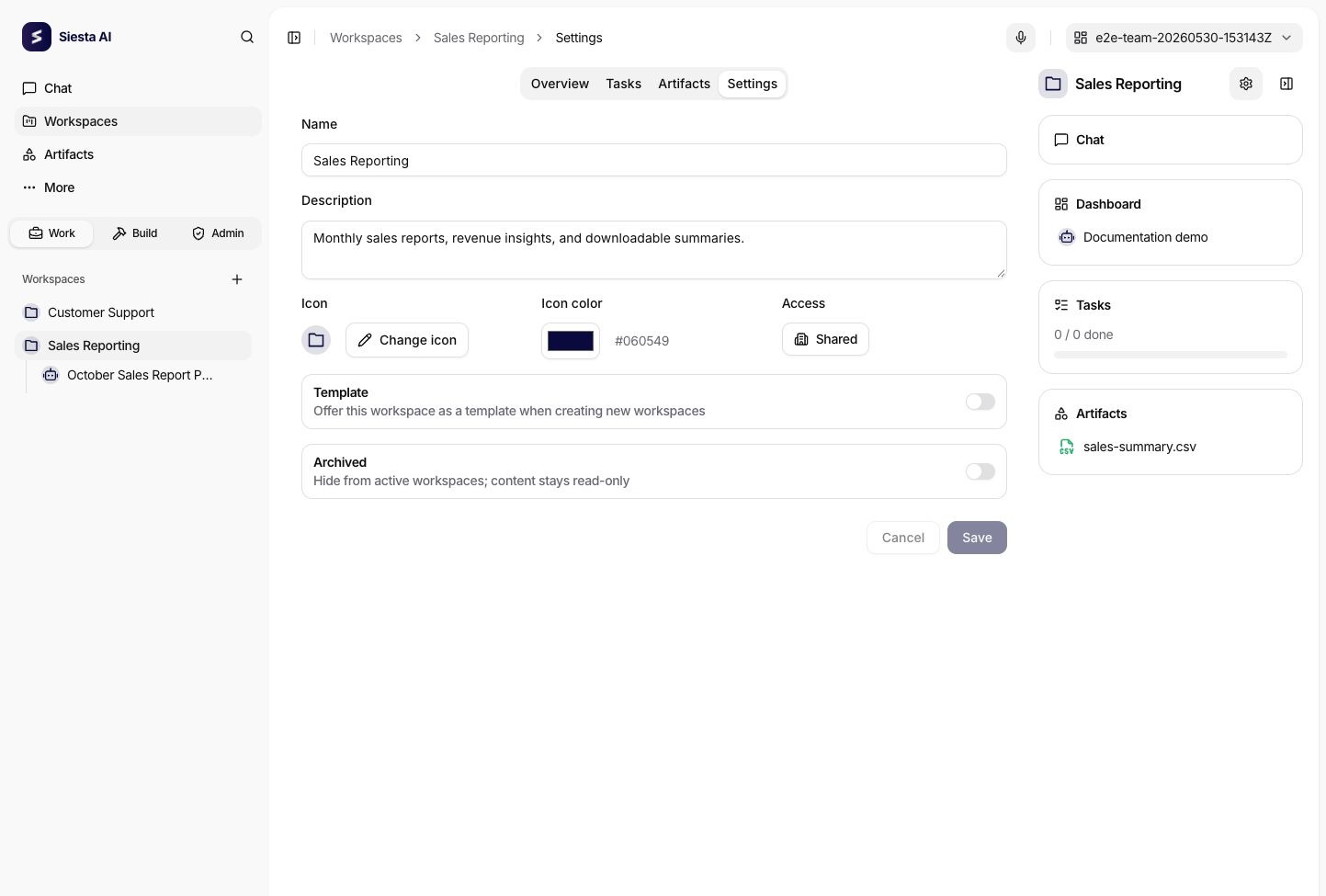
Template includes a non-archived workspace in the Templates catalog tab. Archived moves it out of Active and the normal sidebar list into Archived. These flags organize the catalog; they do not grant permissions. The current implementation does not provide workspace cloning from the Template flag or enforce read-only content solely through Archived. Continue to use access policies to control writes.
The default agent is created from the fixed system template. Settings does not offer a template, AI connection, or replacement default-agent picker. While an agent is a workspace's default, it cannot be deleted, moved, or detached from that workspace.
If an older workspace has no default agent, use Create agent in its warning when available. Recovery requires workspace write access and the same agent/template/connection prerequisites as creation. It creates a missing agent rather than replacing an existing default. If an existing agent is unavailable to you, check its access and configuration with an administrator.
The default agent starts workspace chat; it does not automatically execute new tasks. Manual execution uses the task's selected agent, then its assigned or source agent. Configure an active Task created workflow for automatic processing.