Security
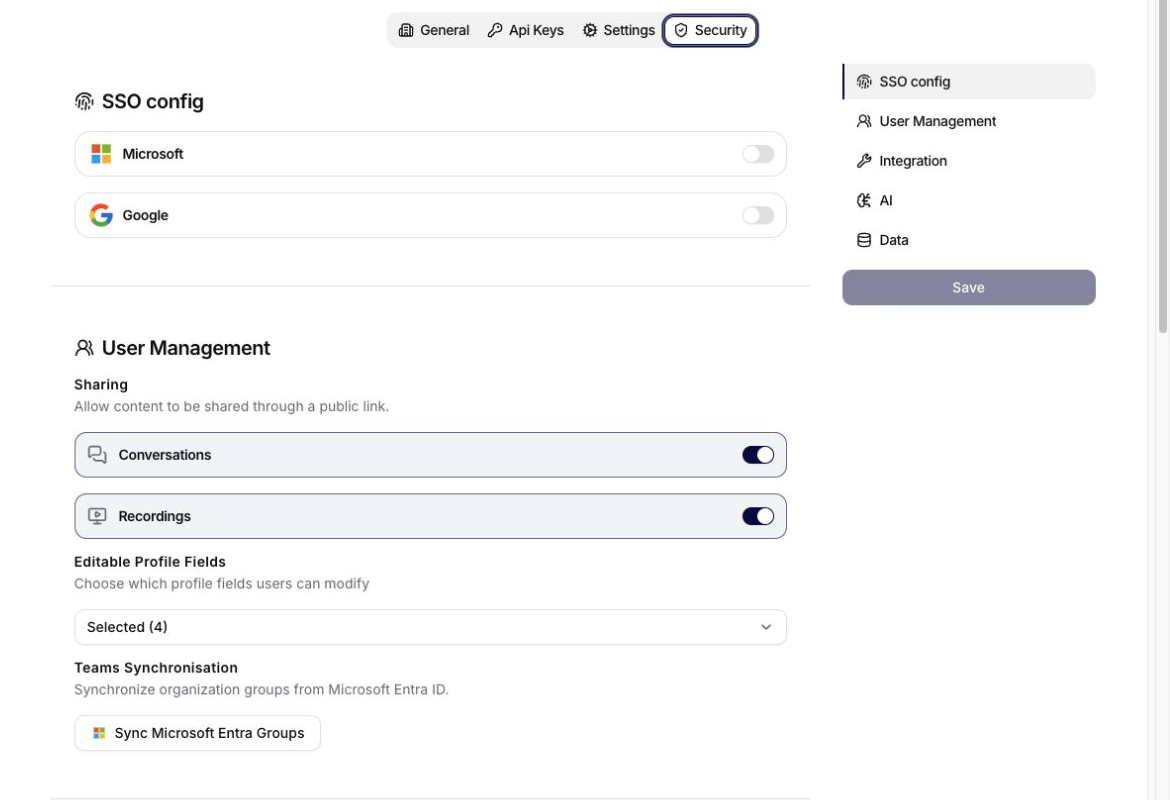
The Security tab centralizes SSO, user-management policy, integration governance, AI safety, and data retention. It is the only Organization tab for SSO configuration; there is no separate SSO Config tab.
SSO Config
The SSO config section provides Microsoft and Google identity providers. Enable the provider you want to configure, complete the fields shown by the application, and save the Security form.
Treat tenant IDs and client IDs as configuration identifiers. Store client secrets securely and never place them in documentation, screenshots, prompts, or shared messages.
User Management
User Management contains:
- Sharing controls for public conversation and recording links,
- Automatically create an account on first sign-in for deciding whether users in the configured Microsoft Entra tenant receive an account automatically,
- Editable Profile Fields for choosing which profile attributes members can change,
- Teams Synchronisation for importing organization groups from Microsoft Entra ID.
When automatic account creation is disabled, a user needs an invitation before the first sign-in. Use that invite-only posture for a controlled pilot; enable automatic registration only when the eligible tenant population, default role path, team assignment, and support process have been approved.
If identity data is directory-managed, restrict editable profile fields so users cannot override authoritative values. Configure Microsoft SSO before starting Entra group synchronization.
Integration
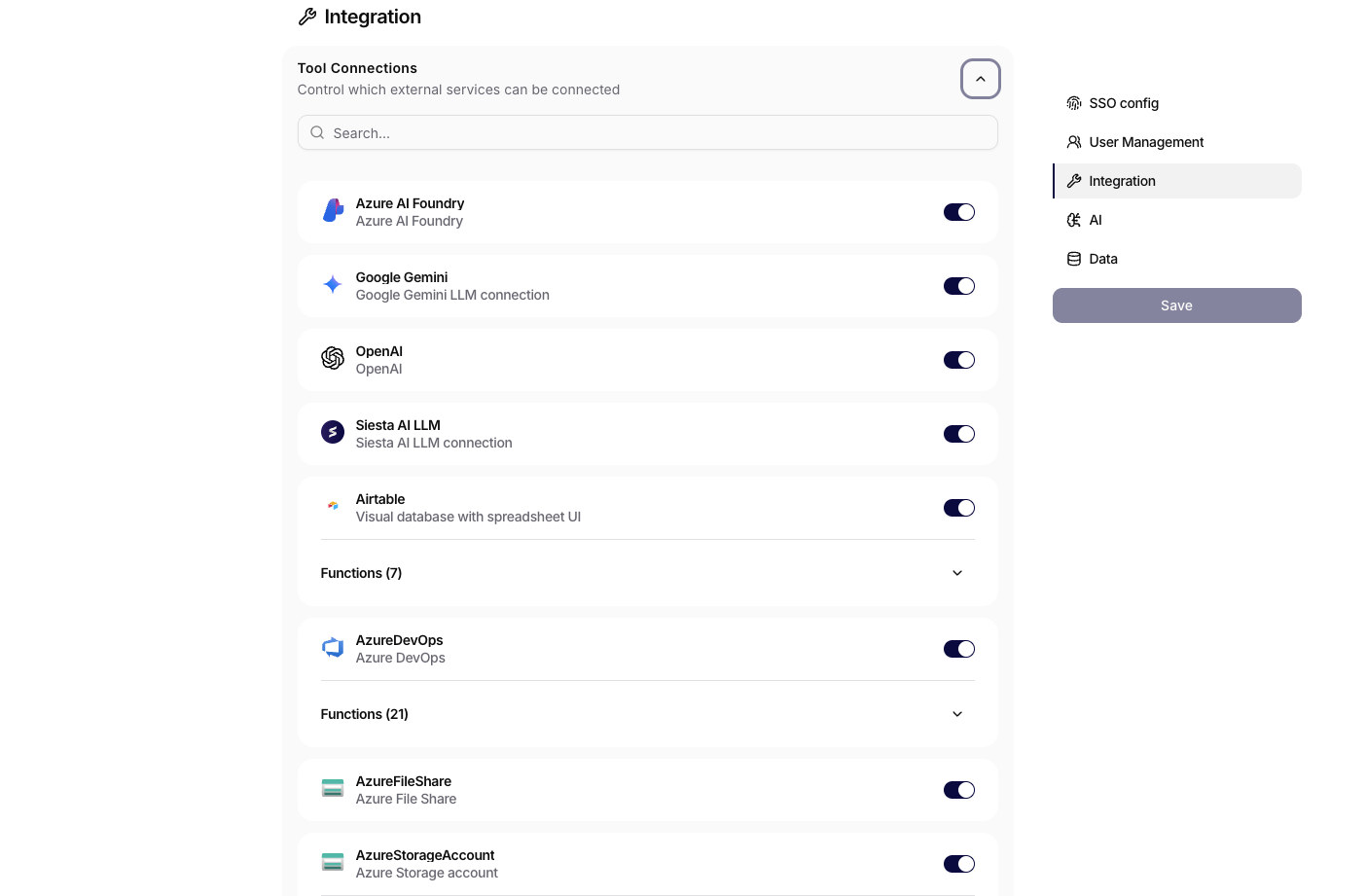
The Tool Connections section is the organization-wide control point for external services. Use it to decide which providers are approved before users create connections or make those services available to agents and workflows.
Each switch enables or disables an integration for the organization. Keep services disabled until they have passed your security, legal, and data-governance review. Where an integration includes a Functions section, expand it to review the operations exposed by that provider and leave unnecessary capabilities disabled.
After changing the policy, select Save. Before disabling an integration that is already in use, review dependent connections, agents, and workflows because the affected capability may no longer be available to them. These organization-level controls sit above individual connection access, agent tool assignment, and workflow configuration.
AI
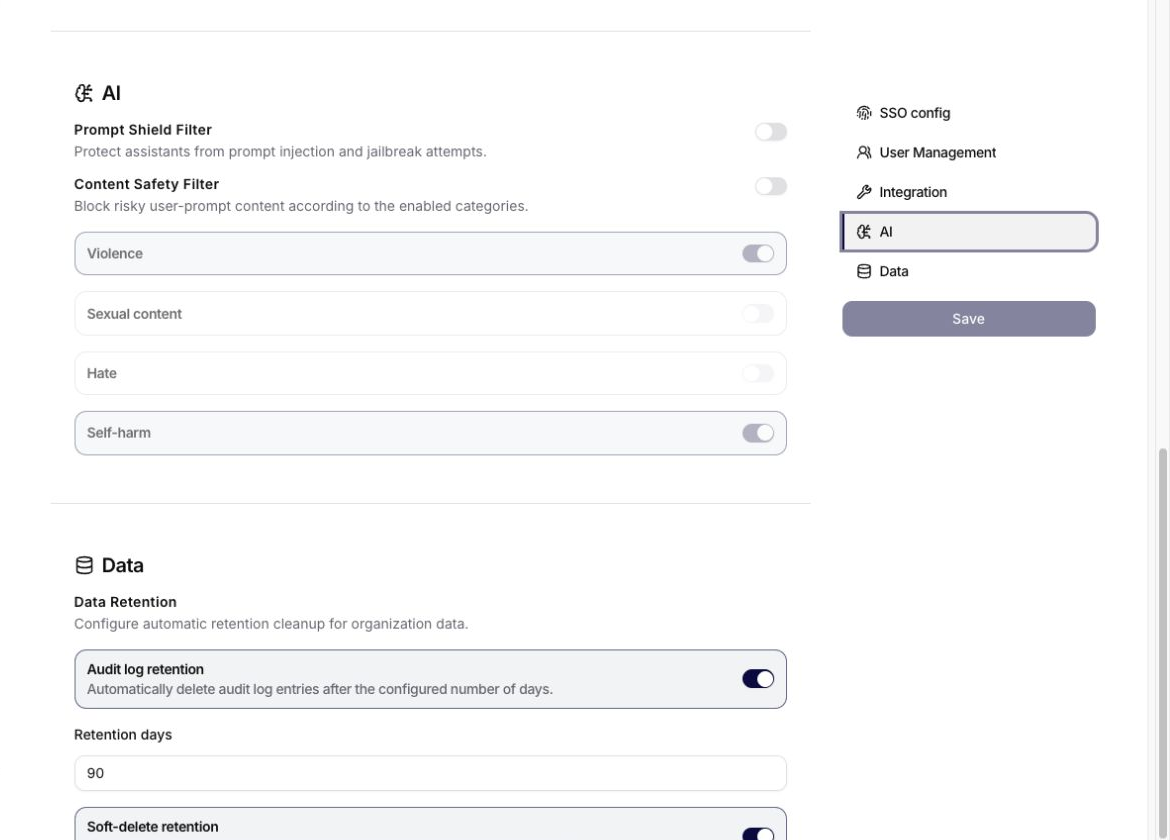
AI security contains:
- Prompt Shield Filter for prompt-injection and jailbreak protection,
- LLM Injection Filter for an additional model-based check of prompt-injection and jailbreak attempts, including attempts the standard Prompt Shield may miss,
- Content Safety Filter for risky user prompts,
- category switches for violence, sexual content, hate, and self-harm.
The LLM Injection Filter adds latency and an extra model call to each user message. Test the expected protection and operating impact before enabling it broadly. Content Safety category switches become active when the main Content Safety Filter is enabled.
Data
Data retention can automatically remove:
- audit-log entries after the configured number of days,
- soft-deleted records after the configured number of days.
Choose retention periods that satisfy recovery, support, audit, legal, and governance requirements. If the organization temporarily keeps more pilot evidence while it establishes a normal audit baseline, record the owner and review date. Do not leave retention unset merely because the rollout is new.
The standalone Security Center presents recommendations and findings. Organization Security is where the underlying tenant-wide policy is configured.
Troubleshooting
If Security settings do not behave as expected:
- confirm that the current user has owner or administrator access,
- check SSO configuration before troubleshooting provider sign-in,
- check Feature availability in Settings when a module is missing,
- check Tool Connections when an integration or function is unavailable,
- check retention settings when records disappear earlier than expected.