Audit log
The Audit log page is part of Logs. Open Logs and choose the audit log view to monitor important actions performed within the Siesta AI application.
The audit log provides a history of changes and system events that is useful for traceability, security, auditing, and incident resolution.
Each record in the audit log corresponds to a specific action performed by a user or the system.
The related Tool Executions view in Logs focuses specifically on actions that agents performed through connected tools. Use Audit log for administrative and system changes, and Tool Executions for agent/tool activity.
Overview of Records
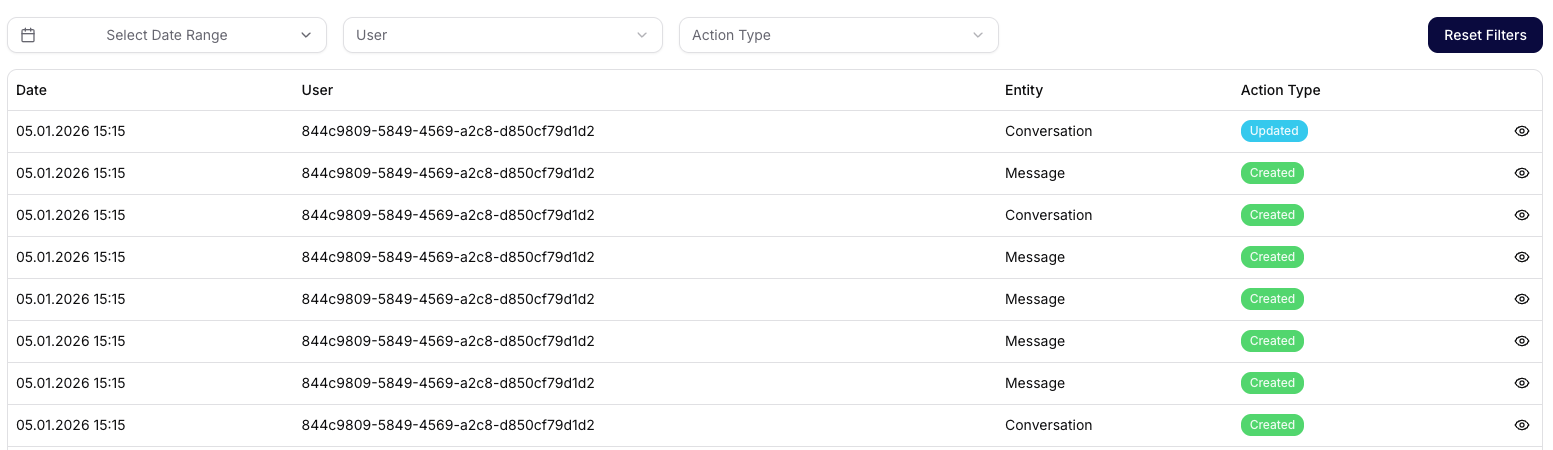
The audit log view displays a list of events in a table.
Displayed columns:
- Date – exact date and time of the action performed
- User – identification of the user who performed the action
- Entity – type of object on which the action was performed (e.g., Conversation, Message, User, Team, DataSource, ApiKey)
- Action Type – type of operation performed, e.g., Created or Updated
- Detail – eye icon to open the details of the record
The audit log is paginated to handle very large amounts of records.
Filtering Records
The audit log allows filtering of events to quickly find relevant records.
Available filters:
- Date Range (Select Date Range) – limit records to a specific period
- User (User) – actions performed by a specific user
- Action Type (Action Type) – filtering by type of operation (e.g., only Created or Updated)
- Reset Filters – clear all filters
Filters can be combined for more precise results.
Detail of Audit Record
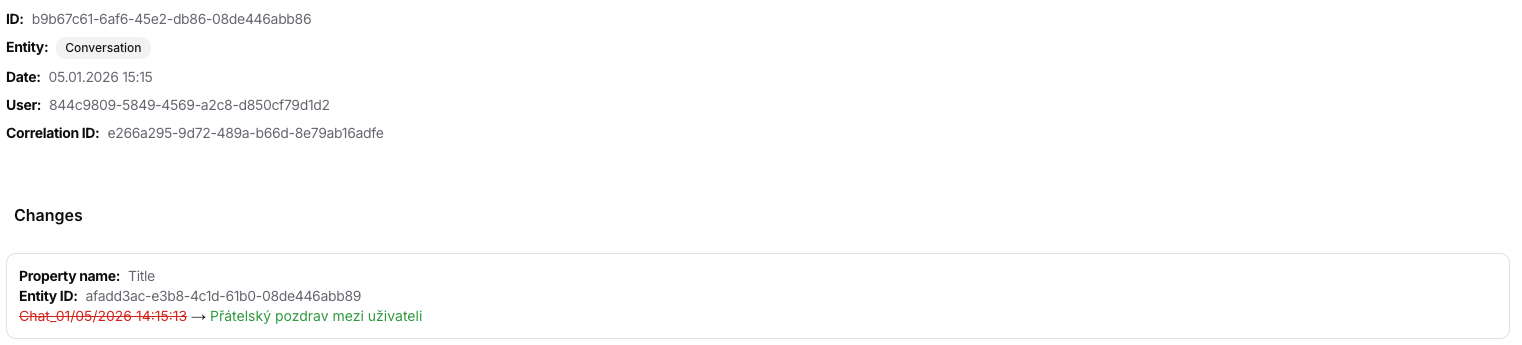
After opening a specific record, detailed information about the action is displayed.
Details include:
- Record ID – unique identifier of the audit event
- Entity – type of object affected by the change
- Date – time of the action performed
- User – identity of the user who performed the action
- Correlation ID – identifier that allows tracking related actions across the system
Changes
Displays specific changes that were made, such as:
- the name of the property that was changed,
- original value,
- new value after the change.
This section allows for precise tracking of what changed and how.
Typical Uses of the Audit Log
The audit log is primarily intended for:
- security and compliance purposes,
- tracing the history of changes,
- analyzing user behavior,
- resolving incidents and errors,
- internal and external audits.
Summary
The audit log in Siesta AI provides a transparent and detailed overview of important actions in the system. With filters and record details, it allows for quick identification of when, by whom, and how a specific change was made.
Related Guides
- Admins: Monitor Usage, Audit Logs, and Risk
- Admins: Review Tool Executions