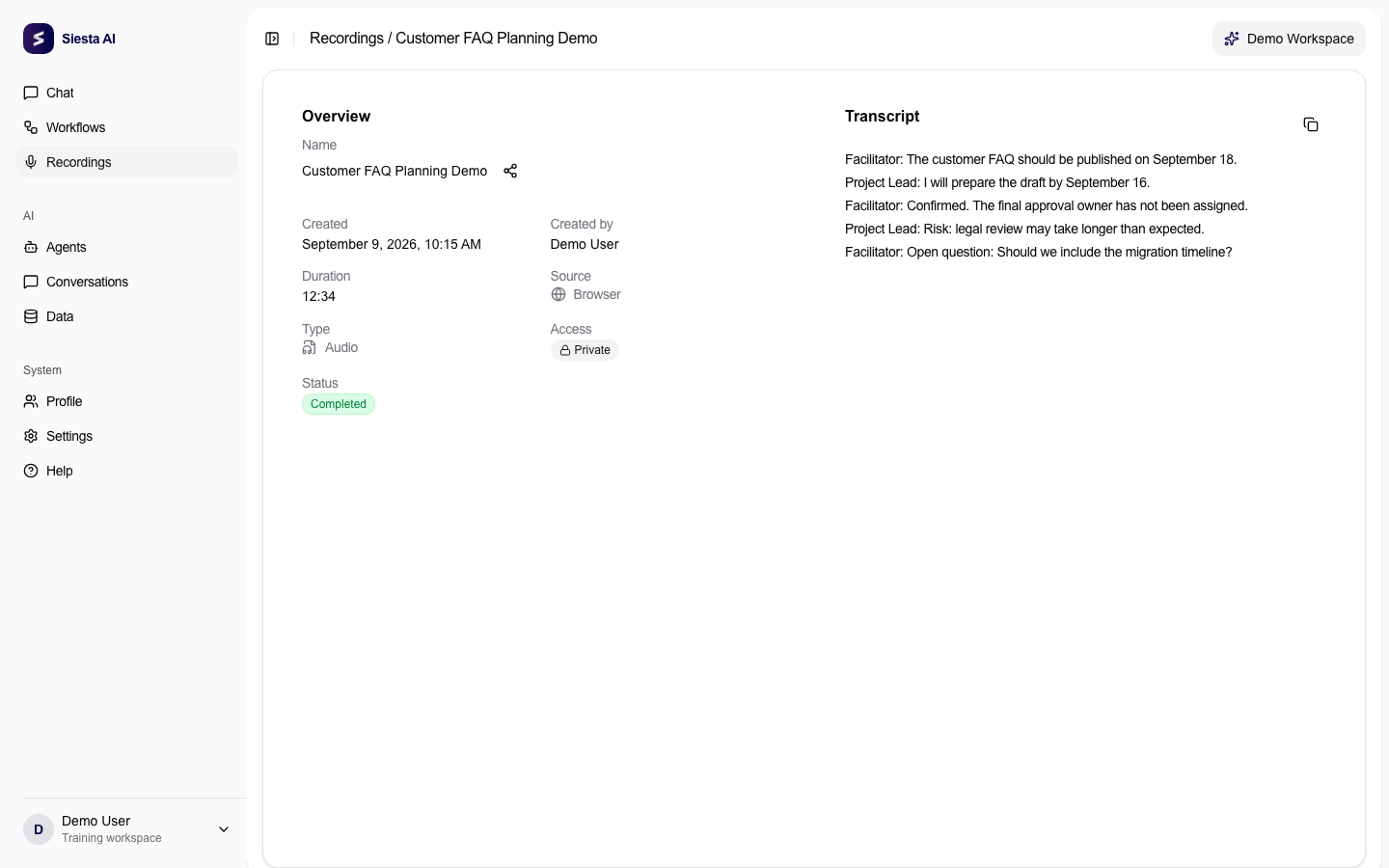
Open Recordings, choose the correct item with status Completed, and check its title and date. In the Transcript card, scan the text for obvious errors and click the copy icon.
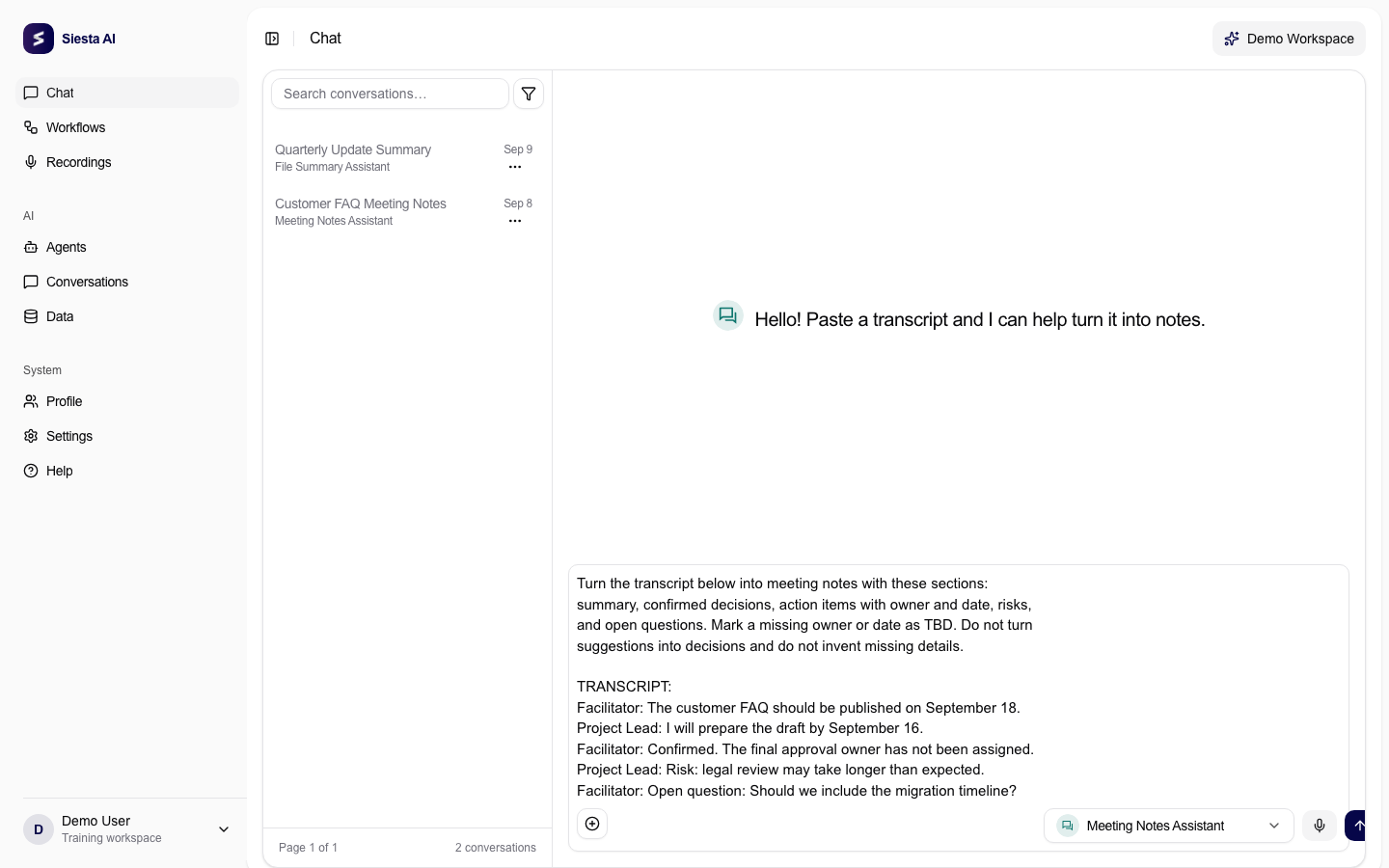
Open a new Chat, choose the agent for meeting notes, paste the transcript, and add the instruction from Try It. Select Send. There is no direct recording-to-agent button in this workflow.
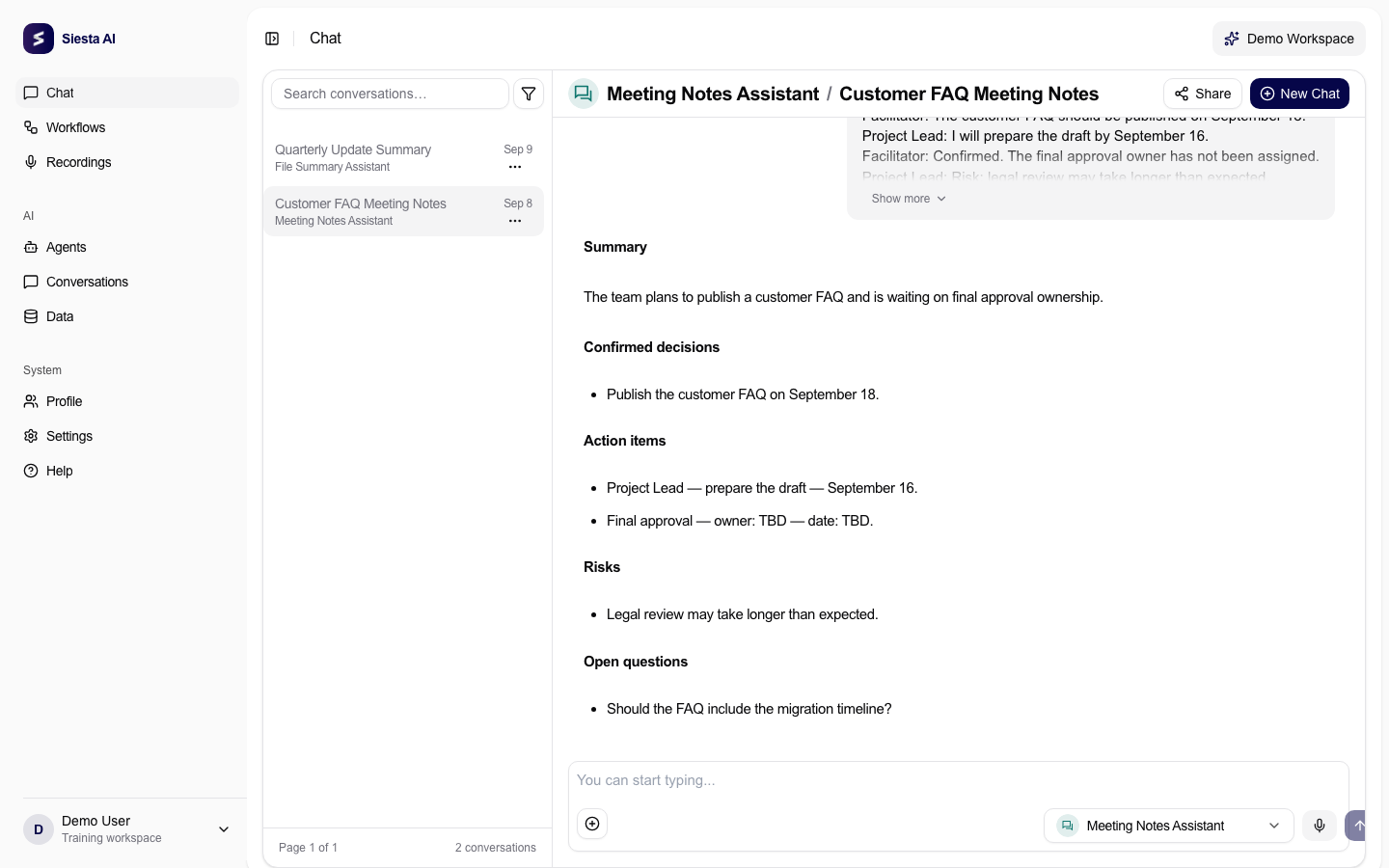
Check each decision and action item against the transcript. Correct names and dates, separate proposals from confirmed decisions, and keep unknown owners or deadlines marked as TBD.
Every decision and action item should be supported by the transcript. Suggestions and open questions should remain separate, and missing owners or dates should be marked TBD.
The most common problem is using a transcript that is incomplete, still processing, or contains uncorrected names. Return to the recording, verify the transcript, and copy it again. Next, learn how to capture a demonstration in Record Your Screen.