Search Your Data

Ask a prepared agent a question about approved company Data and verify the answer against its retrieved source.

For the controls and source links used here, see Chat and Data in the Platform documentation.

Before You Start​

  • Ask your administrator which prepared agent has the Data collection you need.
  • Use only company information that you are allowed to access.
  • Know the question and the important fact you must verify.

Follow The Steps​

  1. Open Chat And Choose The Data Agent

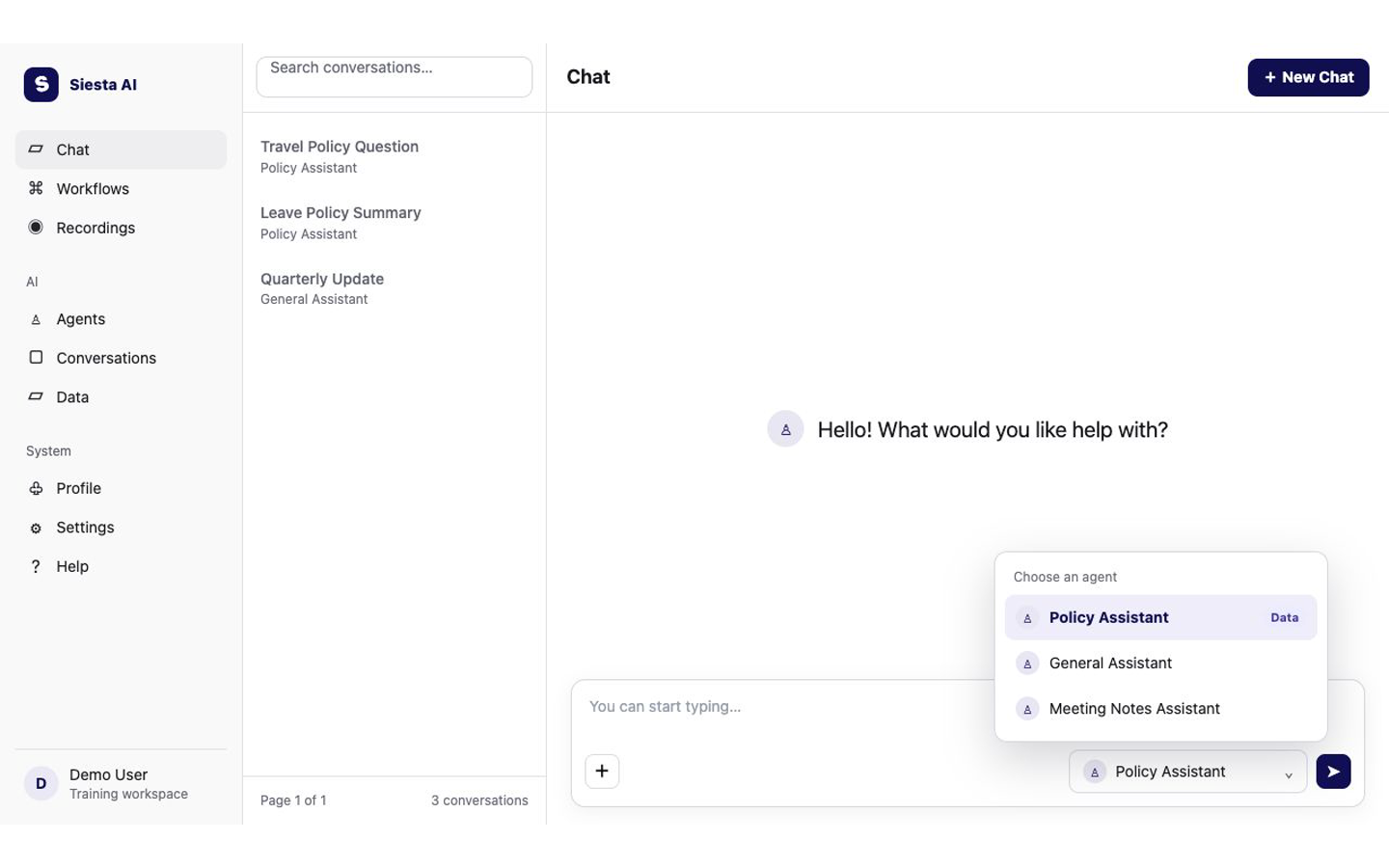
    Select Chat in the left sidebar. Select New Chat if an older conversation is open, then open the agent selector below the message box and choose the prepared Data agent named by your administrator.

    Siesta AI Chat with the agent selector open and Policy Assistant marked for Data
    Choose the prepared agent that has access to the needed Data collection.
    Platform guide: Starting a new conversation
  2. Ask A Source-Specific Question

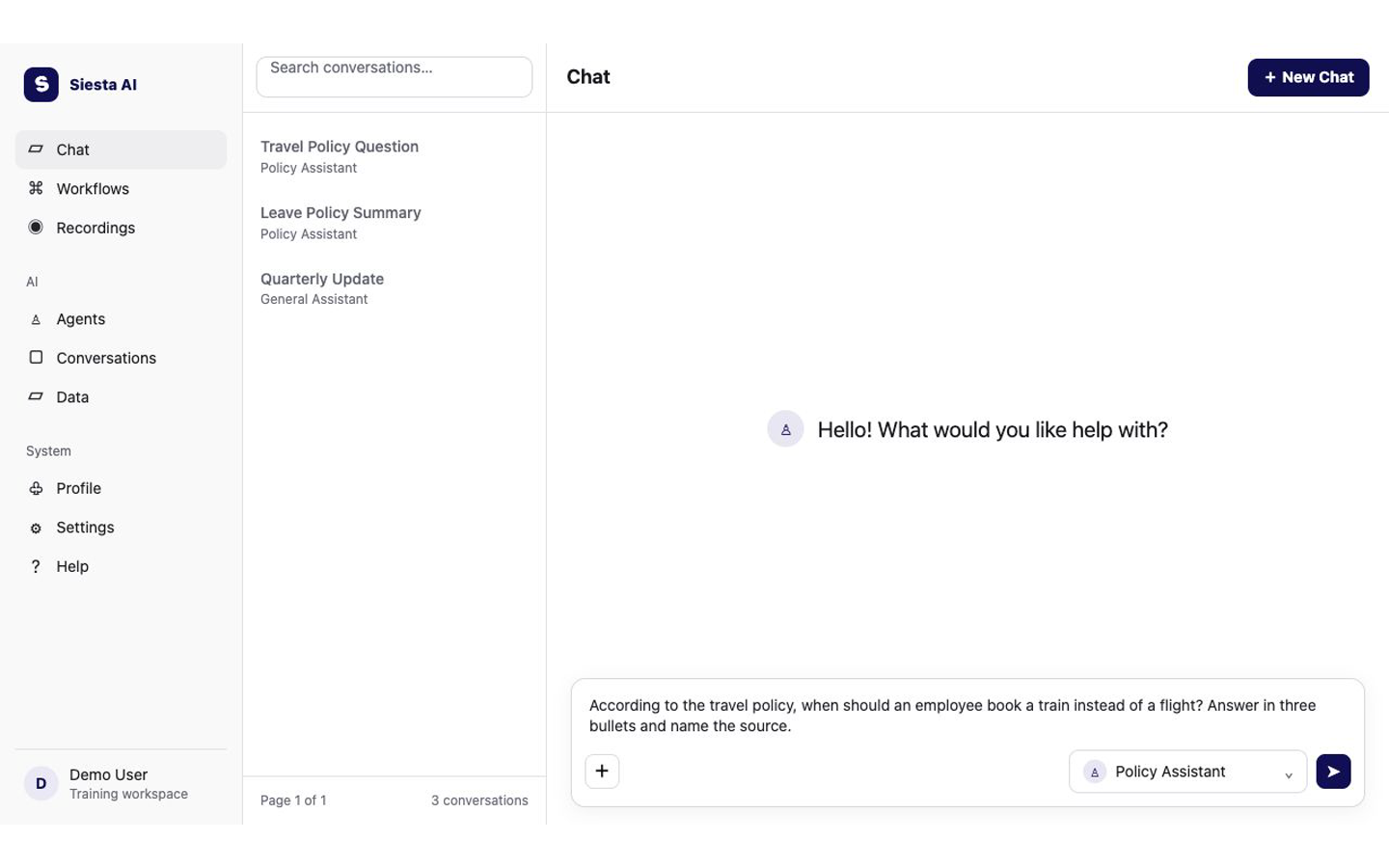
    Type the question in the message box. Name the policy or topic, state the answer format, and ask for the source name. Press Enter or select the send arrow.

    Siesta AI Chat with a question about the travel policy ready to send
    Name the topic, request a clear format, and ask the agent to identify its source.
    Platform guide: When to use Data
  3. Open A Source And Verify

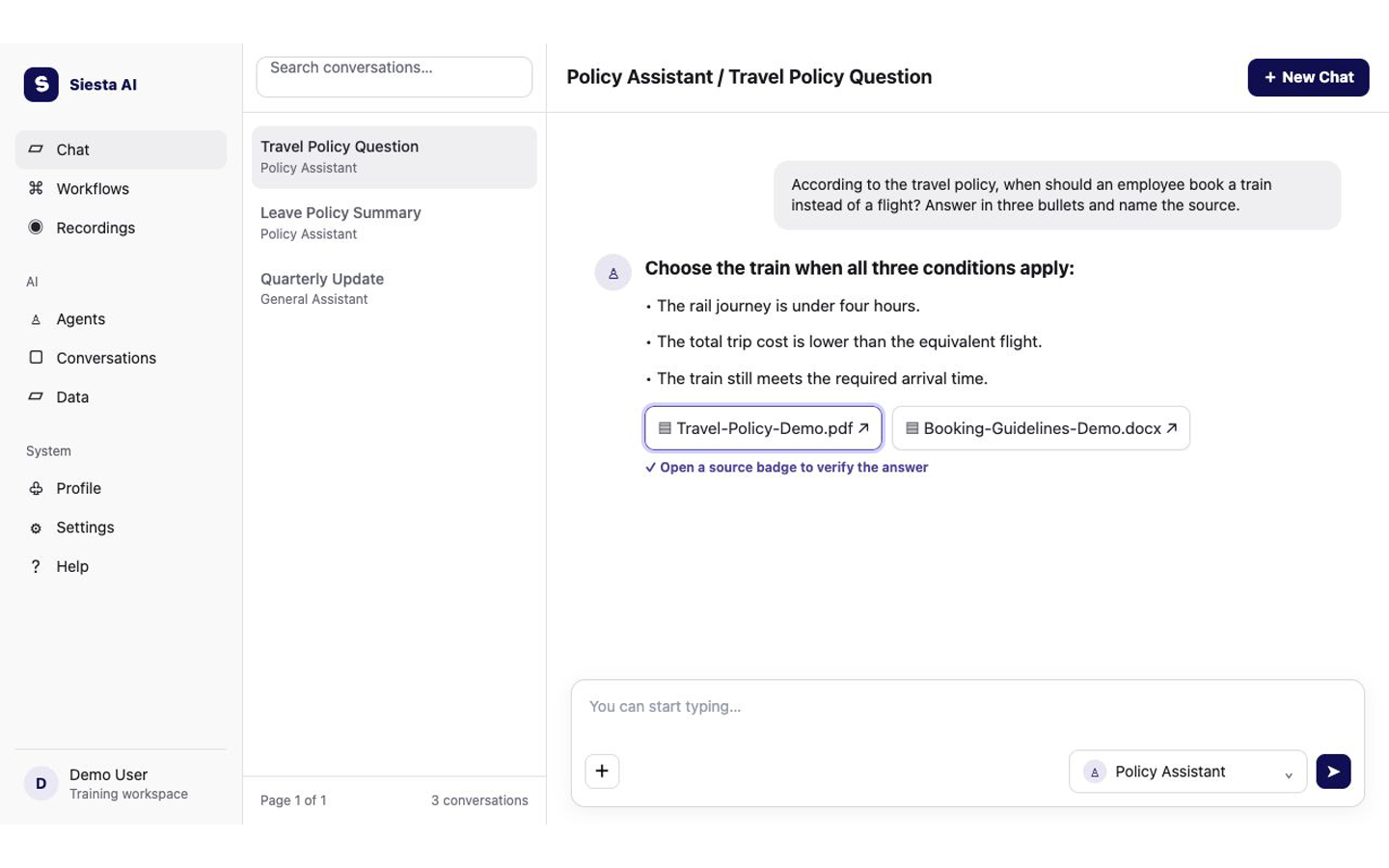
    Read the answer, then select a source badge below it. If you see More documents +N, open it and select Open document for the relevant source. Compare the important fact with the document before using it.

    Siesta AI Chat answer with travel policy source document badges
    Open a source badge and compare the important fact with the source document.
    Platform guide: Documents used in an answer

Try It​

According to the travel policy, when should an employee book a train
instead of a flight? Answer in three bullets and name the source.

Check The Result​

The answer should have three bullets, name its source, and show a source badge. The badge should open a document you can access, and the important rule should match that document.

If It Does Not Work​

The most common problem is choosing an agent without the required collection. Switch to the approved prepared agent, or ask the collection owner to check your access and the document processing status. Next, learn how to Create an Image.