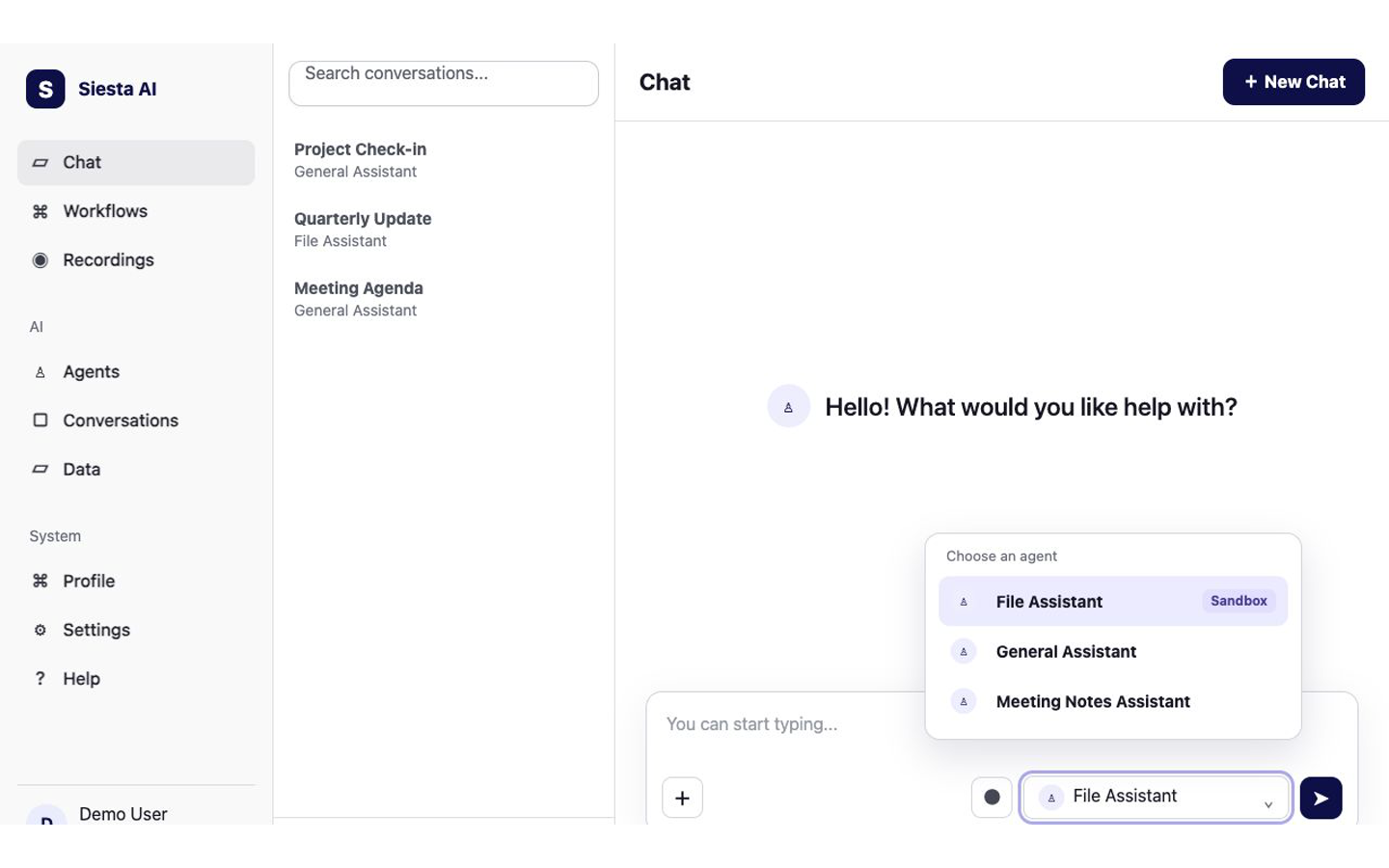
Click Chat in the left sidebar. If an older conversation is open, click New Chat. Open the agent selector below the message box and click the prepared agent your administrator confirmed has Sandbox enabled.
Use only the prepared agent your administrator identified for Sandbox file work.Platform guide: Sandbox
2
Attach The Source And Request A Named File
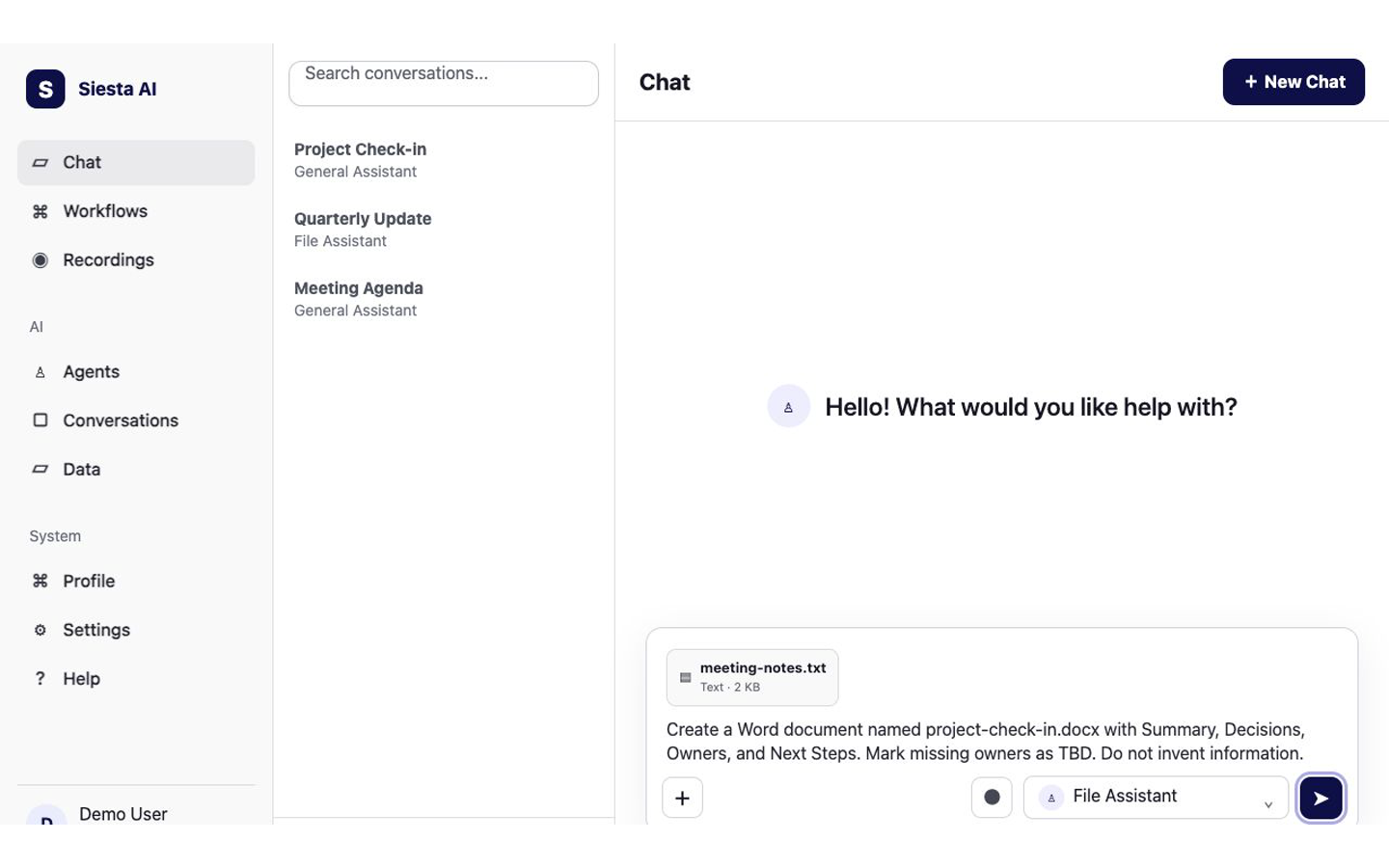
Click + below the message box and choose the source file. Then ask the agent to create the output in the exact format and file name you need. Include the required sections, tell it not to invent missing information, and click Send message.
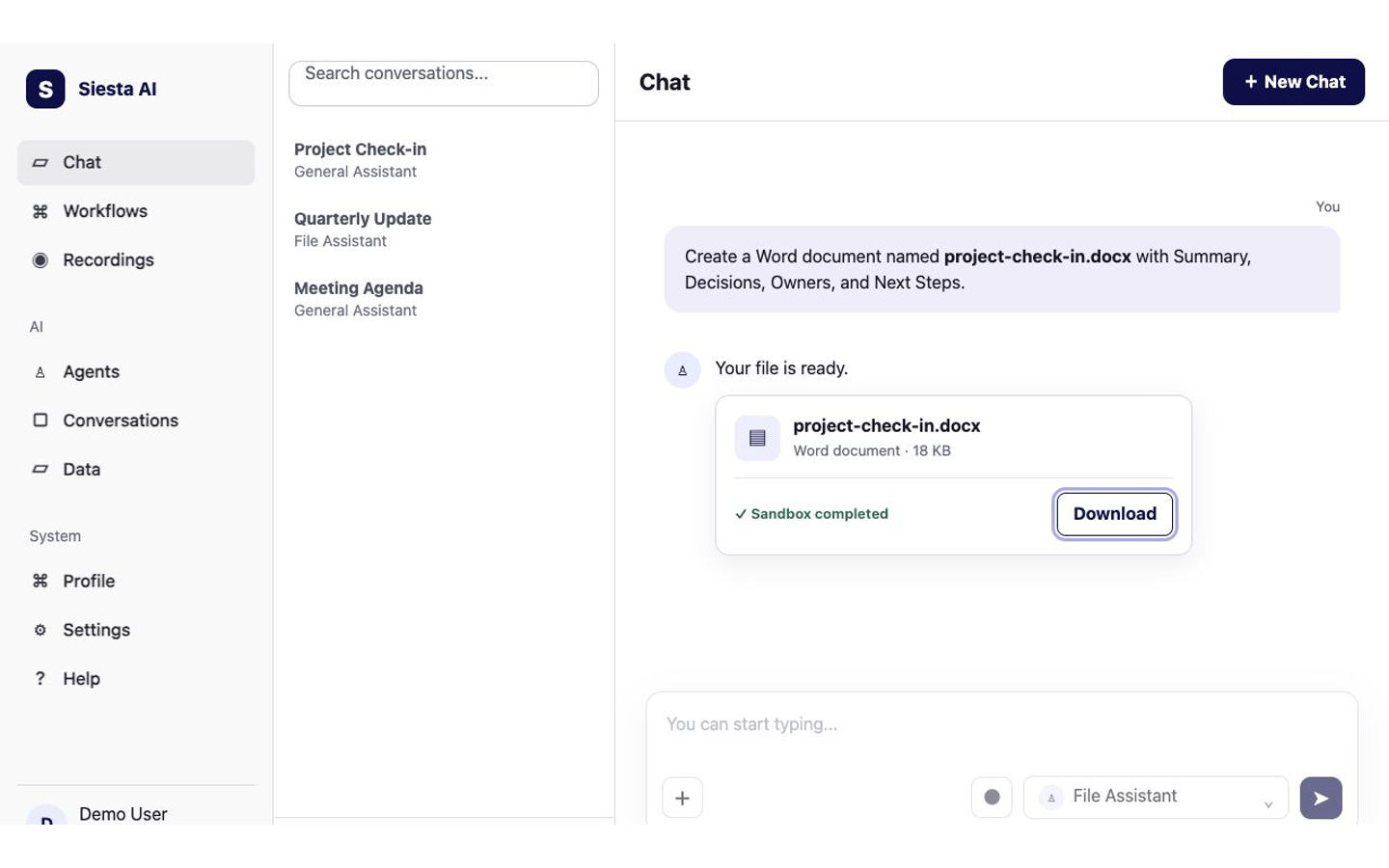
Wait for the published file artifact to appear in the conversation. Check its file name and format, then click Download and open the downloaded file to verify its contents.
Chat should show a published artifact named project-check-in.docx with Download. The downloaded document should open and contain the four requested sections using only information from the attachment.
The most common problem is choosing an agent without Sandbox or using an environment where Sandbox is not deployed. Ask your administrator to confirm both requirements, then start a new chat with the approved agent and try again. Next, learn how to Fill a Web Form Safely.