Use the Library
Start from an approved template, supply its required inputs, and verify the new object before using it.
See Library for template behavior and Agent Prompts for reusable agent instructions.
Before You Start
- Know whether you need an agent, prompt, or workflow template.
- Prepare the source, audience, owner, and approval rule requested by the template.
- Test the result with a low-risk example before sharing it.
Follow The Steps
Find A Template
Open Library and choose the closest approved template. Read its description and the tools or capabilities shown on the card.
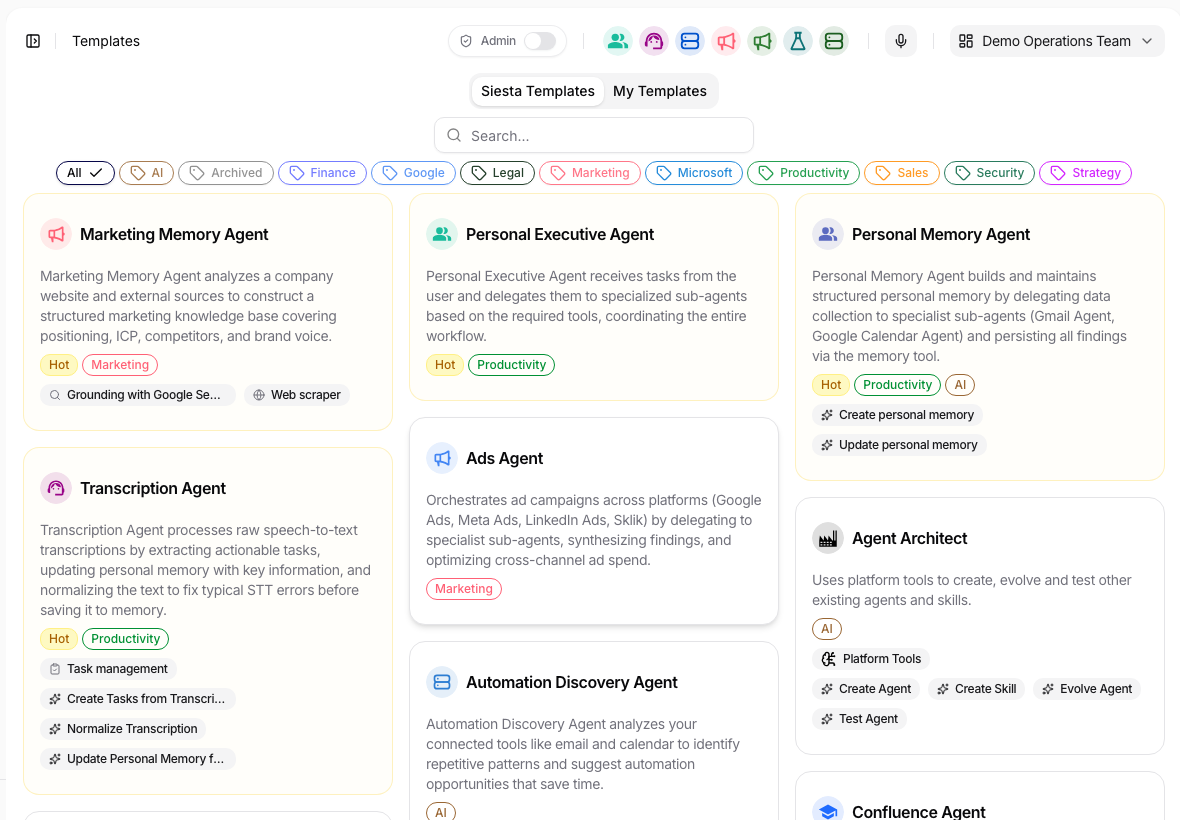
Search or filter by the business outcome, not only by template name. Review Required Inputs
Open the template and review every placeholder, source, connection, expected output, and access requirement.
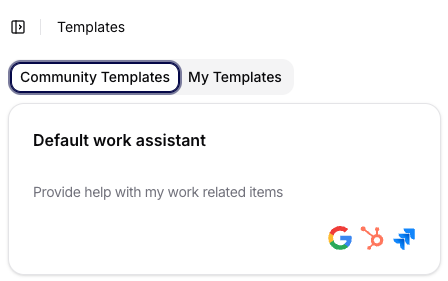
Check whether the template comes from the shared library or your own saved templates. Create The Target Object
Replace placeholders with real inputs, create the object, and do not broaden sharing until its behavior is verified.
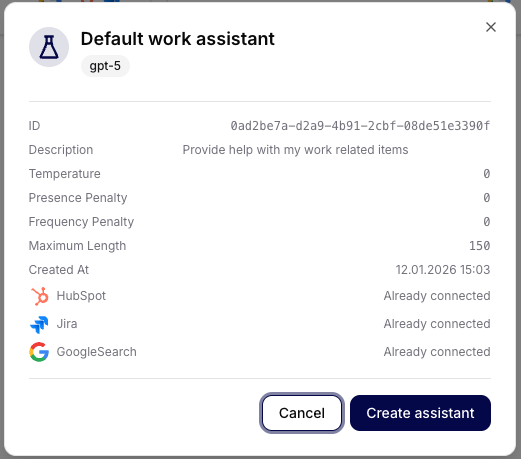
Give the new object a clear name and keep access narrow during the first test. Verify The Result
Open the new object and check its name, inputs, agent instructions, sources, tools, and access. Run one representative example.
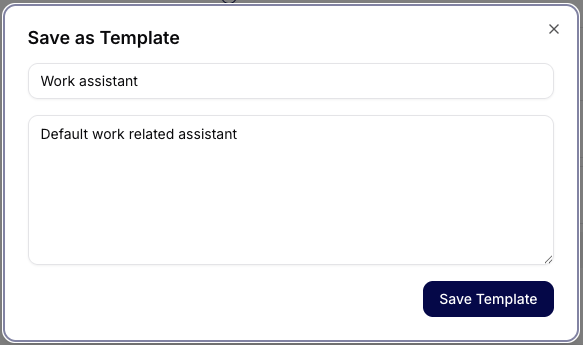
Confirm the saved name and intended object before reusing or sharing it.
Try It
Name: Customer reply — approved knowledge
Source: Support Knowledge collection
Output: reply under 120 words with source citation
Approval: never send automatically
Check The Result
The new object should contain no unresolved placeholders and should produce the expected output from the intended source without taking an unapproved action.
If It Does Not Work
The most common problem is a template whose required source or connection is unavailable. Choose another template or ask its owner for access; do not silently remove the missing control. Next, see Enterprise AI Patterns.