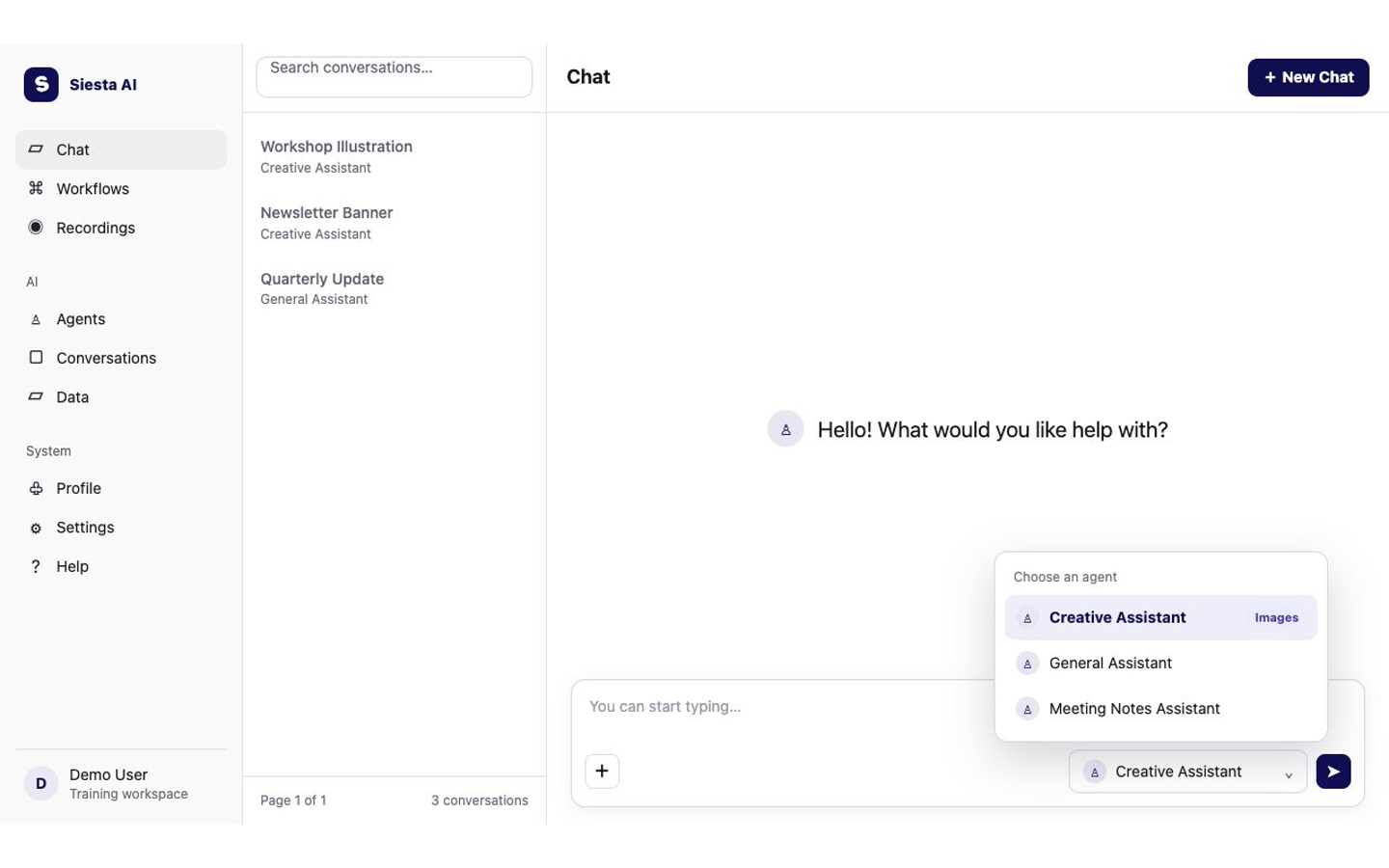
Select Chat in the left sidebar. Select New Chat if an older conversation is open, then open the agent selector below the message box and choose the prepared image agent named by your administrator.
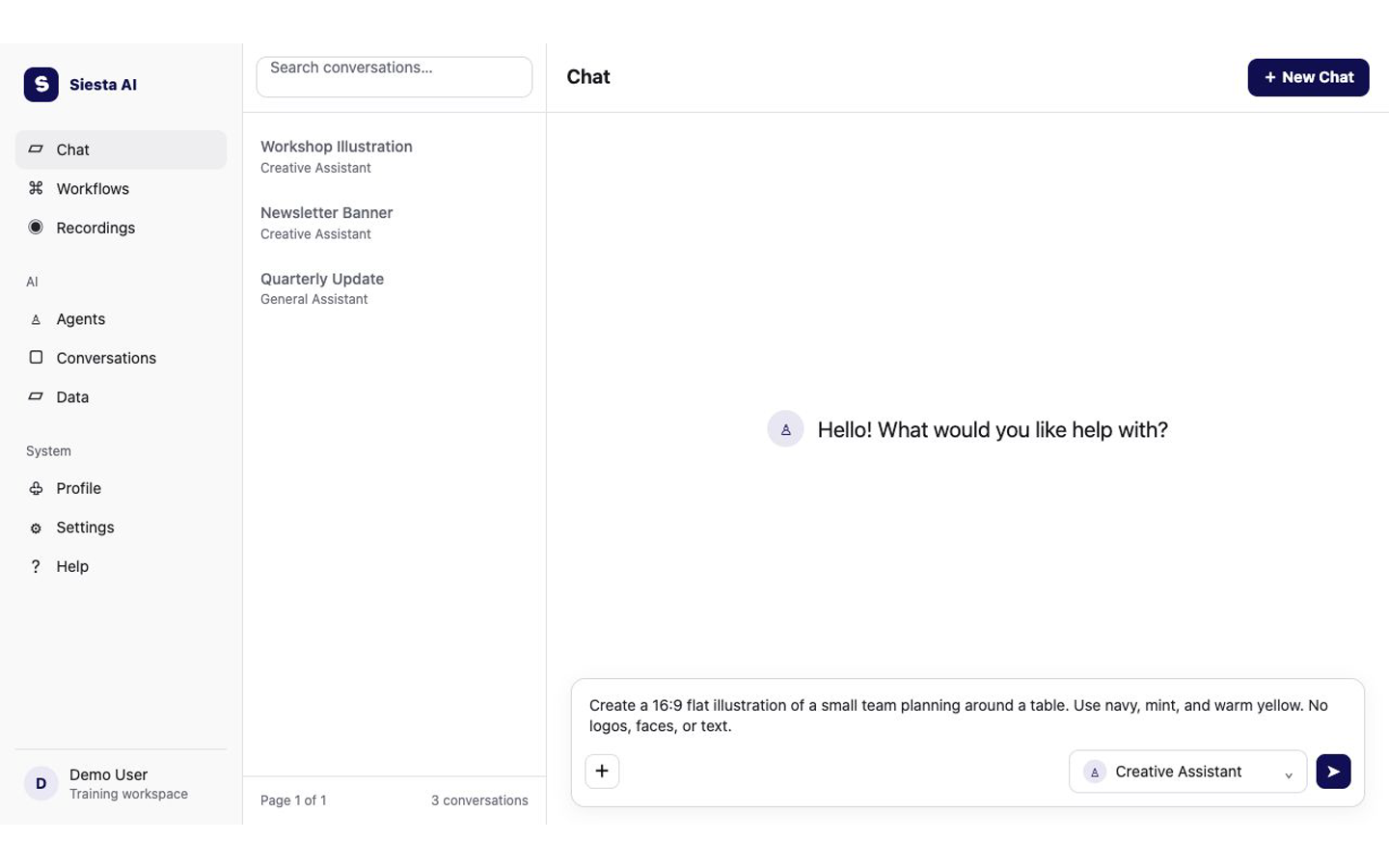
Type one clear request in the message box. Include the subject, composition, aspect ratio, visual style, colors, and text restrictions. Press Enter or select the send arrow.
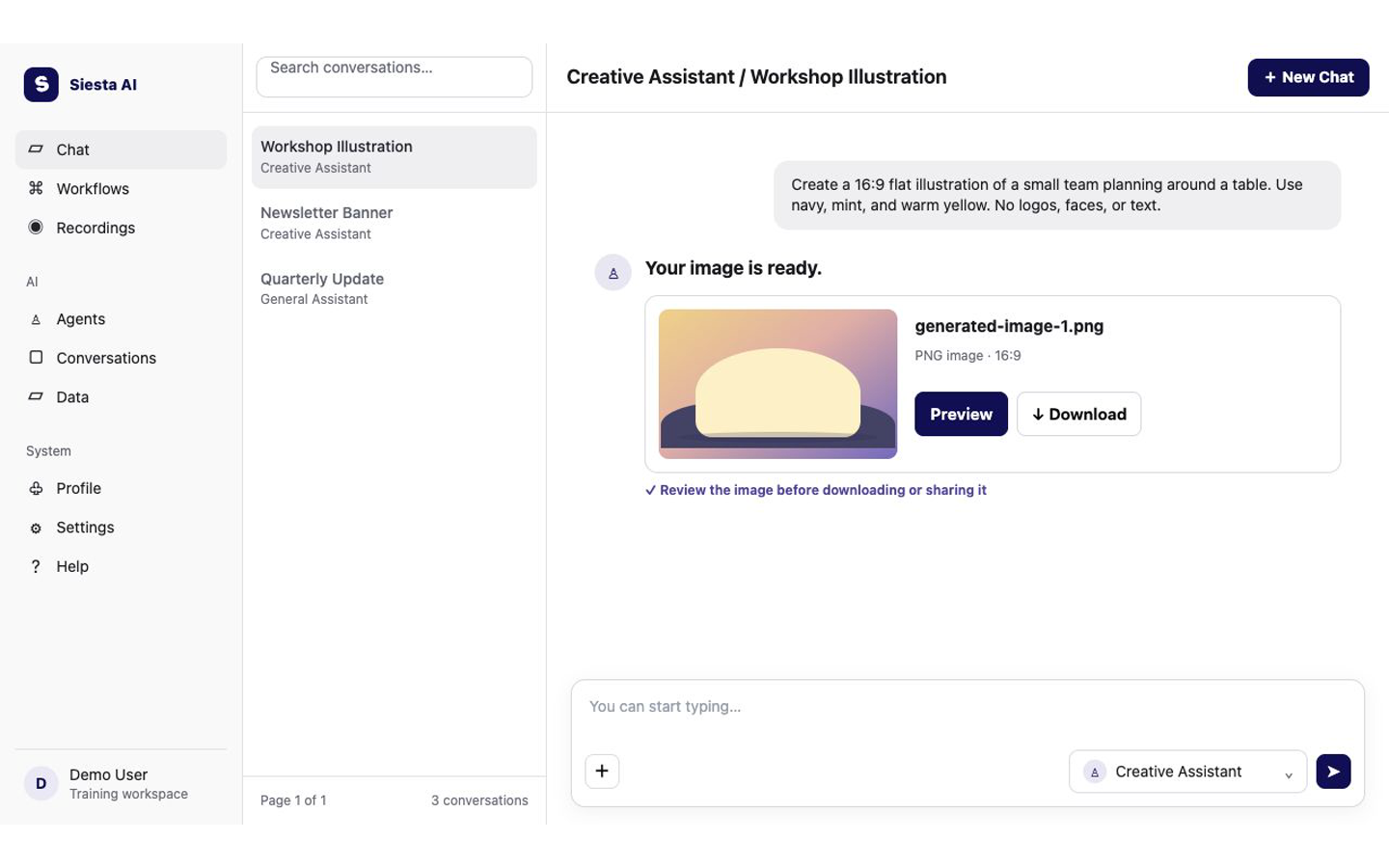
Wait for the PNG artifact to appear, then select Preview and inspect it. If it is correct, select Download. If not, ask for one precise change before downloading the next result.
Chat should show a PNG artifact with Preview and Download. The preview should match the requested composition and colors, contain no prohibited text or logos, and download successfully.
The most common problem is an agent without Image generation or a supported model. Choose the approved prepared agent, or ask your administrator to check its tool and model. Then retry with a simpler prompt. Next, learn how to Create a Downloadable File.