Summarize a File

Drag a file into Chat and turn it into a short, verifiable summary.

For supported inputs and upload behavior, see Chat Input and File Uploads in the Platform documentation.

Platform reference: Chat.

Before You Start​

  • Use a file that your organization allows you to upload to Siesta AI.
  • Know which decisions, dates, risks, or other details the summary must include.
  • Choose an agent that can work with the file type and language.

Follow The Steps​

  1. Attach And Confirm The File

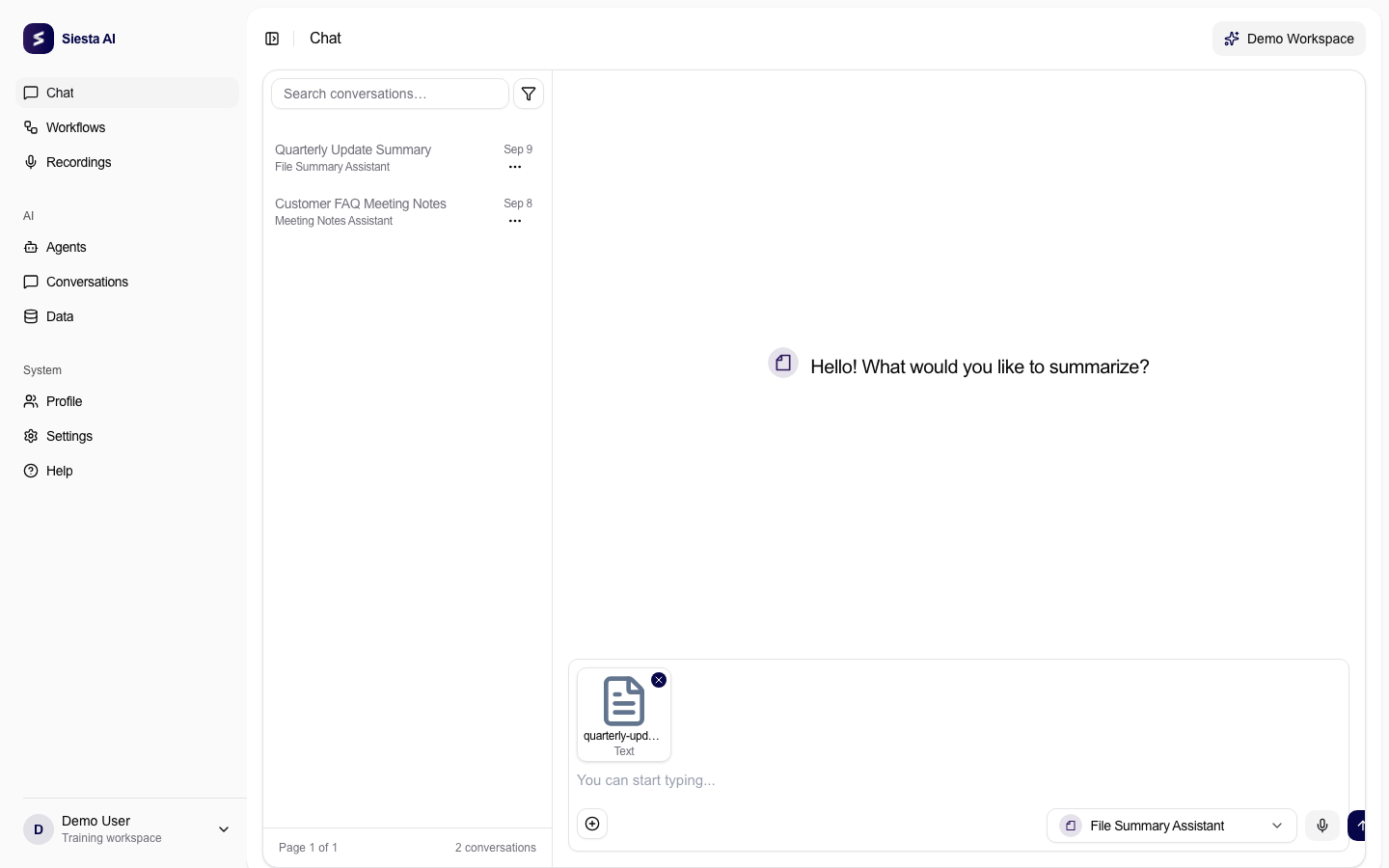
    Open a new Chat, choose the appropriate agent, and drag the file into the chat area. Continue only when an attachment chip appears and processing has finished; hover over a shortened name to check the full file name.

    Chat composer showing a text file attachment chip
    Continue only after the attachment appears and finishes processing.
    Platform guide: Chat file uploads
  2. Send A Focused Summary Request

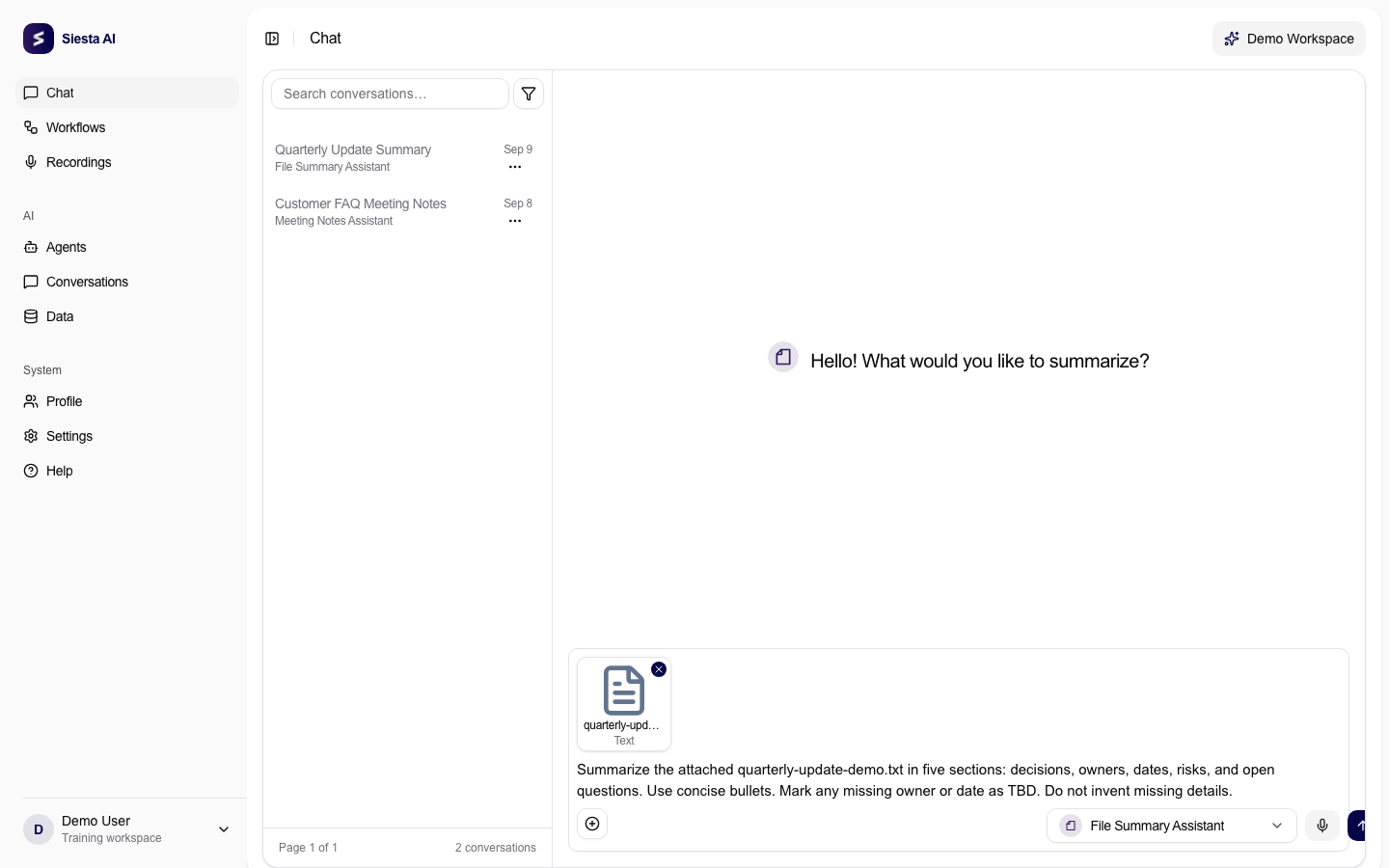
    Name the attached file in your request and specify the sections and output format you need. Tell the agent not to invent missing details, then press Enter to send.

    Chat composer with an attached sample text file and a structured summary request
    Tell the agent which facts to extract and how to handle missing information.
    Platform guide: Chat file uploads
  3. Verify The Summary

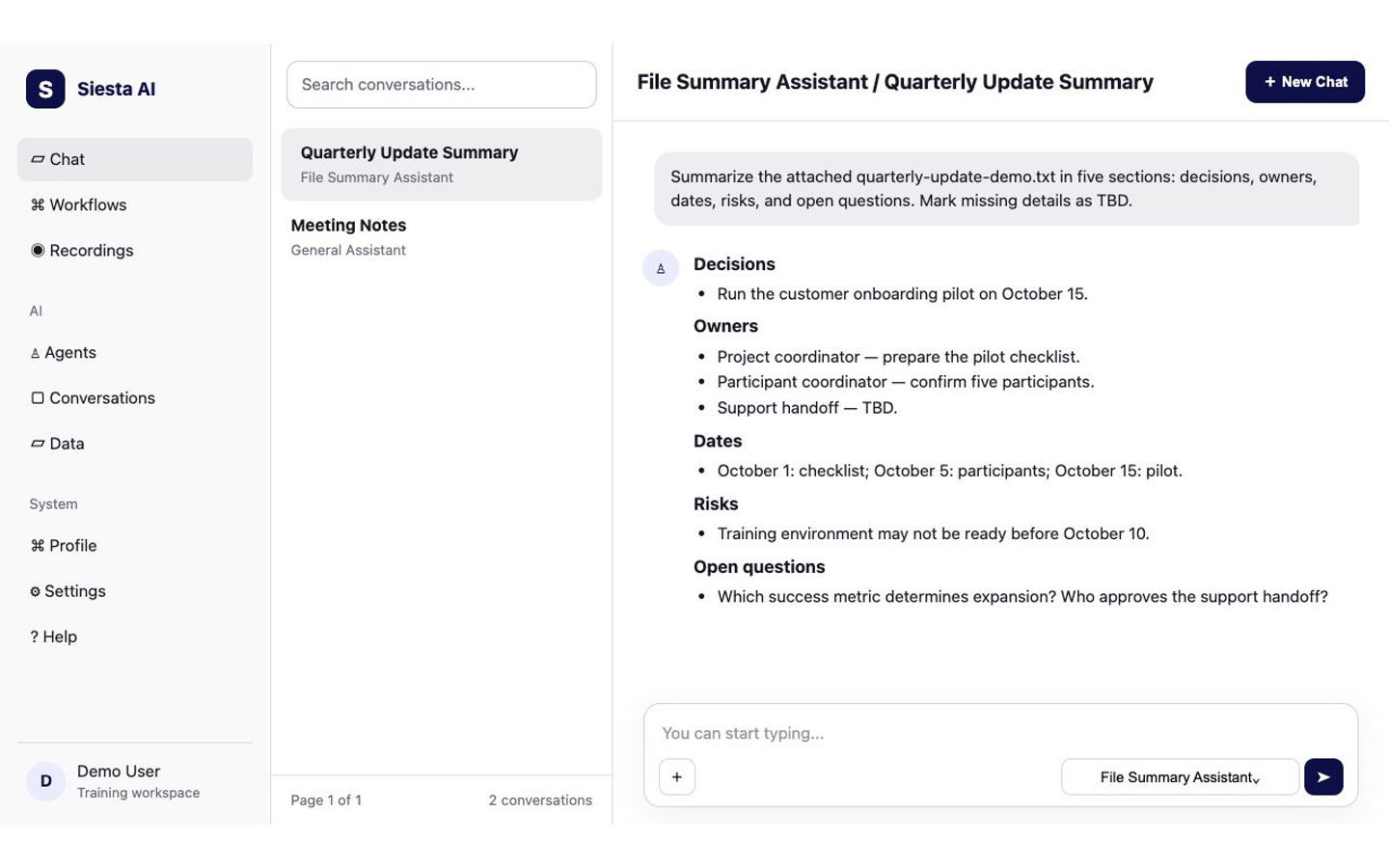
    Review the answer against the file. Check every decision, owner, date, amount, and quoted claim before using the summary elsewhere.

    Structured summary in Siesta AI Chat beside the attached sample text file
    Compare important decisions, dates, and numbers with the source file.
    Platform guide: Chat interface

Try It​

Summarize the attached quarterly-update-demo.txt in five sections:
decisions, owners, dates, risks, and open questions. Use concise bullets.
Mark any missing owner or date as TBD. Do not invent missing details.

Check The Result​

The answer should use the requested five sections, trace its details to the attached file, and mark missing owners or dates as TBD.

If It Does Not Work​

The most common problem is an incomplete upload or an agent that cannot read the file type. Reattach a smaller supported file or choose an appropriate prepared agent. Next, capture a thought in Record a Voice Note.