Jednoduchá otázka
Položte v Chatu jasnou otázku a získejte odpověď, kterou můžete rychle ověřit.
Podrobnosti k rozhraní najdete v Platform dokumentaci Chat, Controls a Agents.
Než začnete
- Ujasněte si jednu otázku a požadovaný formát odpovědi.
- Vyberte agenta, který odpovídá tématu a má přístup k potřebným zdrojům.
- Do nové konverzace přejděte, pokud se změnil zákazník, téma nebo hranice zdrojů.
Postup
Otevřete Chat a vyberte agenta
Otevřete Chat, založte novou konverzaci a vyberte připraveného agenta. Zkontrolujte jeho název dříve, než odešlete otázku.
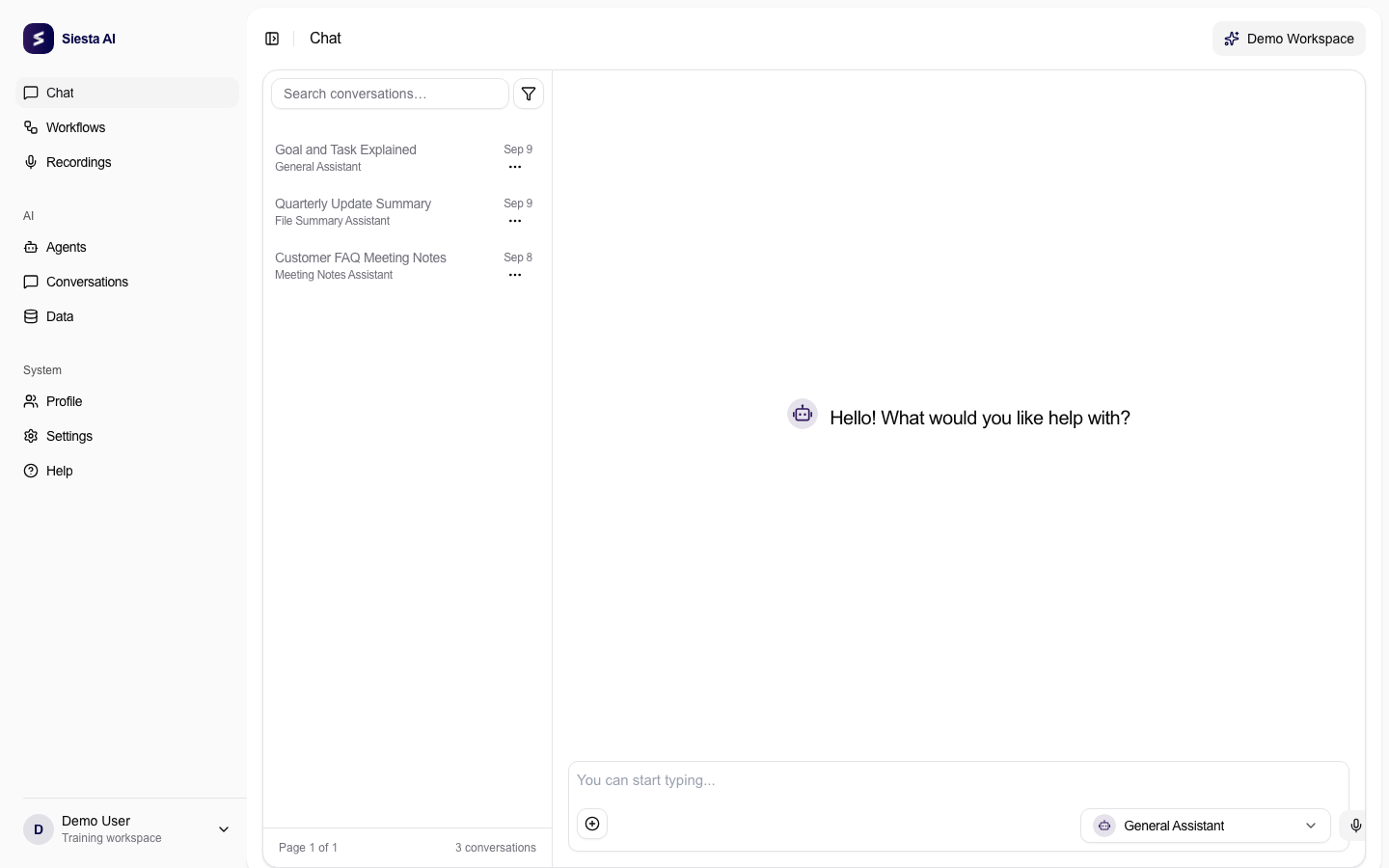
Před zadáním otázky zkontrolujte jméno aktivního agenta. Položte jasnou otázku
Napište jednu konkrétní otázku. Přidejte čtenáře, omezení nebo formát jen tehdy, když ovlivní užitečnost výsledku, a stisknutím Enter požadavek odešlete.
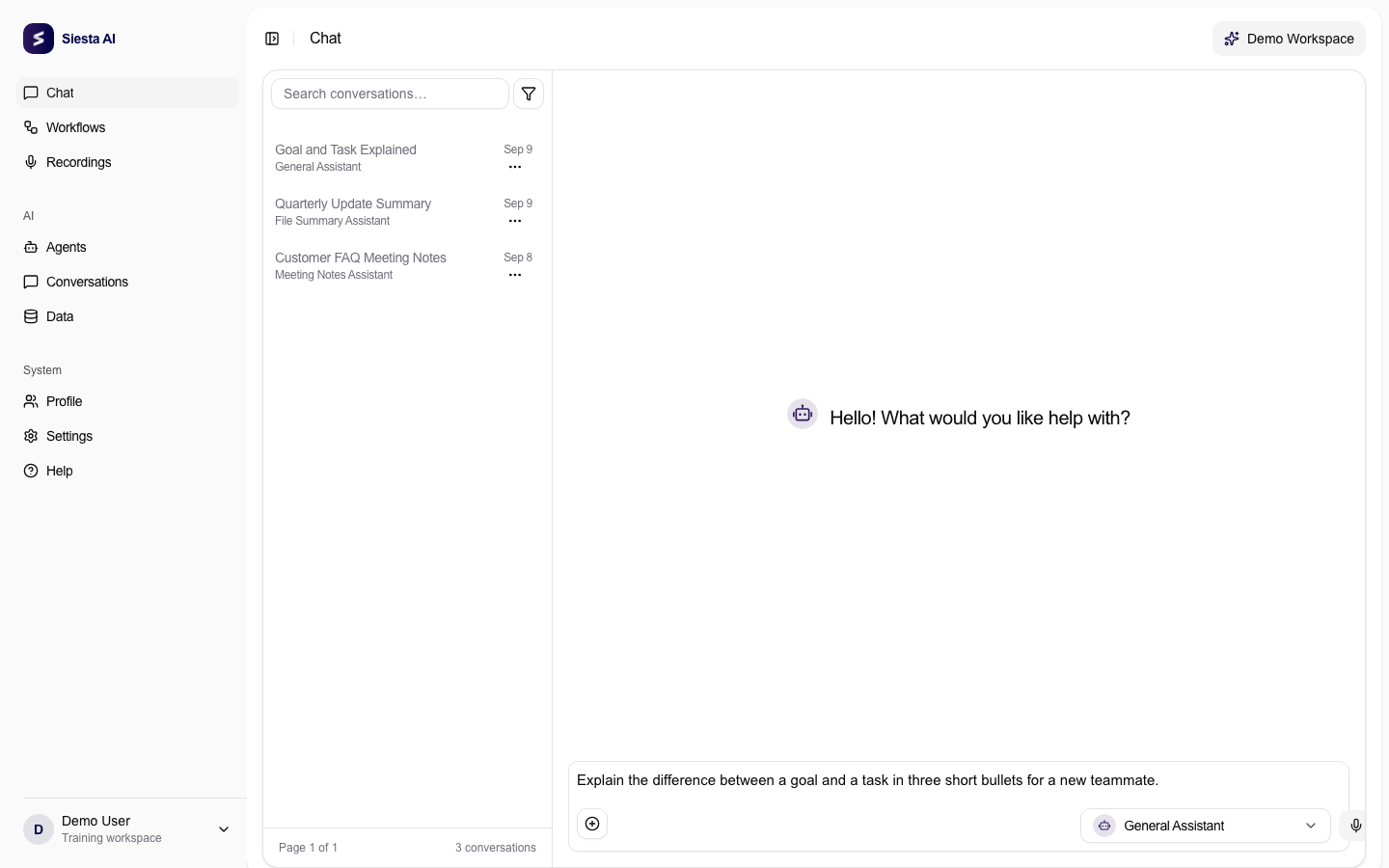
Jedna otázka s konkrétním formátem usnadní kontrolu odpovědi. Zkontrolujte odpověď
Přečtěte odpověď a ověřte důležitá fakta. Pokud něco chybí, položte doplňující otázku ve stejné konverzaci; při změně tématu začněte nový chat.
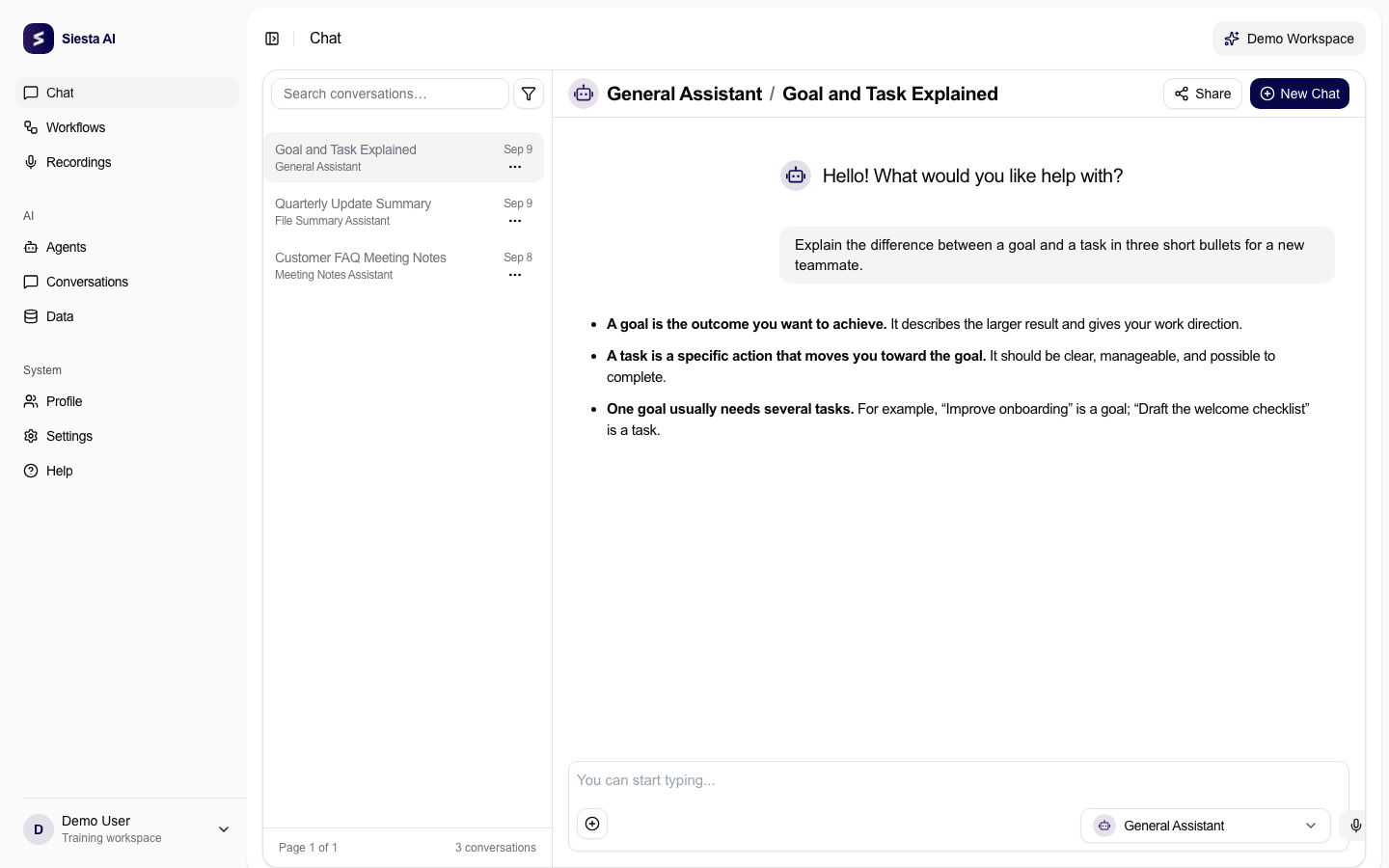
Ověřte úplnost, správnost a dodržení požadovaného formátu.
Vyzkoušejte
Vysvětli novému kolegovi rozdíl mezi cílem a úkolem ve třech stručných
odrážkách.
Kontrola výsledku
Odpověď má obsahovat tři stručné odrážky pro nového kolegu, rozlišit oba pojmy a vyhnout se zbytečným předpokladům.
Když to nefunguje
Nejčastěji je otázka příliš obecná. Doplňte cílového čtenáře, rozsah nebo požadovaný formát, ale nemíchejte několik různých úkolů do jednoho požadavku. Dále pokračujte na Diktujte místo psaní.