Feedback
The Feedback section serves administrators to monitor the quality of responses from individual AI assistants. It provides a quick overview of the ratio of positive to negative ratings and allows for tracking specific conversations.
Feedback Overview
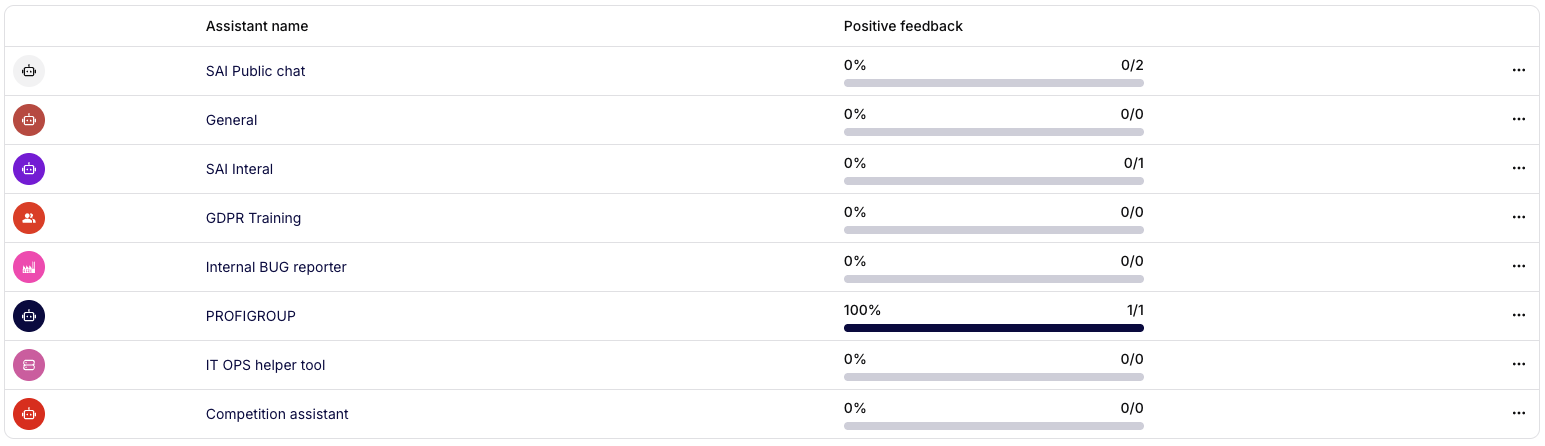
The main page displays a list of assistants and their overall ratio of positive ratings.
The following are visible:
- Assistant name – the name of the assistant,
- Positive feedback – percentage and number of positive ratings,
- Actions – a button with additional options (on the right).
Clicking on an assistant opens the feedback details.
Feedback Detail
The detail displays a specific conversation and the assistant's response to which the feedback was added. At the top, there is the assistant's name, the author, and a label indicating the type of rating (e.g., Negative). At the bottom, there is a highlight of the type of response (e.g., Marked as Negative response) and any notes.
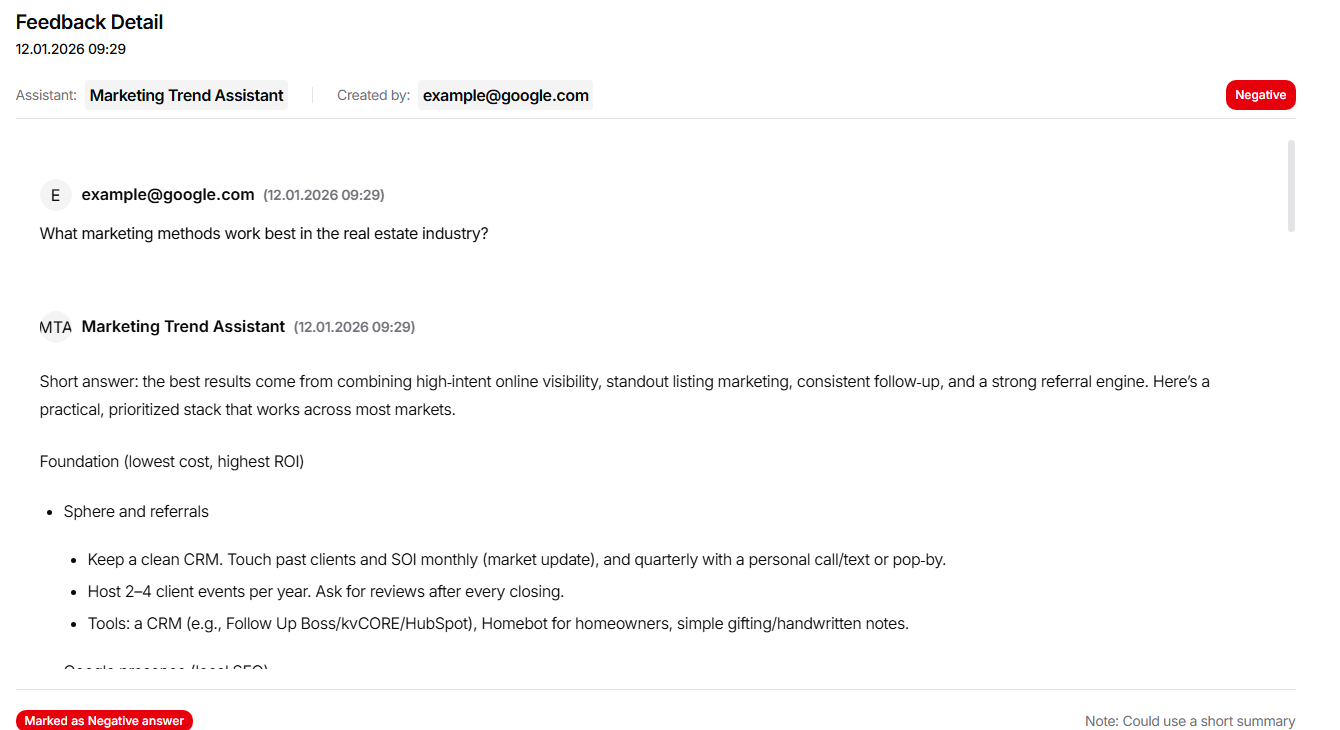
This section is used for quick diagnostics of problematic responses and improving the settings of the assistants.