Firecrawl
The Firecrawl connector allows you to connect the Firecrawl API to Siesta AI and use web crawling as a data source in agents, workflows, and data collections.
1. Obtaining an API Key in Firecrawl
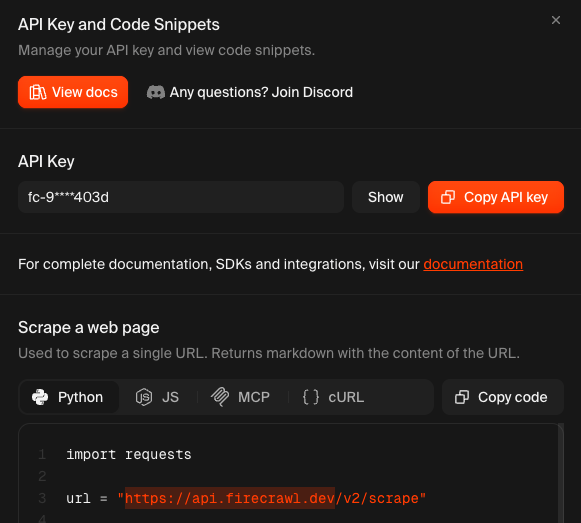
First, you need to obtain an API key in your Firecrawl account:
- open the Firecrawl dashboard,
- in the API Key and Code Snippets section, copy your API key,
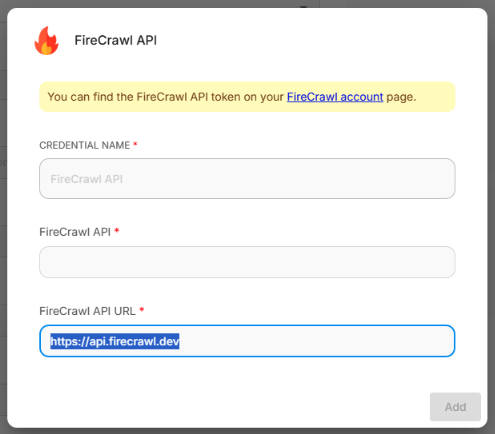
- prepare your API endpoint (typically
https://api.firecrawl.dev).
Example of filling in the API URL and API token:
2. Adding Firecrawl Connection in Siesta AI
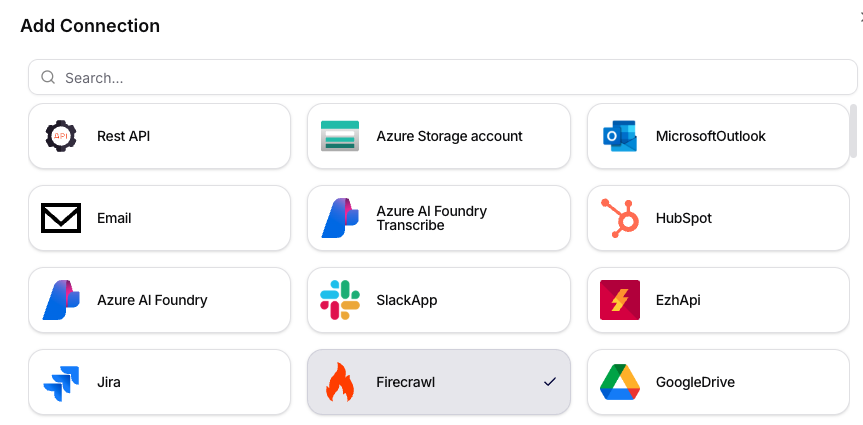
- In the Connections section, click on Add Connection.
- In the dialog, select the Firecrawl tile.
- Proceed to the configuration details.
3. Configuring the Connection
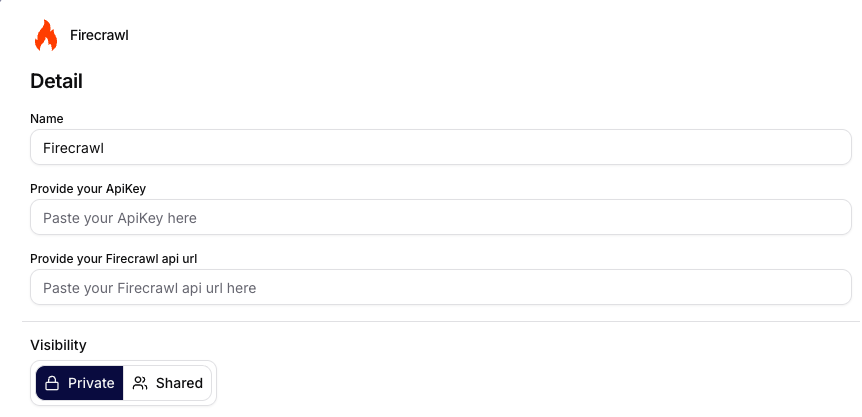
In the form, fill in:
- Name: internal name of the connection.
- Provide your ApiKey: API key from your Firecrawl account.
- Provide your Firecrawl api url: API URL (e.g.,
https://api.firecrawl.dev). - Visibility:
PrivateorShared.
After saving, the connector is available for use on the platform.
4. Using as a Data Source
Firecrawl can also be used as a data source in data collections. The user adds Firecrawl when creating a source in the collection and sets up synchronization and source parameters.
- Adding a source in the collection: Data Collections - Adding a Data Source
- Configuring Firecrawl source: Data Collections - Firecrawl
Summary
The Firecrawl connector in Siesta AI provides a simple connection to the Firecrawl API via API key and API URL. After configuration, it can be used in automations as well as a data source.