Google Docs
The connection is established in the same way as with other Google accounts in Siesta AI (OAuth 2.0).
OAuth login and the consent screen in the Google account may vary depending on the account type, domain policy, and available permissions.
Overview
This document describes the integration of GoogleDocs for working with documents in Google Workspace.
The integration is suitable for:
- reading document content for agents and workflows,
- automated document creation,
- updating document content within internal processes.
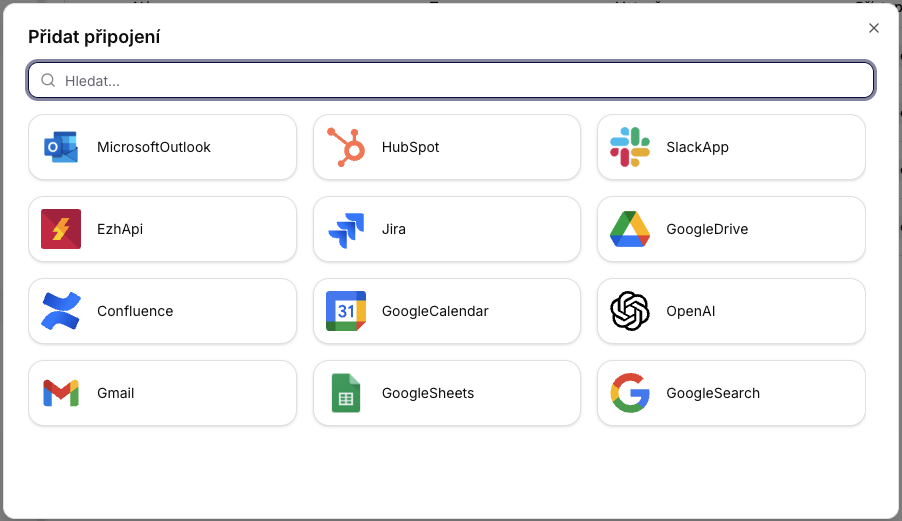
1. Connecting Google Docs in Siesta AI
- In the Connections section, click on Add Connection.
- In the connector selection, choose the Google connection.
- Log in with your Google account.
- Confirm the required permissions (scopes) for Google Docs.
- In the connection details, you can modify access and the range of allowed functions (scopes/policies).

2. Google Docs Integration
Service Name
GoogleDocs
Description
The integration allows creating, retrieving, and updating Google documents through an authorized Google account.
2.1 CreateDocumentAsync
Description
Creates a new Google document.
Input Parameters
| Parameter | Type | Required | Description |
|---|---|---|---|
| title | String | Yes | The title of the document. |
| content | String | No | The initial text content of the document. |
Behavior
- If
contentis provided, it will be written to the newly created document. - The output is the identifier and metadata of the new document.
Typical Use Cases
- Generating reports
- Creating documents from templates
2.2 GetDocumentAsync
Description
Retrieves an existing Google document by ID.
Input Parameters
| Parameter | Type | Required | Description |
|---|---|---|---|
| documentId | String | Yes | The ID of the target document. |
Behavior
- Returns metadata and content of the document according to the account's permissions.
- If the document does not exist or is not accessible, the operation fails.
2.3 UpdateDocumentAsync
Description
Updates the content of an existing document.
Input Parameters
| Parameter | Type | Required | Description |
|---|---|---|---|
| documentId | String | Yes | The ID of the document to be modified. |
| content | String | Yes | The new content to be written. |
Behavior
- The update occurs on the existing document.
- The scope and manner of changes are governed by the permissions of the connected Google account.
Typical Use Cases
- Updating operational documents
- Appending outputs from workflows
- Synchronizing content between systems
Security Notes
- The integration runs through the official Google API.
- Access is controlled via OAuth 2.0 and scopes granted by the user.
- It is recommended to use the principle of least privilege and regularly review scopes.
Design Decisions
- All operations are performed under a specific authorized Google account.
- Permissions for documents inherit from Google Workspace sharing.
- Missing permissions or a non-existent document return an error immediately (fail-fast).
Summary
- The GoogleDocs connector allows creating, reading, and editing documents in Google Docs.
- The connection is based on OAuth and scope management.
- The integration is suitable for automated documentation and reporting scenarios in agents and workflows.