Rest API
The Rest API connection allows you to connect any HTTP API to Siesta AI without the need for a special native connector. Within a single connection, you can define multiple functions (endpoints) and set parameters for each function.
1. Adding a New Rest API Connection
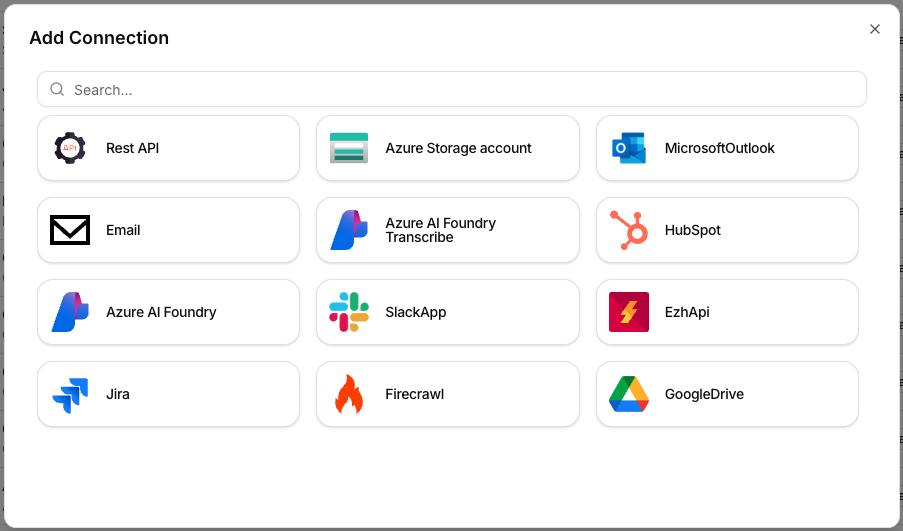
- Open the Connections section.
- Click on Add Connection.
- In the dialog, select the Rest API tile.
2. Basic Configuration of the Connection
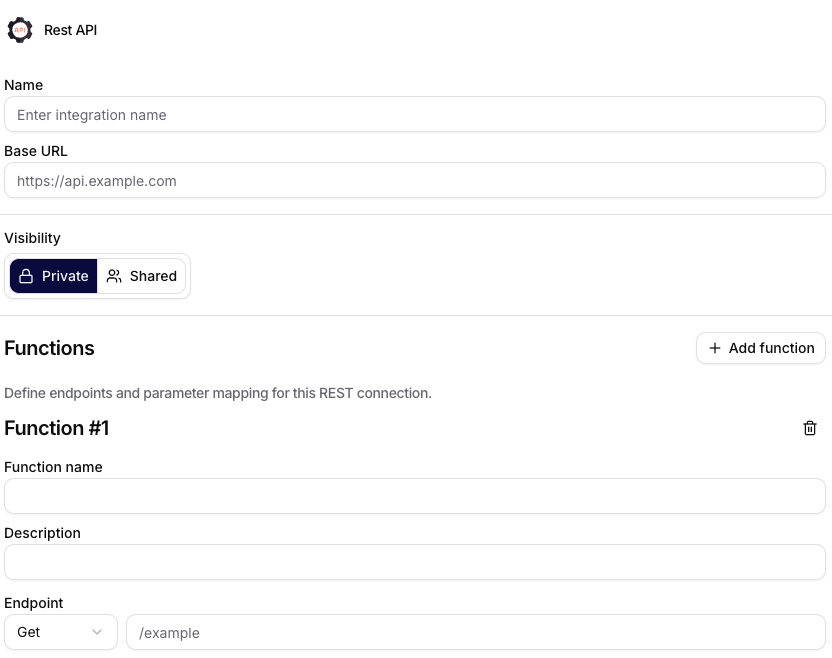
After selecting Rest API, fill in:
- Name: the name of the integration in Siesta AI.
- Base URL: the base URL of the API (e.g.,
https://api.example.com). - Visibility: determines the availability of the connection.
Private= the connection is visible only to you.Shared= the connection can be used by multiple users in the organization.
3. Functions (Endpoints)
In the Functions section, you define specific API calls:
- Add function adds another endpoint.
- Function name: internal name of the function for use in agents/workflows.
- Description: a brief description of what the endpoint does.
- Endpoint: combines the HTTP method (
GET,POST,PUT,DELETE, ...) and the endpoint path (e.g.,/example), which is composed with theBase URL.
Practically, this means that:
Base URL:https://api.example.comEndpoint:/orders- resulting call:
https://api.example.com/orders
4. Function Parameters
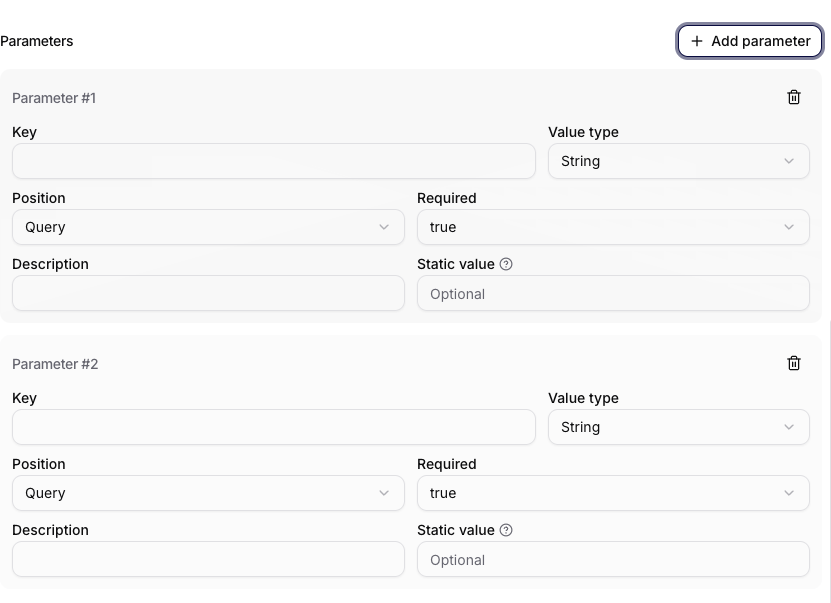
In the Parameters section, you can add multiple parameters for each function via Add parameter.
Configurable items:
- Key: the name of the parameter.
- Value type: data type (e.g.,
String). - Position: where the parameter is written (
Query,Path,Header, orBodydepending on the endpoint). - Required: whether the parameter is mandatory.
- Description: documentation description of the parameter.
- Static value: optional fixed value that is always sent.
5. Recommendations for Use
- Use consistent naming of functions according to business actions (e.g.,
getOrders,createTicket). - Set mandatory parameters as
Required = trueto avoid invalid calls. - Store sensitive values securely and do not pass them as plain text in the prompt.
- For shared connections (
Shared), regularly check who has access to the integration.
Summary
The Rest API connector is a universal way to connect external systems to Siesta AI via HTTP endpoints. It allows you to combine multiple functions in one integration and manage the parameters of each call in detail.