Confluence
Overview
The Confluence connection allows for a secure integration of the Siesta AI platform with Atlassian Confluence via the official API. The integration provides controlled access to the content of the Confluence space and enables:
- searching for pages,
- loading documentation content,
- programmatically creating new pages,
- updating existing pages.
The connection is designed for enterprise use with an emphasis on permission management, auditability, and data access security.
Requirements
- An active Confluence Cloud site.
- An Atlassian account that has access to the Confluence space/pages that the connector will work with.
- A generated API token in the Atlassian account (
id.atlassian.com→ Security → API tokens). - Administrator permissions to manage the connection in Siesta AI.
Supported Operations
| Operation | Description |
|---|---|
SearchPagesAsync | Full-text search of pages within the selected Confluence space |
GetPageAsync | Loading the content of a page including metadata |
CreatePageAsync | Creating new pages in Confluence |
UpdatePageAsync | Updating existing pages |
Permission Management
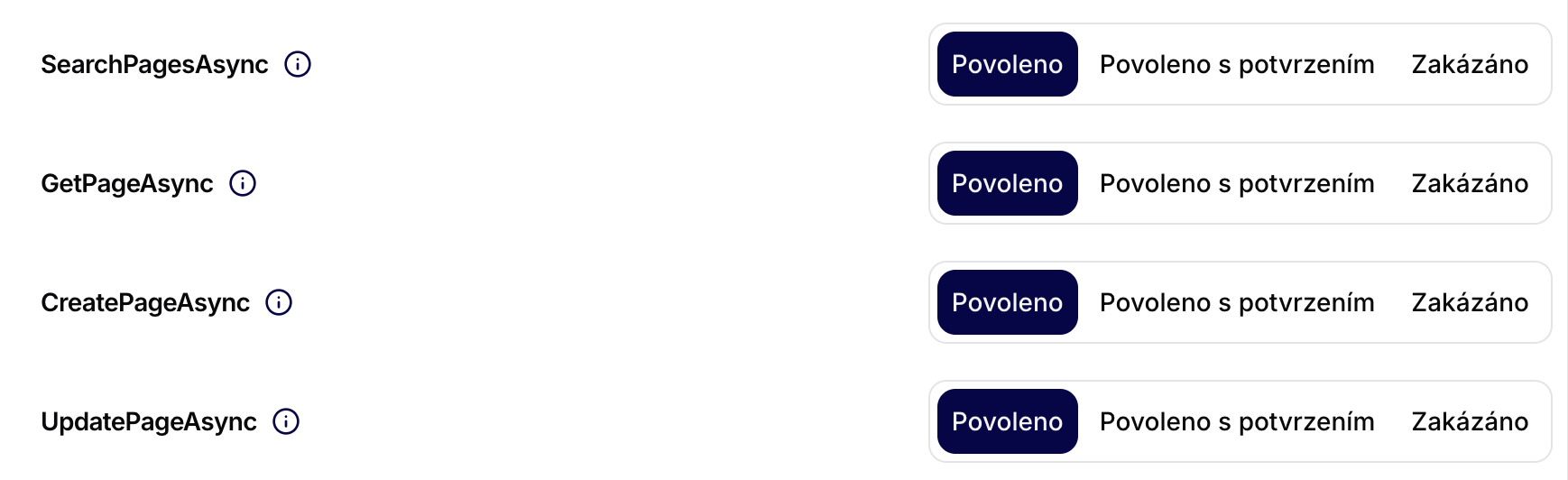
Each operation can be set individually:
- Allowed – the operation is available without restrictions.
- Allowed with confirmation – the operation requires manual approval.
- Denied – the operation is not available.
This model allows for precise definition of access scope, e.g., for:
- read-only agents,
- automated documentation processes,
- controlled writes to Confluence.
Configuration Parameters
Required Parameters
| Parameter | Description |
|---|---|
| Name | Internal designation of the connector |
| ApiKey | API token generated in the Atlassian account |
| Confluence site URL | URL of the Atlassian instance (e.g., https://company.atlassian.net) |
| Email or username of Atlassian account | Email (or username) of the account under which the token was created |
Steps to Add the Confluence Connector
1) Prepare Your Access Credentials
Before you start creating the connection in Siesta AI, prepare all the values you will enter into the form.
In your Atlassian account, open Security and the API Tokens section.
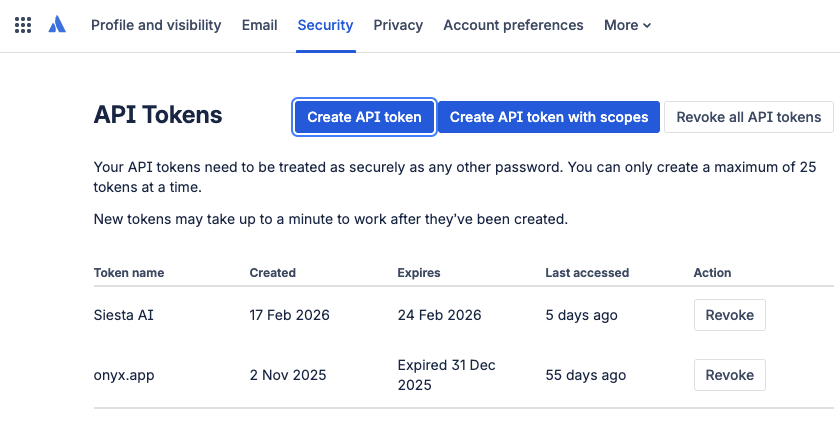
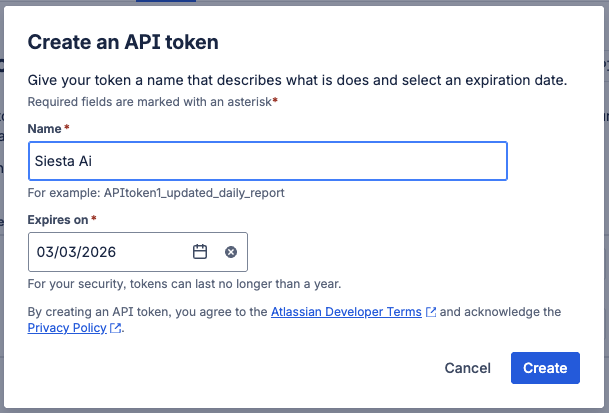
Click on Create API token (without scopes), enter the token name and expiration, and confirm the creation.
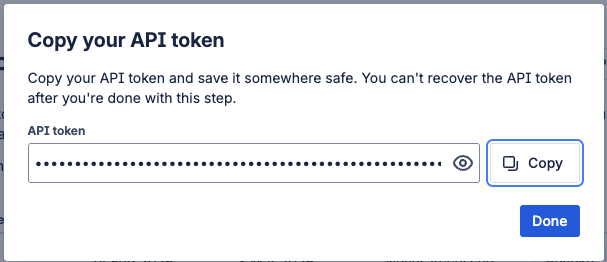
After creating the token, copy it once and store it securely.
Then prepare:
- Confluence site URL (e.g.,
https://company.atlassian.net) - Email or username of the Atlassian account under which the token was created
2) Open Integration Management in Siesta AI
In the Siesta AI administration, go to Administration → Connected Apps.
3) Select Confluence
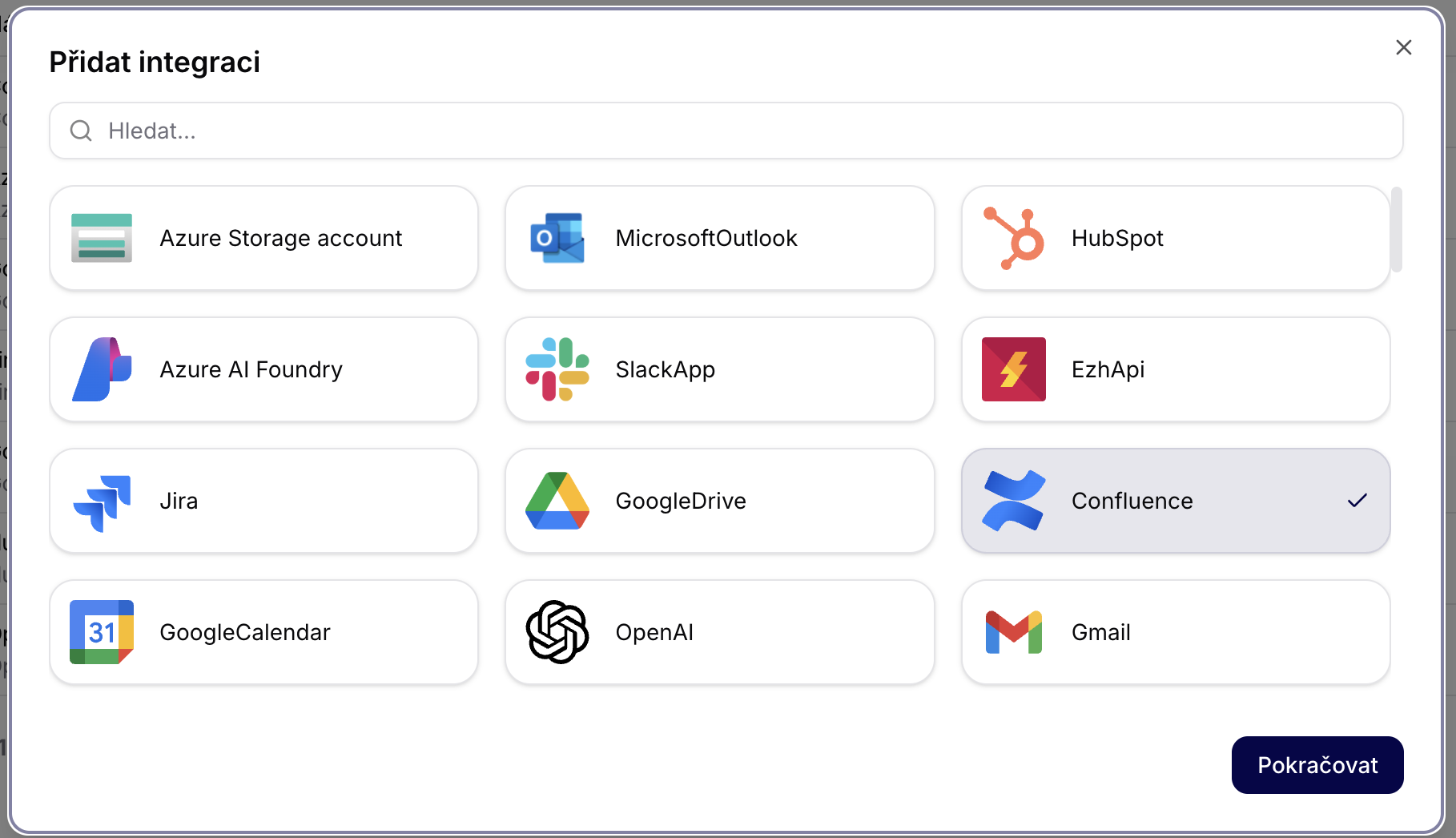
In the Add Integration dialog, select Confluence and proceed.
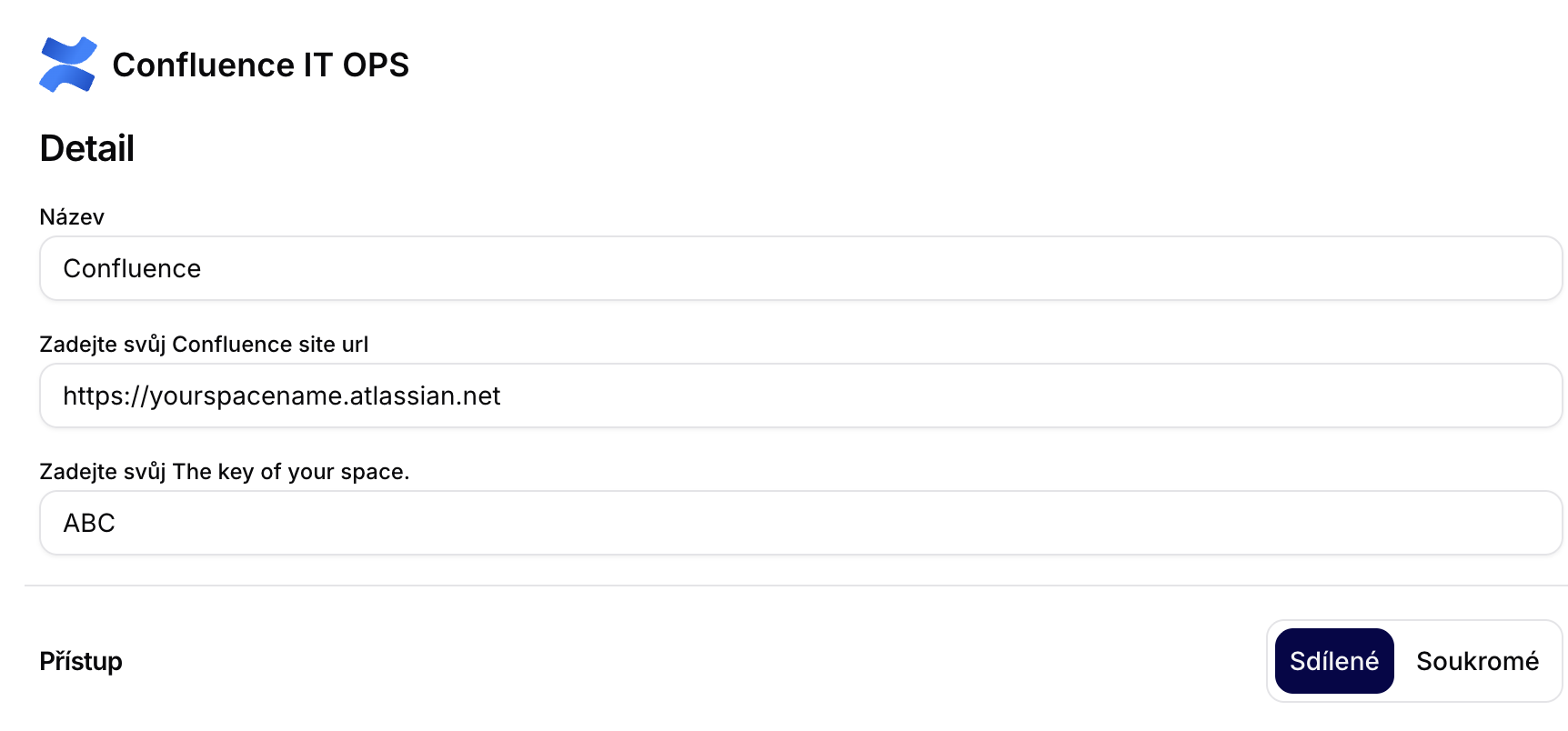
4) Fill Out the Confluence Form
Fill in:
- Name
- ApiKey (token from Atlassian)
- Confluence site URL (e.g.,
https://company.atlassian.net) - Email / username of the Atlassian account under which the token was created
Confirm the creation of the integration.
5) Set Operation Permissions
After creating the integration, open Permission Settings and set the allowed operations.
Recommendation: set write operations to Allowed with confirmation.
Important Note on API Token and Permissions
The API token is tied to a specific Atlassian account. The connector inherits the permissions of this account in Confluence (what the account cannot see or edit, the connector cannot either).
For this reason, it is recommended:
- that each user has their own token if the connection runs under their identity,
- or to use a dedicated service account for shared/production automation,
- to monitor the expiration of the token and perform regular rotation.
Typical Use Cases
Internal Knowledge Base
- Searching internal documentation
- Answering employee inquiries
- Centralized access to current information
Documentation Automation
- Generating release notes
- Creating meeting minutes
- Updating standard operating procedures (SOP)
Process Integration
- Synchronizing Jira → Confluence
- Automatically generating reports
- Documenting incidents and audit records
Security Architecture
The integration utilizes:
- authorized access via the Atlassian API,
- restrictions to specific Confluence spaces,
- granular permission management for operations,
- the ability to audit activities.
There is no unauthorized downloading of content or bypassing of Atlassian platform security mechanisms.
Recommended Operational Configuration
- Allow reading without restrictions.
- Set write operations to Allowed with confirmation.
- Use separate spaces for automated documentation.
- Regularly review connection permissions.