 Clockify
The Clockify connection lets agents work with time-tracking data in a selected Clockify workspace. Use it when an agent should inspect workspaces, users, clients, projects, tasks, time entries, expenses, approvals, time off, or create and update operational records in Clockify.
Recommended Setup
- Open Clockify Profile Settings and go to API Keys.
- Generate an API key for the intended workspace owner or service account.
- Copy the Workspace ID for the workspace that Siesta AI should use.
- Add the Clockify connection in Siesta AI.
- Paste the API key into Provide your ApiKey and paste the workspace identifier into Provide your Workspace ID.
- Leave Provide your Subdomain empty unless your Clockify setup uses a custom subdomain.
- Leave Provide your Region empty unless your Clockify account requires an explicit region value.
- Share the connection only with the teams that should read or change Clockify data.
- Require confirmation for create, update, and delete functions before broad rollout.
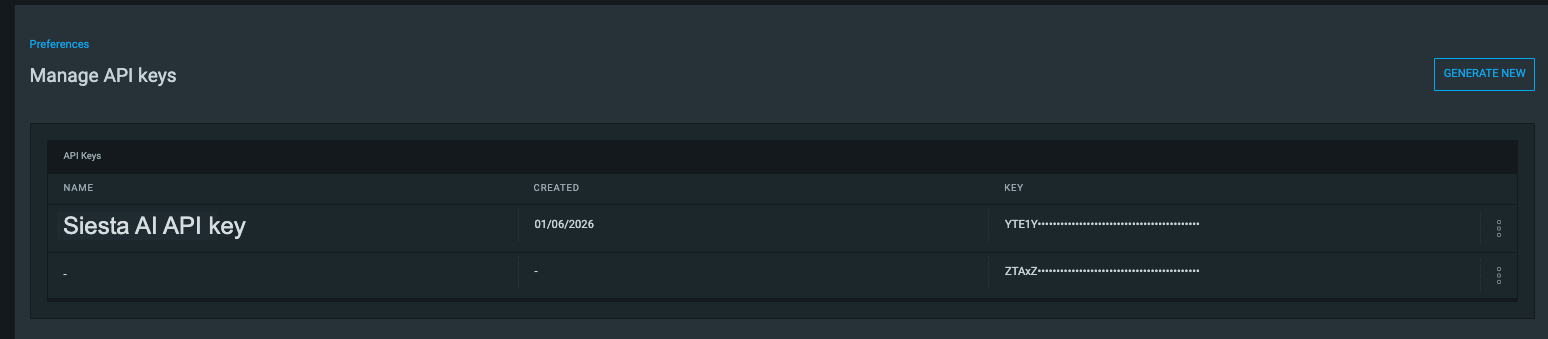
Generate the key from Profile Settings -> API Keys and use a dedicated name so the token is easy to rotate or revoke later.
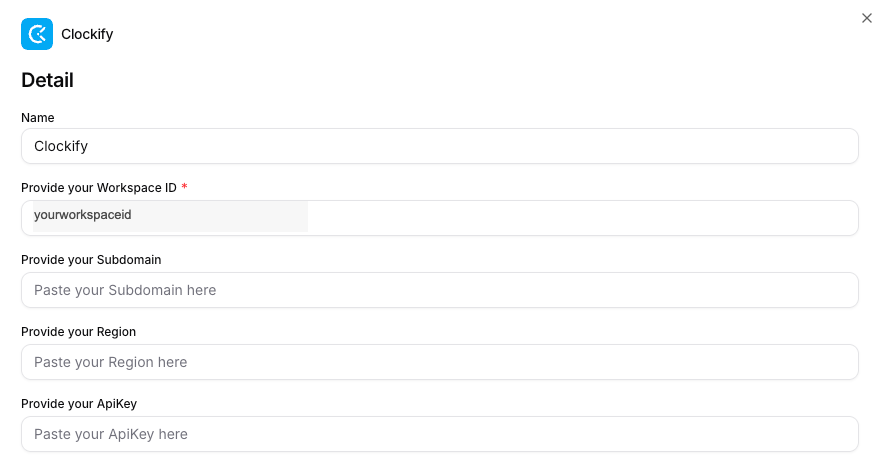
For most Cloud setups, only the Workspace ID and ApiKey fields are required. If you do not have a custom subdomain or region-specific requirement, leave Subdomain and Region empty.
What Agents Can Do
- validate the API key and list accessible workspaces,
- select a workspace for later calls,
- list users, clients, projects, tasks, time entries, expenses, approvals, and time off,
- create clients, projects, tasks, and completed time entries,
- update existing time entries,
- delete time entries when the connection capability allows it,
- request a detailed Clockify report.
Governance Notes
Clockify combines read-heavy reporting with write-capable operational functions. Use this baseline:
- enable listing and reporting functions for agents that only need visibility,
- require confirmation for creating clients, projects, tasks, or time entries,
- require confirmation for deleting time entries,
- scope the API key to the minimum workspace access that still supports the use case.
If the connection uses capability flags, a function can still be unavailable even when it exists in the overall tool surface.
Common Use Cases
- summarize how a team spent time in the current week,
- find open projects or tasks before creating a new time entry,
- create a completed time entry from a task or conversation outcome,
- review time off or approval records before follow-up,
- prepare a reporting brief from Clockify data.