 Microsoft Fabric
The Microsoft Fabric connection lets agents work with your Fabric workspace: items, artifacts, and platform metadata exposed by Fabric's own tools. It is added through the standard MCP connection and authorized with Microsoft OAuth, so there is no dedicated native module.
When to Use It
Use it when an agent needs to inspect or operate on Fabric content (workspaces and items) directly, or feed Fabric context into an agent or workflow, rather than exporting to a file first.
Setup
Microsoft Fabric is added as an MCP connection.
- In Connections, click Add Connection and select MCP.
- Fill in:
- Name: for example
Fabric. - Server URL:
https://api.fabric.microsoft.com/v1/mcp/core
- Name: for example
- Click Continue and complete the Microsoft login to create the connection.
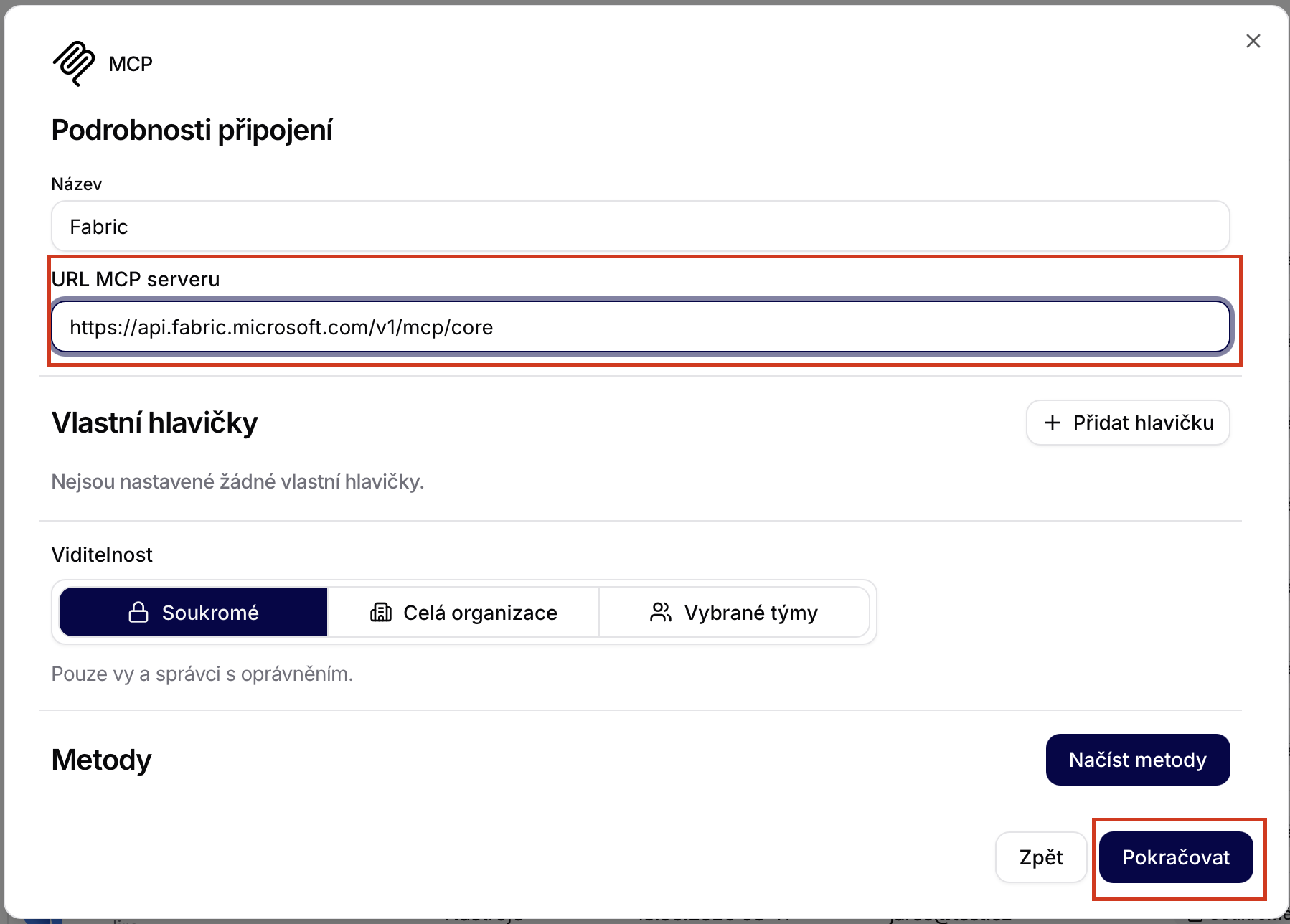
After the login completes, use Load methods to fetch the tools published by the Fabric MCP server.
What the Tool Can Do
The functions are published by the Fabric MCP server rather than by a fixed module, so the exact set depends on your tenant. After connecting, load the methods and review each one to confirm what it does and whether it reads or writes.
Security and Confirmation
The connection operates with the permissions of the account that completed the OAuth login: it can only reach the workspaces and items that account can. Governing individual functions works the same as for any MCP connection.
Example Use
List the items in my Fabric workspace and summarize what each one is for. Do not modify anything without confirmation.
Any execution can be reviewed in Run Tools.
Technical Notes
- Implementation: exposed through the standard MCP connection; the tool set is served at
https://api.fabric.microsoft.com/v1/mcp/core. - Authentication/scopes: OAuth through the Microsoft provider using auto-discovery, so the OAuth definition is provided by the tool. The connection uses the permissions of the signed-in account.
- Functions: defined by the Fabric MCP server; each published tool maps to a callable function with its own parameters and write behavior.