HubSpot Connector
Connecting HubSpot with Siesta AI
-
In Connectors, select Add Connection and choose HubSpot.
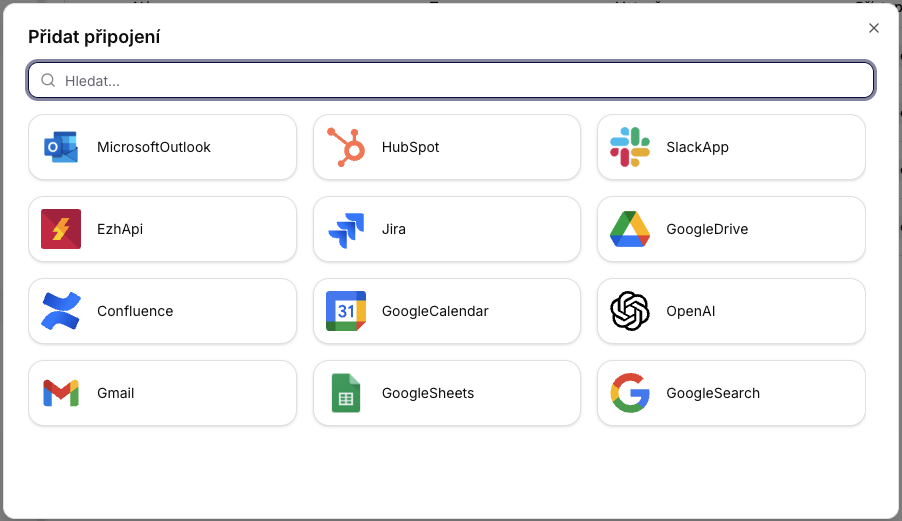
-
Enter the Private App token (API key) and set it to Shared or Private.
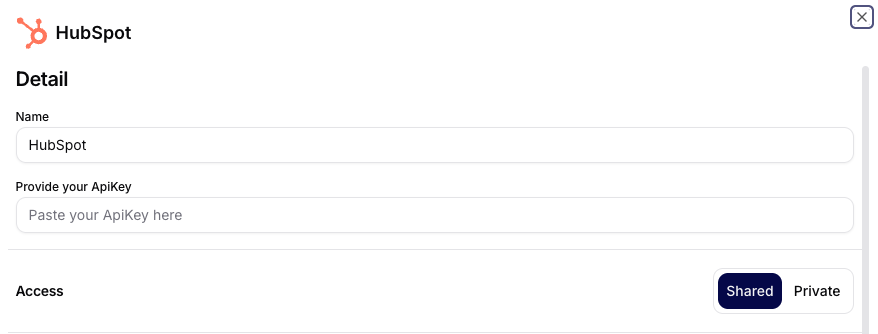
-
In HubSpot, open Settings -> Integrations -> Private Apps and create a new app.
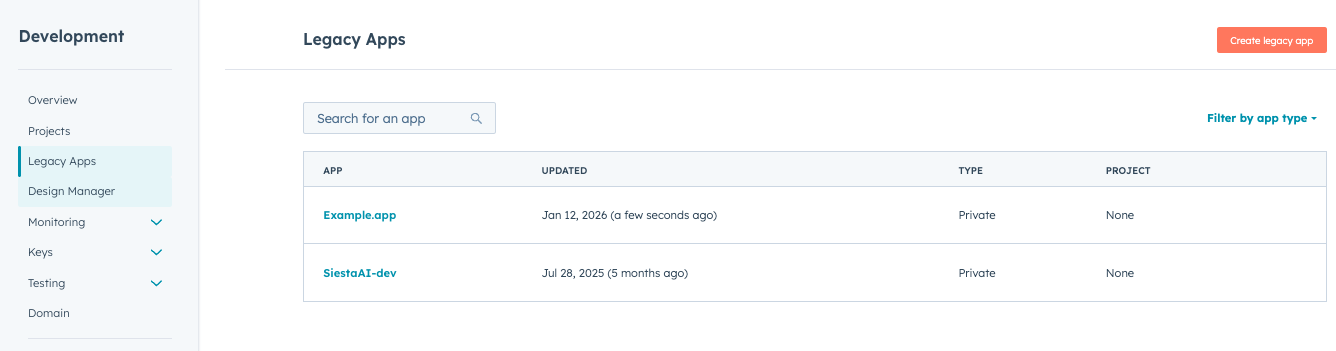
-
Fill in the basic information for the app.
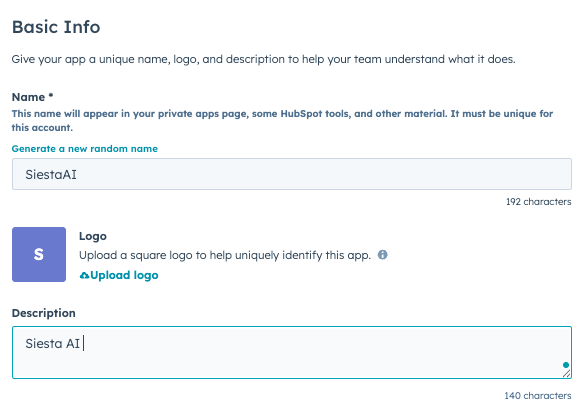
-
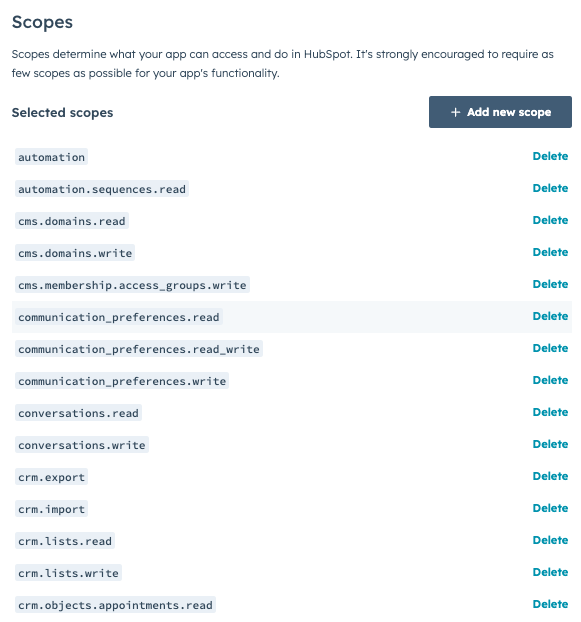
Set the necessary scopes for CRM objects.
-
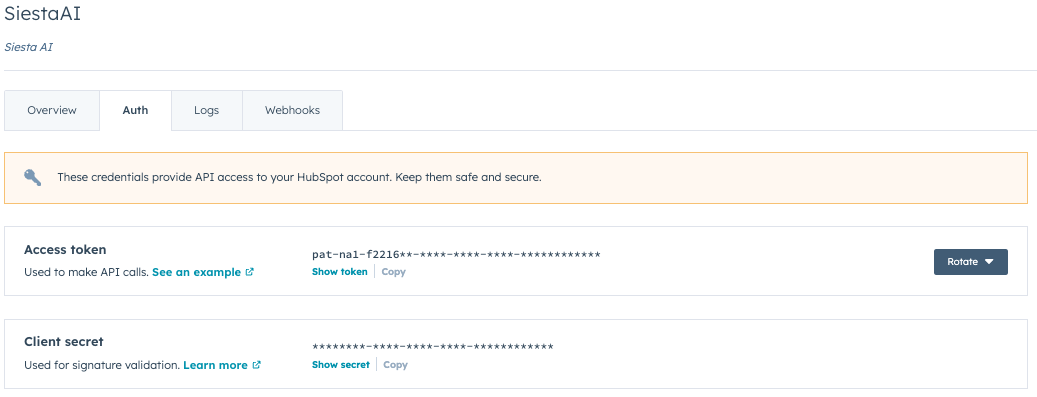
In the Auth tab, copy the Access token and use it in Siesta AI.
Overview
This connector provides a standardized interface for working with HubSpot CRM. It allows for the creation and reading of basic CRM entities: Companies, Contacts, Deals, and Pipelines.
The integration is designed to be stateless, deterministic, and fail-fast, suitable for:
- CRM automation
- Lead synchronization
- Sales and revenue pipeline orchestration
- Auditable enterprise workflows
Authentication and Security
- The connector communicates exclusively through the official HubSpot API.
- Authentication is handled at the HubSpot account level (OAuth / Private App token).
- No sensitive data is logged or cached.
- All operations run with permissions assigned in HubSpot.
Access rights (scopes) directly affect the availability of operations. Incorrect scopes result in failure.
Supported Entities
- Company
- Contact
- Deal
- Pipeline
Each operation works with internal HubSpot IDs, not names.
1. Company Operations
1.1 CreateCompany
Description
Creates a new company in HubSpot CRM.
Input Parameters
| Parameter | Type | Required | Description |
|---|---|---|---|
| name | String | Yes | The name of the company. |
| domain | String | Yes | The company's domain (must be unique). |
Behavior
- If the domain already exists, the operation fails.
- Does not perform fuzzy matching or domain normalization.
Typical Use Cases
- Onboarding new customers
- Synchronizing companies from external systems
2. Contact Operations
2.1 CreateContact
Description
Creates a new contact in HubSpot CRM.
Input Parameters
| Parameter | Type | Required | Description |
|---|---|---|---|
| String | Yes | The contact's email (must be unique). | |
| firstName | String | Yes | First name. |
| lastName | String | Yes | Last name. |
Behavior
- Email serves as a unique identifier.
- Duplicate email = hard error.
2.2 GetContactByEmail
Description
Returns a contact based on the email address.
Input Parameters
| Parameter | Type | Required |
|---|---|---|
| String | Yes |
2.3 GetContactById
Description
Returns a contact by its unique HubSpot ID.
Input Parameters
| Parameter | Type | Required |
|---|---|---|
| contactId | Int64 | Yes |
2.4 GetAllContacts
Description
Returns a list of contacts in HubSpot CRM.
Input Parameters
| Parameter | Type | Required | Description |
|---|---|---|---|
| limit | Int | No | Maximum number of records returned. |
3. Deal Operations
3.1 CreateDeal
Description
Creates a new deal and assigns it to a specific contact.
Input Parameters
| Parameter | Type | Required | Description |
|---|---|---|---|
| dealName | String | Yes | The name of the deal. |
| contactId | String | Yes | Existing Contact ID. |
| pipelineId | Int64 | Yes | Pipeline ID (not name). |
| stageId | Int64 | Yes | Stage ID (not name). |
| amount | Int | No | The value of the deal. |
Behavior
- Both pipeline and stage must exist.
- Does not perform automatic mapping of names to IDs.
- Incorrect relationship = fail.
3.2 GetDealById
Description
Returns deal details by ID.
Input Parameters
| Parameter | Type | Required |
|---|---|---|
| dealId | Int64 | Yes |
3.3 GetAllDeals
Description
Returns a list of deals.
Input Parameters
| Parameter | Type | Required |
|---|---|---|
| limit | Int | No |
4. Pipeline Operations
4.1 ListAllPipelines
Description
Returns all pipelines including their stages and corresponding IDs.
Input Parameters
None.
Note This step is mandatory if you do not want to create deals blindly.
5. Search Operations
5.1 SearchCompanies
Description
Searches for companies by name.
Input Parameters
| Parameter | Type | Required | Description |
|---|---|---|---|
| name | String | No | The name of the company (without domain). |
Restrictions
- Do not use domains, URLs, or emails.
- The search is textual, without fuzzy matching.