Google Sheets Connector
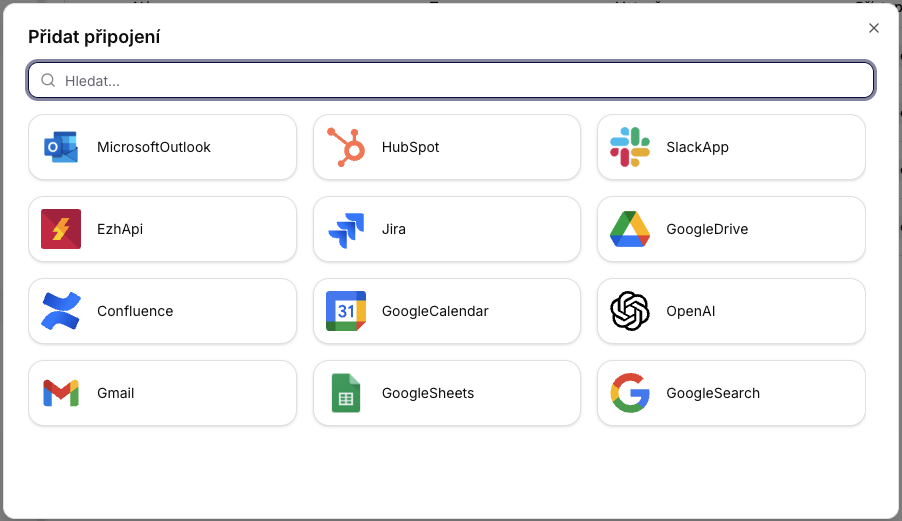
The connection is established in the same way as with other Google accounts in Siesta AI (OAuth).
Overview
This document describes the available integrations with Google services:
- GoogleSearch (Custom Search JSON API)
- GoogleSheets (operations on spreadsheets)
The integrations are designed as deterministic, stateless operations suitable for automation, reporting, and data pipelines.
1. Google Search Integration
Service Name
GoogleSearch
Operations
Search
Description
Performs a search using the Google Custom Search JSON API.
Input Parameters
| Parameter | Type | Required | Description |
|---|---|---|---|
| query | String | Yes | The search query passed to the Google API. |
Behavior
- Returns results according to the configuration of the Custom Search Engine (CSE).
- Respects the limits and quotas of the Google API.
- Does not perform any subsequent interpretation or filtering of results.
Typical Use Cases
- Market analysis
- Brand monitoring
- Automated research
- Data enrichment
2. Google Sheets Integration
Service Name
GoogleSheets
Description
The integration allows for the creation, searching, and updating of Google Spreadsheets. It is used as a lightweight data store or export target for automated processes.
2.1 CreateSheetAsync
Description
Creates a new Google Spreadsheet with specified columns.
Input Parameters
| Parameter | Type | Required | Description |
|---|---|---|---|
| name | String | Yes | The name of the Spreadsheet. |
| columnNames | String | Yes | A comma-separated list of column names. |
Behavior
- If a spreadsheet with the given name does not exist, it is created.
- Columns are initialized in the first row.
Typical Use Cases
- Report initialization
- Preparing data structure for subsequent writing
2.2 GetSheetAsync
Description
Searches for an existing Google Spreadsheet by name.
Input Parameters
| Parameter | Type | Required | Description |
|---|---|---|---|
| name | String | Yes | The name of the Spreadsheet. |
Behavior
- Returns metadata of the spreadsheet.
- If the spreadsheet does not exist, the operation fails.
2.3 UpdateSheetAsync
Description
Replaces the content of an existing Spreadsheet with data in CSV format.
Input Parameters
| Parameter | Type | Required | Description |
|---|---|---|---|
| name | String | Yes | The name of the Spreadsheet. |
| csvContent | String | Yes | CSV data to write. If the field contains a comma, it must be in quotes. |
Behavior
- Completely replaces existing content.
- Does not perform data type validation.
- Responsibility for the correct CSV format lies with the caller.
Typical Use Cases
- Data export
- Report synchronization
- Automatic rewriting of pipeline outputs
Security Notes
- The integration runs exclusively through the official Google API.
- No direct login credentials are exposed.
- Access rights are managed at the level of the Google account or service account.
Design Decisions
- Stateless operations without cache and shared state.
- Explicit names: the spreadsheet is identified by name, not ID.
- Fail-fast approach: inconsistent data leads to an error.
Summary
- GoogleSearch provides deterministic searching through the Google Custom Search JSON API.
- GoogleSheets covers the creation, retrieval, and updating of spreadsheets.
- The data format and permissions are fully the responsibility of the calling system.