Gmail Connector
Siesta AI - Gmail Connector allows secure work with a Gmail account through the official Gmail API. The integration provides reading, creating, and sending emails, which can be combined with GPT models and corporate workflows.
Quick Connection
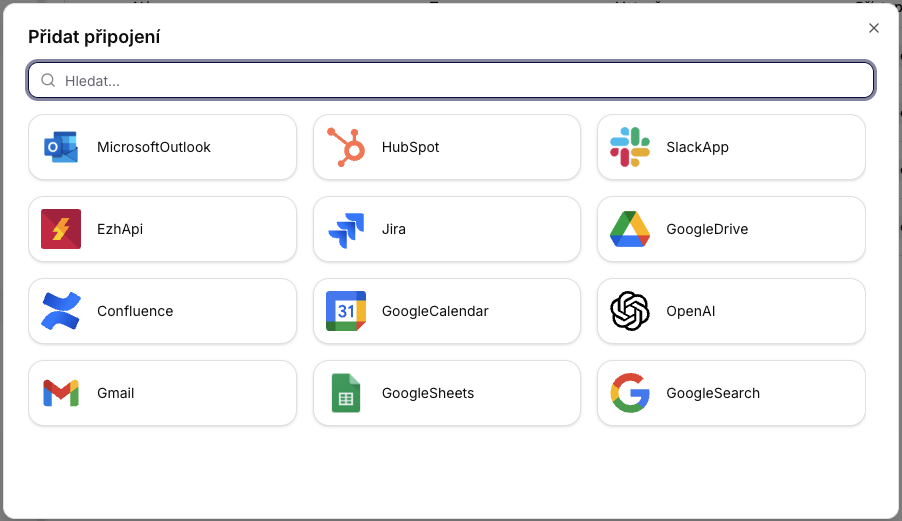
To create, simply click on Add Connection, select Gmail, and the page will automatically redirect to Google login. After logging in, the account is linked.
Available Operations
1. CreateDraft
Creates a new email draft in the Gmail inbox.
| Parameter | Type | Required | Description |
|---|---|---|---|
| body | String | Yes | Email text (plain) |
| subject | String | Yes | Email subject |
| to | String | Yes | Email address |
Use cases: automated email generation by AI models, preparation for approval, templates/proposals.
2. SendEmailAsync
Sends an email directly from the Gmail account.
| Parameter | Type | Required | Description |
|---|---|---|---|
| body | String | Yes | Email text |
| subject | String | Yes | Email subject |
| to | String | Yes | Recipient address |
Use cases: automatic notifications, sales/marketing sequences, follow-ups, AI-generated reports.
3. ListInboxAsync
Retrieves a list of the latest messages in the inbox.
| Parameter | Type | Required | Description |
|---|---|---|---|
| includeSpamTrash | Bool | No | Include spam and trash |
| maxResults | Int | No | Number of returned messages |
Use cases: AI assistants for email, inbox summarization, categorization and routing, detection of priority messages.
4. GetMessageAsync
Retrieves the complete content of a specific message including metadata.
| Parameter | Type | Required | Description |
|---|---|---|---|
| messageId | String | Yes | Message ID in Gmail API |
Use cases: content analysis using GPT, data extraction (orders, contacts, SLAs), thread reconstruction, context for automatic replies.
Capabilities Enabled by Gmail Connector
- AI-enhanced drafting: generating email drafts from context and corporate data.
- AI inbox assistant: automatic replies, labeling, prioritization, summarization of threads.
- Automation workflows: follow-ups, escalations, onboarding sequences, client communication.
- Data extraction: structured data from emails, conversion to ticketing/CRM/ERP, links to internal systems.
Requirements for Integration
- Google Cloud Project: Gmail API enabled, OAuth 2.0 Client ID created, authorized redirect URL for Siesta AI.
- OAuth 2.0 Authorization: user grants access; typical scopes:
- Secure token storage: tokens are encrypted, with automatic refresh token rotation.
- Google API quotas & rate limits: minimize GetMessageAsync calls, batch inbox operations, cache metadata.
- Governance & controls: validation of emails before sending, whitelisting addresses/domains, audit logs, approval workflows.
Security Considerations
- Emails and metadata are not stored without explicit purpose.
- Access tokens are encrypted and regularly refreshed.
- Each operation is auditable; Siesta AI does not send emails without approval or organizational policy.
How to Connect (OAuth)
-
Add Connection -> select
Gmail(same selection for Gmail/Google Calendar/Google Search).

-
Login with Google (OAuth login).
-
Confirm integration name (internal name in Siesta AI).
-
Consent to permissions (scopes according to Gmail connector).
Conclusion
The Gmail Connector provides Siesta AI with a reliable and secure way to automate corporate communication. The combination of the Gmail API and AI orchestration speeds up email handling, enables analysis of incoming information, and automates routine tasks.