Microsoft 365 Data Sources
Siesta AI exposes separate OneDrive and SharePoint Data sources. Both use a stored Microsoft connection and accept folder paths, but they represent different ownership models.
Choose OneDrive or SharePoint
| Choose | When the content belongs to | Main risk |
|---|---|---|
| OneDrive | One Microsoft user or files shared directly with that user | Access can disappear when the user or sharing changes |
| SharePoint | A team site, department, or document library | Wrong site/library path or service-account permission |
Use SharePoint for policies and shared production knowledge that should survive individual employee lifecycle changes. Use OneDrive for personal or individually owned working content.
Both creation forms expose an optional Store source files switch under Processing, off by default. It controls retention of the original remote binaries, not whether supported content is parsed and indexed. See Store Source Files for the canonical behavior.
Prepare the Connection
Create the appropriate OneDrive connection or SharePoint connection. Confirm the connected Microsoft account can open the exact folder in the intended drive, site, and library.
Configure OneDrive
| Field | What to enter |
|---|---|
| Name | Purpose and owning drive, for example Operations OneDrive — Reports |
| Description | Owner, folder scope, and exclusions |
| Connection ID | Stored OneDrive connection |
| Sync frequency | On Demand, Daily, Weekly, or Monthly |
| Folder paths | One or more paths relative to the connected drive |
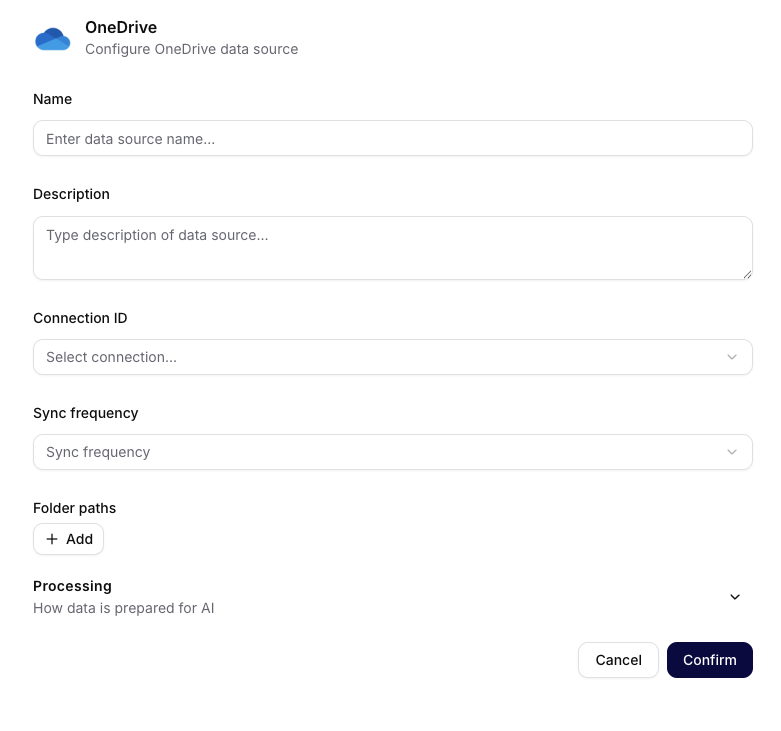
OneDrive accepts drive-relative folder paths and exposes Processing without the common Retriever section.
Examples:
Documents/Customer Onboarding
Shared/Approved Reports
Do not enter a local path, Windows drive letter, OAuth secret, or a full browser URL in Folder paths.
Configure SharePoint
| Field | What to enter |
|---|---|
| Name | Purpose and site/library, for example HR SharePoint — Policies |
| Description | Business owner, site/library, scope, and exclusions |
| Connection ID | Stored SharePoint connection |
| Sync frequency | On Demand, Daily, Weekly, or Monthly |
| Folder paths | Exact library/folder path available to the connected account |
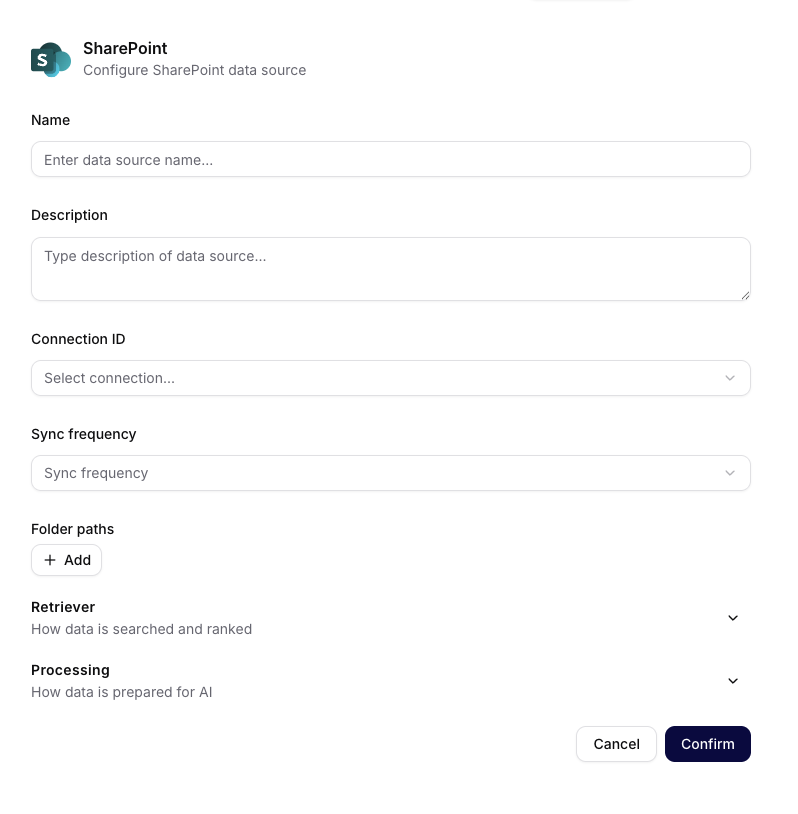
SharePoint accepts paths within the selected site or library and exposes both Retriever and Processing.
Examples:
Shared Documents/Policies
Shared Documents/Operations/Runbooks
Path spelling and the tenant's library names matter. Access inherited from an expiring share link is fragile; production sources should use explicit service-account access.
Processing Difference
The current OneDrive creation form does not expose the same Retriever controls as most other sources. SharePoint does. Document only and change the controls visible in the selected form; do not assume both Microsoft forms are identical. Use the definitions in Processing, Sync, and Troubleshooting for the shared controls.
Verification and Troubleshooting
If the source returns no files, verify the selected connection, exact relative path, site/library ownership, and account permission. Then inspect Files and Logs. A technically successful run must still be checked for expected document names and readable content.